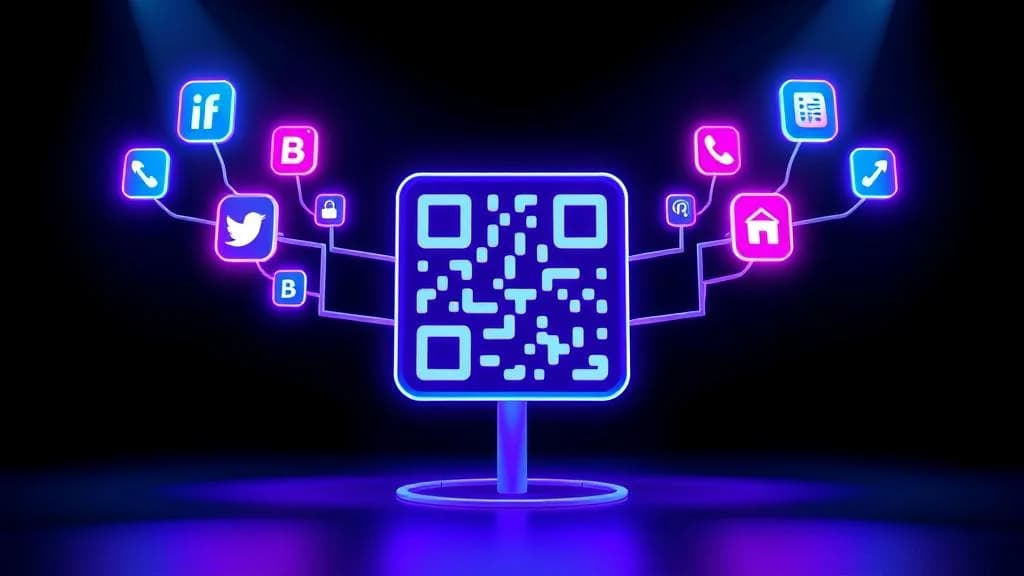
A multi-URL QR code lets you share multiple links with a single scan. Instead of forcing people to choose between your website, social profiles, booking page, or menu, one QR code opens a landing page that displays all of them. The person scanning picks where they want to go.
This solves a problem that anyone who prints marketing materials, hands out business cards, or sets up event signage has run into: you have one spot for a QR code, but five or ten things you want to link to. A multi-URL QR code eliminates that impossible choice entirely.
You can create a multi-URL QR code for free right now with QR-Verse. No account required, no watermarks, no limits on how many links you include. This guide walks you through the complete process, from understanding how multi-URL QR codes work to designing them for maximum engagement.
Key Takeaways
- A multi-URL QR code opens a hosted landing page with multiple clickable links - one scan replaces the impossible choice of which single URL to print.
- Unlike Linktree and similar tools, multi-URL QR codes from QR-Verse are fully brandable with your colors, logo, and custom domain.
- Each link on the landing page is tracked individually, so you can see which destinations get the most clicks from each physical placement.
- Dynamic multi-URL QR codes allow unlimited link updates without reprinting - add a new product page or seasonal promotion at any time.
- You can create a multi-URL QR code for free right now with no account and no watermarks.
Want to try this yourself? The generator is free and opens straight away.
Create a QR codeWhat Is a Multi-URL QR Code?
A multi-URL QR code is a dynamic QR code that opens a mobile-optimized landing page containing multiple clickable links. Instead of encoding a single URL into the QR pattern, it points to a hosted page where users see a curated list of destinations and choose the one they need.
Think of it as building a mini-website behind your QR code. Someone scans and sees your company name, a brief description, and a clean list of labeled buttons - each one linking to a different URL. Your website, Instagram, appointment scheduler, PDF brochure, Google Reviews page, and anything else you want to share, all accessible from a single scan.
Single-URL QR Code
One scan, one destination. If you need to share your website AND your Instagram AND your booking page, you need three separate QR codes. That means three times the space on your card, flyer, or poster - and three times the decision friction for the person scanning.
Multi-URL QR Code
One scan, every destination. A single code opens a branded landing page with all your links. Users pick what they need. Update or add links anytime without reprinting. One code replaces ten.
The landing page behind a multi-URL QR code is fully customizable. You control the colors, logo, link order, descriptions, and branding. When someone scans, they see something professional and intentional - not a generic list of raw URLs.
Multi-URL QR codes are always dynamic. This means you can add, remove, or rearrange links after the QR code has been printed. You can also track scan data - how many people scan, where they scan from, which links they click. Learn the difference between static and dynamic codes in our dynamic vs static QR codes comparison.
How a Multi-URL QR Code Works (Technical Overview)
Understanding the mechanics helps you use multi-URL QR codes more effectively and troubleshoot any issues. Here is what happens behind the scenes.
The Three-Layer Architecture
When you create a multi-URL QR code on QR-Verse, three things are generated:
-
A landing page - A hosted, mobile-first page that displays your links in a clean, branded layout. This page lives on QR-Verse's servers and loads in under 2 seconds on any device.
-
A short redirect URL - Rather than encoding your full landing page URL into the QR pattern, the system creates a compact redirect (like
qr-verse.com/r/abc123). Short URLs produce simpler QR patterns that scan faster and more reliably. -
The QR code image - The short redirect URL is encoded into a standard QR code. When scanned, the phone opens the redirect, which instantly loads your landing page.
This architecture is important because the QR code itself is lightweight regardless of how many links your landing page has. Whether you add 3 links or 30, the QR pattern stays the same complexity and scans just as easily.
What the Scanner Sees
From the user's perspective, the experience is seamless:
- They point their camera at the QR code (no app needed - all modern phones scan natively)
- A branded landing page loads in their browser
- They see clearly labeled links with optional icons and descriptions
- They tap the link they want and go directly to that destination
- The entire process takes under 3 seconds
Every scan and every link tap is recorded in your analytics dashboard, so you know exactly which links get the most engagement.
Why Not Just Encode Multiple URLs Directly?
A standard QR code can only encode one piece of data. You cannot technically put five URLs into a single QR pattern - the code would become so dense that most phone cameras could not read it. The multi-URL approach solves this by encoding one short URL that redirects to a page hosting all your links. It is an elegant workaround that gives you unlimited link capacity in a simple, reliable QR code.
The shorter your redirect URL, the simpler your QR pattern. Simpler patterns scan faster and print smaller. QR-Verse automatically generates the shortest possible redirect URLs to ensure maximum reliability across all print sizes and scanning conditions.
How to Create a Multi-URL QR Code (Step-by-Step)
Creating a QR code for multiple links takes less than two minutes. Here is the exact process on QR-Verse.
Open the Multi-Link QR Code Generator
Go to QR-Verse's QR code creator and select the Multi-Link QR code type. You can also access it directly from the multi-link tool page. This option is purpose-built for creating a QR code with multiple URLs - it automatically generates a customizable landing page.
Add All Your URLs
Enter each URL you want to include. For every link, provide:
- Title - What the user sees (e.g., "Visit Our Website" or "Follow on Instagram")
- URL - The destination address
- Description (optional) - A short note explaining what they will find
- Icon (optional) - A visual indicator for the link type
Order your links by priority. The most important link goes at the top because people scan from top to bottom and click the first option that matches their intent.
There is no hard limit on links, but we recommend 5 to 12 for the best click-through rates. Too many options create decision paralysis.
Design Your Landing Page
Brand the landing page so it looks professional and matches your identity:
- Add your name, business name, or brand title
- Upload a logo or profile photo
- Select a color scheme that matches your brand
- Write a short bio or description (1-2 sentences)
- Arrange links in the order you want them displayed
A branded page builds trust instantly. Generic pages with raw URLs raise doubts about legitimacy.
Customize the QR Code Design
Make the QR code itself recognizable and on-brand:
- Choose foreground and background colors
- Add your logo to the center of the code
- Select a module style (rounded, dotted, classic)
- Ensure strong contrast between foreground and background for reliable scanning
Branded QR codes get scanned up to 40% more often than plain black-and-white codes. For advanced design techniques, see our branded QR codes guide. You can also turn your QR code into a piece of artwork using our AI QR code art generator.
Download, Test, and Deploy
Export your QR code as PNG (for digital use) or SVG (for print). Before deploying:
- Test on at least 2 different phones (iPhone and Android)
- Test at your expected print size - scan from the distance people will actually use
- Verify every link on the landing page opens correctly
Then add the QR code to your business cards, flyers, posters, product packaging, presentations, trade show booths, or any surface where you want to share multiple links with one scan.
Create Your Multi-URL QR Code Now
Build a free multi-URL landing page with custom branding, per-link analytics, and a scannable QR code. No account needed to start.
Create Multi-URL QR Code →Multi-URL QR Code vs. Multiple Separate QR Codes
One of the most common questions people ask is whether they should create one multi-URL QR code or several individual codes for each link. Here is the honest comparison.
When to Use a Multi-URL QR Code
A multi-URL QR code is the better choice when:
- Space is limited - Business cards, product labels, and table tents only have room for one code
- Context is broad - You do not know which specific link the scanner will want
- Links change often - Dynamic codes let you update without reprinting
- You want consolidated analytics - One dashboard shows all scan data and link clicks
- You need a professional appearance - One clean code looks better than a grid of five
When to Use Separate QR Codes
Individual QR codes make more sense when:
- The action is specific - A WiFi QR code that auto-connects to your network
- No choice is needed - A menu QR code that opens your restaurant menu directly
- Speed matters most - Skipping the landing page saves one tap for the user
- The destination is specialized - A vCard QR code that saves contact info to the phone
The Hybrid Strategy
The most effective approach combines both. Use specialized QR codes for high-frequency, single-purpose actions (WiFi, menu, contact card) and a multi-URL QR code as your "everything else" hub that connects people to all your other resources. Many businesses use a vCard QR code on the front of their business card and a multi-URL QR code on the back.
Multi-URL QR Code vs. Linktree (and Other Link-in-Bio Tools)
If you already use Linktree, Later, Beacons, or another link-in-bio service, a multi-URL QR code covers the same ground - and then some.
The core limitation of every link-in-bio tool is that it was designed for a single placement: the clickable URL in your social media bio. That is genuinely useful online. On a business card, a flyer, a product box, or a trade show stand, it is completely useless. Printed URLs require manual typing. Nobody does that. A multi-URL QR code solves the offline problem that Linktree cannot touch.
There are also meaningful differences in cost and control. Linktree charges for per-link analytics, removes its branding only on paid plans, and takes a 12% sales commission on free accounts that use its commerce features. QR-Verse gives you per-link click tracking on the free plan, adds no platform watermark, and takes no commission. The platform is hosted in the EU, which matters if your audience is European and you care about data residency. The interface is available in 7 languages.
| Feature | QR-Verse (multi-URL QR code) | Linktree / link-in-bio |
|---|---|---|
| Works in social media bio | Yes - share the landing page URL | Yes |
| Works on business cards | Yes - scan the QR code | No - requires typing a URL |
| Works on printed materials | Yes - flyers, posters, packaging, signage | No - digital only |
| Editable after printing | Yes - dynamic, update links anytime | Not applicable (no print use case) |
| Custom QR code design | Full - colors, logo, patterns, AI art | None or basic |
| Per-link click tracking | Free | Paid plans only |
| Platform branding on free plan | None | "Powered by Linktree" watermark |
| Sales commission (free plan) | None | 12% on commerce features |
| Data hosting | EU (GDPR-aligned) | US |
| Interface languages | 7 (EN, ES, NL, FR, PT, DE, IT) | English only |
| Cost | Free | Free with limits, paid tiers $5-24/mo |
The fundamental difference is reach. Linktree was built for one placement. A multi-URL QR code from QR-Verse is built for everywhere - online bios, business cards, posters, product packaging, trade show booths, email signatures, presentations, and any physical surface where you want to share multiple links with one scan.
You do not have to pick one or the other. Use your QR-Verse multi-URL landing page URL as your Instagram bio link, and use the QR code on printed materials. One creation, two distribution channels - online and offline. Build yours free at QR-Verse's multi-link generator.
8 Best Use Cases for Multi-URL QR Codes
1. Business Cards and Networking
A multi-URL QR code transforms the back of your business card into a gateway to your entire professional presence. Instead of cramming URLs onto the card, add a single QR code that links to your LinkedIn, portfolio, booking page, company site, and latest case study.
Recommended landing page links:
- LinkedIn profile
- Company website
- Portfolio or case studies
- Calendly or booking link
- PDF resume or media kit
Pair it with a vCard QR code on the front for instant contact saving. For the full networking setup, read our vCard digital business card guide.
2. Social Media Creators and Influencers
Content creators need to funnel followers across platforms. A multi-URL QR code printed on merchandise, displayed at events, or added to collaboration materials sends fans to every platform at once.
Recommended landing page links:
- Instagram, TikTok, YouTube profiles
- Latest content or featured video
- Merch store
- Newsletter signup
- Patreon or membership page
For a deeper look at social media strategies with QR codes, see our social media QR code guide and QR codes for content creators.
3. Events, Conferences, and Trade Shows
Event attendees need access to schedules, maps, speaker bios, sponsor info, and feedback forms - but venue signage only has room for one QR code. A multi-URL code consolidates everything.
Recommended landing page links:
- Event schedule or program (PDF)
- Venue map and directions
- Speaker bios and presentation slides
- Registration or RSVP page
- Social media event hashtag
- Post-event survey
For complete event QR strategies, read our QR codes for events guide and event RSVP guide.
4. Restaurants and Hospitality
Instead of cluttering tables with separate QR codes for the menu, WiFi, reviews, and social media, use one multi-URL QR code that provides access to everything a guest might need.
Recommended landing page links:
- Full digital menu
- Online ordering or reservation link
- WiFi access credentials
- Google Reviews page
- Instagram and social profiles
- Loyalty program signup
See our restaurant QR code menu guide for a complete hospitality setup.
5. Real Estate Listings
Property signs have limited space, but buyers want property photos, floor plans, virtual tours, agent contact info, and mortgage calculators. A multi-URL QR code on a yard sign gives potential buyers everything they need.
Recommended landing page links:
- Property listing page with photos
- Virtual tour video
- Floor plan PDF
- Agent contact page
- Mortgage calculator
- Neighborhood guide
Read more in our QR codes for real estate guide.
6. Product Packaging and Retail
A multi-URL QR code on product packaging connects customers with setup instructions, warranty registration, social media, support, and review pages - all from a single scan after unboxing.
Recommended landing page links:
- Setup or instruction video
- Warranty registration form
- Customer support contact
- PDF manual
- Leave a review link
- Related products or accessories
For more strategies, see our QR codes for product packaging guide and retail QR code guide.
7. Education and Classrooms
Teachers can use a multi-URL QR code on handouts, worksheets, or classroom posters to give students access to supplementary resources without printing individual URLs.
Recommended landing page links:
- Lecture slides or notes (PDF)
- Supplementary reading links
- YouTube tutorial videos
- Assignment submission portal
- Class discussion forum
- Contact information for office hours
Explore more in our QR codes for education guide.
8. Marketing Campaigns and Print Advertising
Print ads, flyers, billboards, and direct mail have room for one QR code - make it count by linking to your campaign landing page, social proof, pricing, and contact form.
Recommended landing page links:
- Campaign landing page or offer
- Product demo video
- Testimonials or case studies
- Pricing page
- Contact or booking form
- Social media profiles
Learn about print-specific strategies in our QR codes for print marketing guide.
Design Tips for Higher Scan Rates and Click-Through
Creating a multi-URL QR code is easy. Making it perform well requires attention to both the QR code design and the landing page design.
QR Code Design Best Practices
Contrast is king. The foreground and background colors must have strong luminance contrast. Dark foreground on a light background is safest. Avoid color combinations where both shades have similar brightness - scanners read brightness differences, not color differences.
Add your logo. A logo in the center of the QR code increases brand recognition and trust. QR codes have built-in error correction that compensates for the logo covering part of the pattern. Keep the logo to 20-25% of the QR code area.
Minimum print size: 2 cm x 2 cm. For business cards, 2.5-3 cm works well. For posters, go 5 cm or larger. For billboards, the QR code should be at least 1/10th of the expected scanning distance.
Include a call-to-action. Never print a QR code without text explaining what it does. "Scan for all our links" or "Scan to explore" performs significantly better than a bare code with no context.
For advanced QR code design techniques, read our branded QR codes guide and QR code size and print guide.
Landing Page Design Best Practices
Keep it under 12 links. Pages with 5-8 links outperform those with 20+ because users can quickly scan and decide. Every link you add dilutes the click-through rate of the others.
Use descriptive, action-oriented titles. "Visit Our Online Store" outperforms "Website." "Book a Free Consultation" outperforms "Contact." Tell people what they will get, not just where they will go.
Prioritize by context. The link order should match the specific placement:
- Business cards - LinkedIn and portfolio first
- Event signage - Schedule and map first
- Restaurant tables - Menu and ordering first
- Product packaging - Setup instructions and support first
Brand the page. Use your logo, brand colors, and a professional photo. Add a 1-2 sentence bio. First impressions happen in under 2 seconds. A branded page builds trust. A generic page raises doubts.
Advanced Strategies for Multi-URL QR Codes
Rotate Links Seasonally
Because your multi-URL QR code is dynamic, you can update the landing page to reflect current campaigns, seasonal promotions, or trending content without reprinting the physical code.
A retail store could rotate their landing page links quarterly:
- Q1 - New year sale, new arrivals, loyalty signup
- Q2 - Spring collection, outdoor gear, summer preview
- Q3 - Back-to-school, fall fashion, clearance
- Q4 - Holiday gift guides, shipping deadlines, store hours
The QR code on their window stays the same all year. Only the landing page changes.
Use Analytics to Optimize
Your QR-Verse dashboard shows both scan-level analytics (total scans, locations, devices, times) and link-level analytics (which URLs get the most clicks). Use this data to:
- Move high-performing links to the top for even more clicks
- Remove links nobody clicks to reduce decision fatigue
- A/B test link titles - change wording and measure the impact
- Identify your audience - are they clicking your store, your social profiles, or your booking page?
For a complete analytics walkthrough, see our QR code analytics tracking guide.
Combine with Specialized QR Codes
A multi-URL QR code is your "hub," but specialized QR code types handle certain actions better:
- WiFi QR code - Connects devices to your network automatically
- vCard QR code - Saves contact details directly to the phone
- Event QR code - Adds calendar events with one tap
- Menu QR code - Opens your restaurant menu instantly
Use your multi-URL QR code for broad sharing and specialized codes for high-frequency single-purpose actions. They complement each other.
Turn Your QR Code into Art
A plain black-and-white QR code gets the job done, but an AI-designed QR code gets attention. QR-Verse's AI QR code art generator transforms your multi-URL QR code into scannable artwork - a watercolor painting, a cyberpunk cityscape, a floral pattern - that draws the eye and increases scan rates by up to 30%.
Read our complete AI QR code art generator guide to learn how it works and see examples.
Pre-Print Checklist for Multi-URL QR Codes
Before you commit to a print run, verify every detail. Reprinting is expensive.
- All links on the landing page work - tap each one on a phone
- Landing page loads in under 2 seconds on mobile data
- Links are ordered by priority for this specific placement
- Link titles are descriptive (not "Click Here" or "Link 1")
- Landing page is branded with logo, colors, and bio
- QR code scans reliably on at least 2 different phones
- QR code has strong foreground-background contrast
- Print size is at least 2 cm x 2 cm (bigger for posters)
- A call-to-action is visible near the QR code on the printed material
- Error correction level is medium or high (H for codes with logos)
Ready to Share All Your Links with One Scan?
Create a free multi-URL QR code with a branded landing page, per-link click tracking, and unlimited link updates. No account required to start.
Build Your Multi-URL QR Code →Frequently Asked Questions
How do I create a multi-URL QR code for free?
Go to QR-Verse's QR code creator, select the Multi-Link type, add all the URLs you want to share, customize the landing page design and QR code appearance, then download your code as PNG or SVG. The entire process takes under two minutes and is completely free with no watermarks. You can also start from the multi-link tool page.
Can one QR code really link to multiple URLs?
Yes. A multi-URL QR code points to a hosted landing page that displays all your links as clickable buttons. When someone scans the code, they see a mobile-optimized page and choose which link to visit. You can add unlimited links - your website, social profiles, booking page, menu, documents, and anything else with a URL.
What is the difference between a multi-URL QR code and a regular QR code?
A regular QR code encodes a single destination URL. A multi-URL QR code uses a dynamic redirect that opens a landing page with multiple clickable links. The advantage is that you share many resources with one code and can update the links anytime without reprinting. Standard QR codes are permanent once printed.
Can I change the URLs after the QR code is printed?
Yes. Multi-URL QR codes are dynamic, so the landing page content is fully editable after printing. Add new links, remove old ones, reorder them, or change titles and descriptions from your QR-Verse dashboard. The physical QR code never changes, so you never need to reprint.
Is a multi-URL QR code the same as Linktree?
They solve the same core problem - sharing multiple links from one source - but a multi-URL QR code works both digitally and physically. Linktree is online-only: it gives you a URL to paste into your social bio, but that URL is useless on a business card or flyer because people will not type it. A multi-URL QR code gives you the same landing page plus a scannable code you can print on any physical material. QR-Verse also includes per-link click tracking on the free plan, adds no platform watermark, takes no sales commission, and hosts your data in the EU.
How many URLs can I put in one QR code?
There is no hard limit on QR-Verse. Add as many links as you need. For optimal user experience, we recommend 5 to 12 links. Research shows that too many options reduce click-through rates due to decision paralysis. Focus on the most relevant links for the context where the QR code will be displayed.
Do multi-URL QR codes track analytics?
Yes. With a free QR-Verse account, you get total scans, unique visitors, device types, locations, timestamps, and per-link click counts. This data helps you understand which links resonate most with your audience and optimize your landing page for better performance. Export data as CSV for reporting.
What is the best way to use a multi-URL QR code on a business card?
Print the QR code on the back of your card (2.5-3 cm size) with a call-to-action like "Scan for all my links." On the landing page, include LinkedIn, portfolio, booking page, and company website. Order links by what a new contact would most want to access. Keep the total under 8 links for a clean, focused experience.
Start Sharing Multiple Links with One QR Code
A multi-URL QR code eliminates the impossible choice of which single link to share. One code, one scan, every destination your audience needs. Whether you put it on a business card, a flyer, a product box, or a trade show banner, it connects people to your full digital presence in under 3 seconds.
The setup takes less than 2 minutes. The code is free. The links are always editable. And every scan gives you data on how people engage.
Keep exploring:
- Multi-Link QR Code Generator - Create your multi-URL QR code now
- QR Code Creator - All 27 QR code types in one place
- Multi-Link QR Codes: Share Multiple URLs with One Scan - In-depth guide to multi-link landing pages
- Social Media QR Code - Multi-platform social linking
- vCard QR Code - Digital business cards
- AI QR Code Art Generator Guide - Turn QR codes into artwork
- Static vs Dynamic QR Codes - Understand the difference
- QR Code Analytics Tracking Guide - Master your scan data
- Free QR Code Generator Guide - Everything free on QR-Verse
- Getting Started Guide - New to QR-Verse? Start here
Create your multi-URL QR code now - free, no sign-up required.
Ready to create your QR code?
Free plan available. No signup required. Create professional QR codes in seconds.
Ready to try it yourself?
Create professional QR codes with tracking, custom colors, and AI-generated art.
Try our free tools:
Create your QR code in seconds
No signup, no credit card. 27 QR types with full customization. Upgrade to Pro (€4.99/mo) for unlimited power.
Share this article
Related Articles
QR Code for Multiple Links - Free Multi-Link Guide
Create a QR code for multiple links in 2 minutes. One scan opens all your URLs. Better than Linktree - free, no branding, with analytics.
Read More
URL QR Code Guide: Create Trackable, Editable Links
Everything you need to know about URL QR codes. Learn how to create dynamic, trackable links with custom designs - free, no sign-up required.
Read More
Multi-Language QR Codes: Reach Global Audiences
Learn how multi-language QR codes automatically redirect users to content in their language - perfect for international products, tourism, and global marketing.
Read More