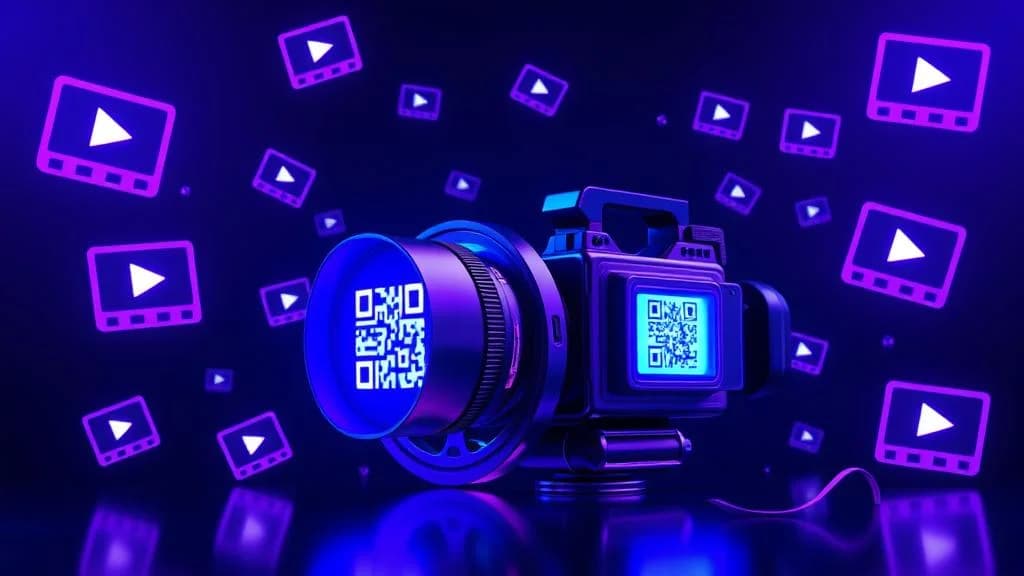
A video QR code generator lets you turn any video - a YouTube tutorial, a Vimeo portfolio reel, a self-hosted MP4 product demo - into a scannable code that plays instantly on any smartphone. No apps to install, no links to type, no friction between your audience and your content.
Video is the dominant content format online. Over 80% of internet traffic is video, and consumers overwhelmingly prefer watching a product demo over reading a description. But there is a gap: video lives on screens, while the real world - packaging, posters, business cards, brochures, trade show booths - runs on print. A video QR code bridges that gap in a single scan. You can create a video QR code for free with QR-Verse in under 60 seconds.
This guide covers everything you need to know about creating video QR codes: the different types, the best use cases across industries, a step-by-step walkthrough using QR-Verse, and the technical details that separate a good video QR code from a great one.
Key Takeaways
- Over 80% of internet traffic is video - a video QR code bridges the gap between physical print materials and rich media content.
- A video QR code can link to YouTube, Vimeo, Wistia, or a self-hosted MP4 file - any video with a URL works as a destination.
- Consumers overwhelmingly prefer watching a product demo over reading a description - video QR codes on packaging directly increase purchase intent.
- Dynamic video QR codes let you replace the linked video without reprinting - update product demos, training materials, or event recordings.
- You can create a free video QR code with QR-Verse in under 60 seconds with full scan analytics included.
Want to try this yourself? The generator is free and opens straight away.
Create a QR codeWhat Is a Video QR Code?
A video QR code is a QR code that, when scanned, takes the viewer directly to video content. The video can be hosted anywhere - YouTube, Vimeo, Wistia, your own website, or even uploaded directly as an MP4 file. The QR code stores the URL that points to the video, and the viewer's phone opens it in a browser or the native app.
There is nothing fundamentally different about the technology. A video QR code is a URL QR code that happens to point to a video. What makes it special is the use case: you are connecting a physical touchpoint (a flyer, a product box, a poster) to a rich media experience that no amount of printed text can replicate.
Video QR codes are not limited to a single format. Whether you are sharing a 15-second Instagram Reel, a 2-hour training session, or a 360-degree virtual tour, the QR code works the same way - scan, watch, done.
Why Video QR Codes Matter in 2026
The shift toward video-first content is not slowing down. Here is why video QR codes have become essential for businesses and creators:
- Attention capture - A 30-second video communicates more than a full page of text. Linking print materials to video increases engagement dramatically.
- Mobile-first world - 75% of video consumption happens on mobile devices. QR codes are inherently mobile, creating a frictionless path from print to play.
- Measurable engagement - With dynamic QR codes, you can track exactly how many people scanned, when, where, and on what device. That data is invisible with a printed URL.
- Updatable content - Dynamic video QR codes let you change the destination video without reprinting the QR code. Launch a new product video? Swap the link. No new flyers needed.
Types of Video QR Codes
Not all video QR codes are created equal. The type you choose depends on where your video is hosted and how much control you need over the viewing experience.
YouTube QR Code
The most popular option. Paste a YouTube video URL into the QR-Verse video tool, generate a code, and anyone who scans it goes directly to that YouTube video. On mobile, the YouTube app opens automatically for the best viewing experience. For a deep dive into YouTube-specific features like channel QR codes, playlist QR codes, and Shorts, see our dedicated YouTube QR code generator guide.
Best for: Public content, tutorials, product reviews, music videos, channel promotion.
Advantages:
- Free hosting with virtually unlimited bandwidth
- YouTube's built-in player handles all device compatibility
- Viewers can subscribe, like, and share directly
- Analytics available through YouTube Studio alongside QR scan analytics
Vimeo QR Code
Vimeo offers a more professional, ad-free viewing experience. If your brand prioritizes a clean presentation without "recommended videos" pulling attention away, Vimeo is the better host.
Best for: Portfolio reels, client presentations, premium product demos, corporate communications.
Direct MP4 / Video File QR Code
For maximum control, you can host the video file yourself and link the QR code to the direct URL. This works with MP4, WebM, and MOV files. The video opens in the phone's native browser player.
Best for: Internal training materials, private content, situations where you need full control over access and hosting.
Direct MP4 links require reliable hosting with enough bandwidth. A video that buffers or fails to load destroys the user experience. For most use cases, YouTube or Vimeo hosting is more reliable and cost-effective than self-hosting.
Video Landing Page QR Code
Instead of linking directly to a video player, you can create a dedicated landing page that embeds the video alongside supporting content - a headline, description, call-to-action button, and additional links. This gives you the most control over the viewer's experience after they scan. A multi-link QR code is an excellent way to create this kind of landing page, combining a video link with additional resources in a single scan.
Best for: Marketing campaigns, product launches, lead generation, event promotions.
Comparison: YouTube vs Direct Upload vs Landing Page
Choosing the right hosting approach depends on your goals. Here is how they compare:
| Feature | YouTube QR | Direct MP4 | Video Landing Page |
|---|---|---|---|
| Hosting cost | Free | Your server costs | Your server costs |
| Bandwidth | Unlimited | Limited by plan | Limited by plan |
| Branding control | Low (YouTube UI) | High | Full control |
| Ads on video | Possible | None | None |
| Analytics | YouTube + QR | QR only | Full funnel |
| Mobile experience | Opens YouTube app | Browser player | Custom page |
| SEO value | YouTube ranks | Your domain ranks | Your domain ranks |
| Ease of setup | Easiest | Moderate | Most work |
For most businesses, YouTube is the practical choice. It is free, reliable, and the app experience is familiar to every smartphone user. Use a landing page approach when the video is part of a larger conversion funnel - a product launch, a lead magnet, or a campaign where you need to control every pixel of the experience.
How to Create a Video QR Code with QR-Verse
Creating a video QR code takes less than 60 seconds. Here is the step-by-step process using QR-Verse's free video QR code generator.
Get your video URL ready
Copy the URL of the video you want to share. This can be a YouTube link (e.g., youtube.com/watch?v=...), a Vimeo URL, or a direct link to an MP4 file hosted on your server or cloud storage.
Open the QR-Verse video tool
Go to the Video QR Code Generator on QR-Verse. You can also access it from the main QR code creator by selecting the Video type.
Paste your video URL
Enter the video URL in the input field. QR-Verse accepts any valid URL - YouTube, Vimeo, Dailymotion, Wistia, self-hosted MP4 files, Google Drive video links, and more.
Customize the design
Choose colors, add your logo, select a frame style, and adjust the QR code pattern. Your video QR code should match your brand's visual identity. For high-impact designs, explore the AI Art Generator to create a QR code that doubles as artwork.
Generate and download
Click Generate. Your video QR code is ready instantly. Download it as PNG for digital use or SVG for print. Test by scanning with your phone to confirm the video plays correctly.
Place and track
Add your video QR code to packaging, posters, brochures, business cards, or digital channels. With a QR-Verse account, track scans in real time - see how many people watched, when, and where.
Create Your Video QR Code Now
Turn any YouTube, Vimeo, or MP4 video into a scannable QR code. Free, no sign-up required. Customize colors, add your logo, and track scans.
Create Free Video QR Code →Best Use Cases for Video QR Codes
Video QR codes work across virtually every industry. Here are the highest-impact applications, organized by use case.
Product Demos and Unboxing
Place a video QR code on product packaging that links to a setup tutorial, unboxing experience, or product demo. Customers get instant visual guidance instead of deciphering a printed manual.
Where to place it: Product box, insert card, instruction booklet, warranty card.
Example: A kitchen appliance brand adds a QR code to the box that links to a 3-minute "Getting Started" video. First-use experience improves, support calls decrease, and customer satisfaction goes up.
Training and Education
Replace or supplement printed training materials with video content. A video QR code on a training manual, safety poster, or classroom handout gives instant access to demonstrations, lectures, and interactive lessons.
Where to place it: Training manuals, safety signage, textbooks, classroom posters, employee handbooks.
Example: A manufacturing company places video QR codes on equipment safety posters. Workers scan to watch a 90-second safety procedure video instead of reading a dense instruction sheet. Compliance rates improve because the information is more accessible.
For more on using QR codes in education, see our QR codes for education guide.
Real Estate Virtual Tours
Real estate professionals are using video QR codes to transform static property listings into immersive experiences. A QR code on a yard sign, flyer, or listing brochure links to a video walkthrough or 360-degree virtual tour.
Where to place it: Yard signs, property flyers, listing brochures, open house handouts, business cards.
Example: An agent adds a video QR code to every "For Sale" sign. Passersby scan and get a full video tour of the interior - even when the property is locked. Lead quality improves because viewers self-qualify before making contact.
For a deeper dive, read our QR codes for real estate guide.
Restaurant and Hospitality
Restaurants can use video QR codes on menus to show how dishes are prepared, highlight seasonal specials with a chef's video message, or showcase the sourcing of ingredients. Hotels can link to room tour videos, local attraction guides, or welcome messages from the general manager.
Where to place it: Table tents, digital menus, in-room cards, lobby signage, welcome packets. Pair with a WiFi QR code for a complete guest experience.
Example: A farm-to-table restaurant adds video QR codes next to signature dishes on the menu. Each links to a 30-second clip of the chef preparing the dish. Diners order the featured items more often, and social media shares increase as guests post the videos.
See also: Restaurant QR code menu guide, our complete hospitality QR code guide, and how to use an Instagram QR code on table tents to grow your restaurant's social following.
Marketing Campaigns
Video QR codes turn every print ad, billboard, direct mail piece, and event booth into a multimedia experience. Instead of hoping someone types a URL, you give them a one-scan path to your brand story.
Where to place it: Print advertisements, direct mail, trade show banners, bus shelters, retail displays, product packaging.
Example: A fitness brand launches a new supplement line with print ads in health magazines. Each ad features a video QR code linking to a 60-second testimonial video. The campaign drives 3x more website visits than the same ad with a printed URL.
For broader marketing strategies, explore our QR codes in digital marketing guide.
Event Highlights and Recaps
After a conference, wedding, or festival, share a highlight reel with attendees through a video QR code. Include it on thank-you cards, follow-up emails, or social media posts.
Where to place it: Thank-you cards, post-event emails, social media posts, event programs, photo booth printouts.
Example: A wedding couple includes a video QR code on their thank-you cards. Guests scan to watch a 3-minute highlight reel of the ceremony and reception. It is personal, memorable, and gets shared across family group chats.
More event strategies in our event QR codes guide and wedding QR codes guide.
Product Demos
Link packaging to setup videos, tutorials, and unboxing content. Reduce support costs and improve the customer experience.
Real Estate Tours
Turn property signs into virtual tour gateways. Qualify leads before they ever call.
Training & Safety
Replace dense manuals with scannable video instructions. Improve comprehension and compliance.
Video QR Codes for Marketing Campaigns
Video is the most engaging content format, and QR codes are the fastest bridge between offline and online. Combining them creates a marketing channel that no other medium can replicate.
Print-to-Video Funnel
The classic use case: a print advertisement, product package, or direct mail piece includes a video QR code. The viewer scans and immediately enters your video content funnel. From there, you can:
- Hook with a short, compelling video (15-60 seconds)
- Engage with a call-to-action overlay or end screen
- Convert with a link to your product page, signup form, or checkout
This funnel is measurable end-to-end with dynamic QR codes. You know exactly how many people scanned from each physical placement, giving you offline attribution data that was previously impossible.
Social Media Amplification
Create a video QR code that links to your best-performing social media content - an Instagram Reel, a YouTube Short, or a TikTok clip. Print it on merchandise, event materials, or in-store signage. Every scan drives views and engagement on your social media profiles.
Seasonal and Campaign Rotation
With dynamic QR codes, you can rotate the destination video without changing the physical QR code. Run a holiday campaign video in December, swap it for a New Year message in January, and update to a spring sale video in March - all from the same printed QR code on your storefront window.
Pro tip: Use QR-Verse's analytics dashboard to A/B test different video content behind the same QR code. Run version A for one week, swap to version B the next, and compare scan-through rates and engagement. This is impossible with static QR codes.
Technical Tips for Video QR Codes
Getting the technical details right is the difference between a video QR code that delights and one that frustrates. Here are the essentials.
Video File Size and Format
If you are linking to a self-hosted video file rather than YouTube or Vimeo:
- MP4 with H.264 encoding is the universal standard. Every phone, tablet, and browser supports it without additional codecs.
- Keep files under 100 MB for smooth mobile playback. Compress longer videos or use adaptive bitrate streaming.
- WebM is an excellent alternative for web playback, offering smaller file sizes at comparable quality.
- Avoid AVI, WMV, and FLV - these formats have inconsistent mobile support and may not play on all devices.
Streaming vs. Download
When linking to a direct video file, the default behavior is that the phone's browser starts streaming (progressive download). For a better experience:
- Use a video hosting platform (YouTube, Vimeo, Wistia) that handles adaptive streaming automatically
- If self-hosting, use HLS (HTTP Live Streaming) for adaptive bitrate delivery on longer videos
- For short clips under 30 seconds, progressive download works fine on modern mobile connections
Mobile Optimization
Your video needs to work perfectly on mobile, since nearly all QR code scans come from smartphones:
- Vertical or square format videos perform best on mobile screens. Avoid forcing horizontal content on portrait-oriented phones.
- Captions and subtitles - Many mobile viewers watch without sound. Always include captions for accessibility and engagement.
- Fast load time - The first 3 seconds determine whether someone stays or leaves. Optimize your video's opening to capture attention immediately.
- Responsive player - If using a landing page, ensure the video player resizes correctly across all screen sizes.
QR Code Size and Placement
The physical size and placement of your video QR code affects scan success:
- Minimum 2cm x 2cm for close-range scanning (business cards, product labels)
- 5cm x 5cm or larger for signage, posters, and materials viewed from a distance
- Include a call-to-action near the QR code: "Scan to watch," "See the demo," or "Watch the video tour." People scan more when they know what to expect.
- High contrast - Ensure the QR code has strong dark-on-light or light-on-dark contrast. Avoid placing it on busy photographic backgrounds.
Static vs. Dynamic Video QR Codes
This choice fundamentally changes what you can do with your video QR code after it is printed.
Static Video QR Code
A static QR code permanently encodes the video URL directly into the QR pattern. Once generated, it cannot be changed.
When to use static: Personal projects, one-time sharing (sending a video to family), situations where the video URL will never change.
Limitations: If the video is deleted, moved, or the URL changes, the QR code becomes permanently broken. No scan tracking. No ability to update content.
Dynamic Video QR Code
A dynamic QR code uses a short redirect URL that you control. You can change the destination video at any time without altering the physical QR code.
When to use dynamic: Marketing campaigns, product packaging, any professional or business application. Essentially, always use dynamic unless you have a specific reason not to.
Advantages:
- Change the destination video anytime
- Track scan counts, locations, devices, and times
- A/B test different videos behind the same code
- Never worry about a broken QR code
For a complete breakdown, read our static vs. dynamic QR codes guide.
Create a Dynamic Video QR Code
Update your video anytime. Track every scan. Never reprint. QR-Verse dynamic QR codes are free to create.
Generate Your Video QR Code →Advanced Strategies
Combine Video QR with vCard
Real estate agents, sales professionals, and consultants can include a video QR code alongside their digital business card (vCard). The vCard saves their contact details, while a separate video QR code links to a personal introduction video or portfolio reel.
Pair Video with PDF Documents
Combine a video QR code with a PDF QR code for a complete content experience. A real estate listing could include one QR code linking to a property walkthrough video and another linking to the property brochure. A training program could pair a video demonstration with a written procedure manual. Both QR code types are free to create on QR-Verse.
Multi-Language Video Content
For international audiences, create separate video QR codes for each language version of your content - or use a dynamic QR code with a landing page that auto-detects the viewer's language and serves the appropriate video.
Video QR Codes on Social Media
While QR codes are primarily a print-to-digital bridge, they also work in digital-to-digital contexts. Share a video QR code as an image on social media, in email signatures, or on websites. Viewers can screenshot and scan later, extending the reach of your video content.
Retargeting After Video Views
Link your video QR code to a landing page with a retargeting pixel. Everyone who scans and watches becomes part of your retargeting audience for follow-up campaigns on Google, Facebook, or Instagram.
Frequently Asked Questions
How do I create a QR code for a video?
Go to the QR-Verse Video QR Code Generator, paste your video URL (YouTube, Vimeo, or direct MP4 link), customize the design, and download. The entire process takes less than 60 seconds. No account required for basic QR codes.
Can I create a QR code for an MP4 file?
Yes. If your MP4 file is hosted online with a direct URL, paste that URL into the video QR code generator and it will create a scannable QR code. The file needs to be publicly accessible via the URL for viewers to play it. For private videos, consider uploading to YouTube as an unlisted video instead.
Is a video QR code free to create?
Yes. QR-Verse lets you create video QR codes for free with no watermarks and no account required. Free codes include custom colors, logo upload, and frame options. For scan tracking and the ability to change the destination URL later, create a free account for dynamic QR codes.
What is the best video format for a QR code?
MP4 with H.264 encoding is the universal standard supported by all smartphones and browsers. For self-hosted videos, keep files under 100 MB for reliable mobile playback. For the best experience, host on YouTube or Vimeo and let their adaptive streaming handle device compatibility automatically.
Can I change the video after the QR code is printed?
Yes, if you used a dynamic QR code. Dynamic QR codes use a redirect URL that you can update anytime without changing the physical QR code. This means you can swap videos for seasonal campaigns, update tutorials, or replace outdated content - all without reprinting a single code.
Do video QR codes work with YouTube and Vimeo?
Absolutely. Paste any YouTube or Vimeo URL into the QR-Verse generator to create a video QR code. On mobile devices, YouTube links open in the YouTube app and Vimeo links open in the Vimeo app for the best viewing experience.
How do I track who scans my video QR code?
Create a free QR-Verse account and use dynamic QR codes. The analytics dashboard shows total scans, unique scans, scan locations (city and country), device types, operating systems, and scan times. Pair this with YouTube analytics for a complete picture of video engagement.
What size should a video QR code be for printing?
Minimum 2cm x 2cm for close-range materials like business cards and product labels. Use 5cm x 5cm or larger for posters, banners, and signage viewed from a distance. Always include a text call-to-action like "Scan to watch the video" near the code to drive scans.
Start Sharing Videos with a Single Scan
Video QR codes eliminate the gap between physical media and video content. Whether you are a real estate agent sharing property tours, a teacher distributing lesson videos, a marketer amplifying campaign content, or a business owner showcasing product demos - a video QR code gets your audience from print to play in one scan.
The technology is simple, the creation process takes seconds, and the impact on engagement is measurable. Every printed URL that someone has to type is a lost viewer. Every video QR code that someone scans is an engaged one.
More resources to explore:
- Video QR Code Generator - Create your video QR code for free
- QR Code Creator - Access all 20+ QR code types
- YouTube QR Code Generator Guide - YouTube-specific QR code strategies
- Instagram QR Code Generator Guide - Grow your Instagram with QR codes
- PDF QR Code Generator Guide - Share documents alongside videos
- Multi-Link QR Code Guide - Combine video with multiple links
- URL QR Code Guide - Master URL-based QR codes
- Static vs Dynamic QR Codes - Choose the right type
- QR Codes for Marketing - Complete marketing strategy guide
- Free QR Code Generator Guide - Everything free on QR-Verse
Create Your Free Video QR Code
Share YouTube, Vimeo, or MP4 videos with a scannable QR code. Free, customizable, trackable. No sign-up required.
Generate Video QR Code Now →Ready to create your QR code?
Free plan available. No signup required. Create professional QR codes in seconds.
Ready to try it yourself?
Create professional QR codes with tracking, custom colors, and AI-generated art.
Try our free tools:
Create your QR code in seconds
No signup, no credit card. 27 QR types with full customization. Upgrade to Pro (EUR 4.99/mo) for unlimited power.
Share this article
Related Articles
YouTube QR Code Generator: Link Any Video or Channel
Create a YouTube QR code for any video, channel, or playlist. Complete guide for marketing, education, events, and business growth.
Read More
PDF QR Code Generator: Share Documents Instantly
Create a PDF QR code that lets anyone view and download your document directly. Complete guide for restaurants, real estate, education, HR, and events.
Read More
Social Media QR Code: Grow All Your Platforms at Once
Use a single QR code to link all your social media profiles. Grow Instagram, TikTok, YouTube, and LinkedIn simultaneously with a link-in-bio QR.
Read More