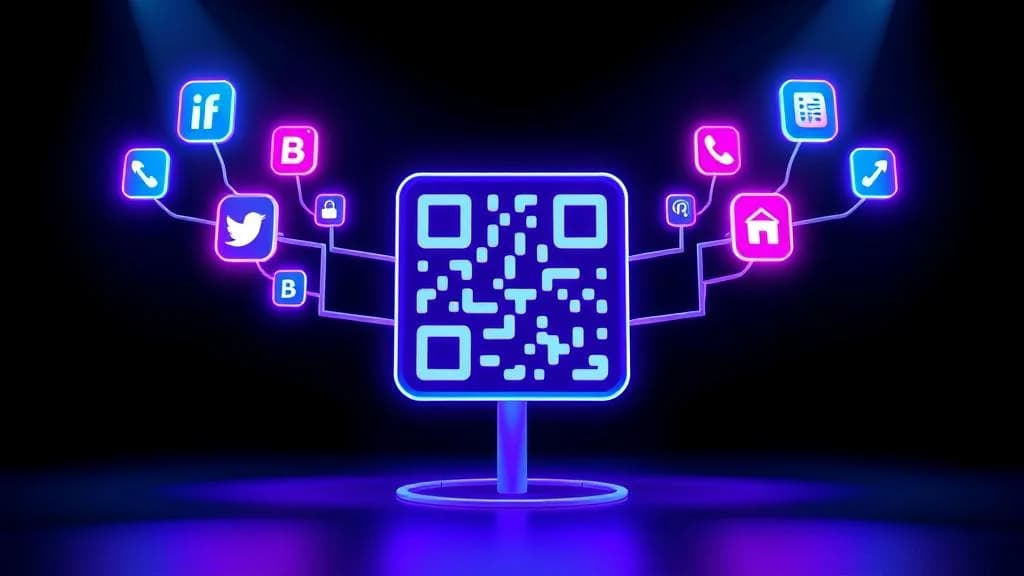
A QR code for multiple links solves one of the most common frustrations in digital marketing: you have five, ten, or twenty URLs you need to share, but only one place to put a QR code. Your business card has room for one code. Your flyer has room for one code. Your product packaging has room for one code.
So which link do you choose? Your website? Your Instagram? Your menu? Your signup form? Your latest promotion?
The answer is: all of them. A multi-link QR code opens a mobile-optimized landing page that displays every URL you want to share - and the person scanning chooses where to go. One scan, unlimited destinations. You can create a multi-link QR code for free with QR-Verse in under two minutes.
This guide covers everything you need to know about creating, designing, and deploying multi-link QR codes for your business, brand, or personal use. Whether you are replacing a Linktree page, consolidating marketing materials, or building a better link-in-bio experience, this is the complete walkthrough.
Key Takeaways
- A multi-link QR code opens a mobile-optimized landing page with all your URLs in one place - no need to choose which single link to share.
- One QR code can replace separate codes for your website, Instagram, menu, booking page, and promotional offers simultaneously.
- Multi-link QR codes are more effective than Linktree for physical marketing because they are fully branded and trackable per-link.
- Dynamic multi-link QR codes let you add, remove, or reorder links without reprinting - update your menu seasonally on the same code.
- You can create a free multi-link QR code with QR-Verse in under two minutes with no account required.
Want to try this yourself? The generator is free and opens straight away.
Create a QR codeWhat Is a Multi-Link QR Code?
A multi-link QR code is a dynamic QR code that, when scanned, opens a customizable landing page containing multiple clickable links. Instead of sending everyone to a single URL, it presents a menu of destinations - your website, social profiles, online store, booking page, PDF menu, contact form, or anything else with a URL.
Think of it as a physical-world version of a link-in-bio page. The difference is that a multi-link QR code works everywhere - not just in your Instagram bio. Print it on a business card, display it at an event, put it on product packaging, or include it in a presentation.
Standard QR Code
One scan leads to one destination. If you need to share five links, you need five separate QR codes. Impractical for printed materials where space is limited.
Multi-Link QR Code
One scan opens a landing page with all your links. Users choose their destination. Update links anytime without reprinting. One code handles everything.
The landing page is fully customizable - you control the layout, colors, link titles, icons, and branding. When someone scans your code, they see a polished, mobile-first page that looks professional and loads instantly.
Multi-link QR codes are always dynamic, which means you can add, remove, or rearrange links at any time after the code has been printed. You can also track how many people scan the code and which individual links they click. Learn more about the difference in our static vs dynamic QR codes guide.
How Multi-Link QR Codes Work
The technology behind a multi-link QR code is straightforward, but understanding it helps you use it more effectively.
When you create a multi-link QR code, three things happen:
-
A landing page is generated - QR-Verse creates a hosted, mobile-optimized page that displays all the links you provide. This page lives on our servers and is always accessible.
-
A short redirect URL is created - Instead of encoding your entire landing page URL into the QR pattern, the system generates a compact redirect URL (something like
qr-verse.com/r/abc123). This keeps the QR code simple and easy to scan. -
The QR code is rendered - The short URL is encoded into a standard QR code pattern. When someone scans it, their phone opens the redirect URL, which instantly loads your landing page.
Because the QR code only contains the short redirect URL, it stays compact regardless of how many links your landing page contains. You could have 3 links or 30 links - the QR code pattern stays the same size and scans just as easily.
What Happens When Someone Scans
Here is the user experience from the scanner's perspective:
- They point their phone camera at the QR code
- Their browser opens a clean, branded landing page
- They see a list of clearly labeled links with optional icons and descriptions
- They tap the link they want and are taken directly to that destination
- The entire process takes less than 3 seconds
Every scan and every link click is tracked in your QR-Verse dashboard, giving you analytics on which links are most popular, what devices people use, and where they are scanning from.
Multi-Link QR Code vs. Linktree: Which Is Better?
If you are already using Linktree, Later, or another link-in-bio tool, you might wonder why you need a multi-link QR code. The short answer: a multi-link QR code does everything a link-in-bio tool does, plus it works in the physical world.
Here is the detailed comparison:
| Feature | Multi-Link QR Code | Linktree / Link-in-Bio Tools |
|---|---|---|
| Works in Instagram bio | Yes (share the landing page URL) | Yes |
| Works on business cards | Yes (scan the QR code) | No (requires typing a URL) |
| Works on print materials | Yes (scan from flyers, posters, packaging) | No (no scannable code) |
| Works at events | Yes (display the code anywhere) | No (digital-only) |
| Custom branding | Full control (colors, logo, layout) | Limited on free plans |
| Click analytics per link | Yes, built-in | Varies by plan |
| Update links after printing | Yes (dynamic QR code) | Yes |
| No platform branding | Yes (no "Powered by" badge) | Free plans show branding |
| QR code customization | Full (colors, logo, patterns) | Basic or none |
| Cost | Free on QR-Verse | Free with limits, paid plans $5-24/mo |
The key difference is the use case. Linktree was designed for one specific placement: your Instagram bio. A multi-link QR code is designed for everywhere - digital and physical. If you hand out business cards, display signage, print flyers, or appear at events, a multi-link QR code covers every scenario that Linktree cannot.
You do not have to choose between them. Use your multi-link QR code's landing page URL as your Instagram bio link, and use the QR code itself on all your printed materials. One setup, both worlds covered. Create yours at QR-Verse's multi-link generator.
Best Use Cases for Multi-Link QR Codes
A multi-link QR code is versatile by design. Here are the highest-impact use cases across industries and situations.
Social Media Bio and Creator Pages
Content creators, influencers, and personal brands need to send followers to multiple platforms simultaneously. A multi-link QR code works as a physical link-in-bio alternative that you can print on merchandise, display at meet-and-greets, or include in collaboration materials.
What to include on your landing page:
- Instagram, TikTok, YouTube, and other social profiles
- Your latest content or featured video
- Newsletter signup
- Merch store
- Booking or collaboration inquiry link
For a deeper dive into social media strategies, read our complete social media QR code guide.
Business Cards and Networking
A traditional business card has room for a name, title, phone number, and maybe one URL. A multi-link QR code transforms the back of your card into a portal to your entire professional presence.
What to include on your landing page:
- Company website
- LinkedIn profile
- Portfolio or case studies
- Calendly booking link
- Email contact
- PDF resume or brochure
Pair this with a vCard QR code for maximum impact - one code for saving contact details, another for exploring your links. Read our vCard QR code guide for the complete networking setup.
Events, Conferences, and Trade Shows
Event organizers and exhibitors benefit enormously from multi-link QR codes because attendees need access to multiple resources but there is limited physical space for information.
What to include on your landing page:
- Event schedule or program PDF
- Registration or RSVP link
- Venue map and directions
- Speaker bios or presentation slides
- Social media hashtag or event page
- Sponsor information
- Post-event survey
Display the QR code on badges, banners, table tents, or presentation slides. Include video recordings of sessions and PDF handouts alongside your schedule. For more event strategies, see our QR codes for events guide.
Marketing Campaigns
Marketers running multi-channel campaigns can consolidate all campaign touchpoints into a single QR code on print materials.
What to include on your landing page:
- Campaign landing page
- Product demo or video
- Social proof and testimonials page
- Pricing or signup page
- Contact or support form
This is especially powerful for flyers, posters, billboards, and direct mail where you only get one shot at capturing attention. Learn more about QR code marketing strategies in our digital marketing guide.
Restaurants and Hospitality
Restaurants already use QR codes for digital menus, but a multi-link QR code goes further by combining everything a guest might need into one code. Combine your menu PDF, WiFi QR code, and Instagram page into a single landing page.
What to include on your landing page:
- Digital menu (food and drinks)
- Online ordering or reservation link
- Google Reviews page
- WiFi access instructions
- Social media profiles
- Loyalty program signup
Instead of cluttering each table with multiple codes, one multi-link QR code handles everything. See our restaurant QR code guide for a complete setup walkthrough.
Product Packaging and Retail
E-commerce and retail brands can add a multi-link QR code to product packaging that connects customers with multiple post-purchase resources.
What to include on your landing page:
- Product setup or instruction video
- Warranty registration
- Customer support
- Social media follow links
- Review or feedback page
- PDF manual or catalog
- Related products or upsell offers
For more retail QR strategies, check out our QR codes for retail and e-commerce guide.
Create Your Multi-Link QR Code
Build a free multi-link landing page with custom branding, per-link analytics, and a scannable QR code - all in under 2 minutes.
Create Multi-Link QR Code →How to Create a Multi-Link QR Code (Step-by-Step)
Creating a multi-link QR code with QR-Verse takes less than two minutes. Here is the exact process.
Go to the Multi-Link QR Code Generator
Visit QR-Verse's multi-link tool and select the Multi-Link QR code type. This is the option designed specifically for QR codes with multiple URLs - it automatically creates a landing page for your links.
Add Your Links
Enter each URL you want to include on your landing page. For each link, provide a title (what the user sees), the destination URL, and optionally a description or icon. Arrange them in priority order - the most important link should appear first.
You can add as many links as you need. However, we recommend keeping it under 10-12 links for the best user experience. Too many options can create decision paralysis.
Customize Your Landing Page
Brand your landing page to match your visual identity:
- Add your name, company, or brand title
- Upload a logo or profile photo
- Choose your color scheme
- Write a short bio or description
- Arrange links in the order you want them displayed
The landing page should look professional and feel intentional - not like a generic list of URLs.
Design Your QR Code
Customize the QR code itself for maximum scannability and brand recognition:
- Choose foreground and background colors that match your brand
- Add your logo in the center of the QR code
- Select a module pattern style
- Ensure sufficient contrast between foreground and background colors
A branded QR code gets scanned up to 40% more often than a plain black-and-white one. Read our QR code design tips for more detail.
Download and Deploy
Export your QR code in PNG (for digital use) or SVG (for print). The landing page is live immediately - anyone who scans the code will see your links.
Add the QR code to business cards, flyers, product packaging, event materials, email signatures, presentations, or anywhere else you want to share multiple links with one scan.
After deploying your QR code, you can add, remove, or reorder links at any time from your QR-Verse dashboard. The QR code itself never changes - only the landing page content updates. This means you never need to reprint materials when your links change.
Design Tips for Multi-Link Landing Pages
The landing page is what people see after scanning your QR code. Its design directly affects whether they click through to your links or bounce immediately. Here are the principles that make multi-link landing pages convert.
Keep It Focused
Resist the temptation to add every URL you own. A landing page with 5-8 well-chosen links will outperform one with 25 links because users can quickly scan and find what they need. Choose links that serve the specific context where the QR code is displayed.
For example, a QR code on a business card should link to professional resources (LinkedIn, portfolio, booking page). The same person's QR code on their YouTube channel banner should link to social profiles and merch.
Prioritize by Context
The order of your links matters. Put the most important or most likely-to-be-clicked link at the top. People scan landing pages from top to bottom and are most likely to click the first few options.
Priority rules:
- Business cards - LinkedIn or portfolio first, contact options second
- Marketing materials - Campaign landing page or offer first
- Events - Schedule or map first, social profiles last
- Restaurants - Menu first, reviews and social at the bottom
- Creators - Primary platform first (where you want growth most)
Use Clear, Action-Oriented Link Titles
Avoid generic titles like "Click Here" or "Link 1." Every link should tell the user exactly what they will find:
| Weak Title | Strong Title |
|---|---|
| Website | Visit Our Online Store |
| Follow Us on Instagram | |
| Link | Download the Event Schedule (PDF) |
| Contact | Book a Free Consultation |
| Menu | View Our Full Menu & Specials |
Brand Your Page
Your landing page should feel like an extension of your brand, not a generic template. Match the color scheme to your brand colors, use your logo or a professional photo, and write a brief intro that tells visitors who you are and what they will find on the page.
First impressions are made in under 2 seconds. A branded landing page builds trust immediately. A generic one raises questions about legitimacy.
Optimize for Mobile
Every multi-link landing page created through QR-Verse is automatically mobile-optimized, but keep these principles in mind:
- Links should be large enough to tap easily (minimum 44px touch targets)
- Text should be readable without zooming
- The page should load in under 2 seconds
- Avoid horizontal scrolling - everything should stack vertically
Advanced Strategies for Multi-Link QR Codes
Once you have the basics down, these advanced techniques will help you get more out of your multi-link QR codes.
Rotate Links Seasonally
Because multi-link QR codes are dynamic, you can update the landing page to reflect seasonal campaigns, current promotions, or trending content - without reprinting the QR code.
A retail store could update their multi-link QR code seasonally:
- Spring - New arrivals, spring sale, outdoor collection
- Summer - Summer clearance, seasonal menu, vacation essentials
- Fall - Back-to-school, fall collection, loyalty program
- Holiday - Gift guides, holiday hours, shipping deadlines
The physical QR code on their window or packaging stays the same. Only the landing page content changes.
Track Which Links Get Clicked
QR-Verse provides per-link click analytics, so you can see exactly which destinations are most popular. Use this data to:
- Remove underperforming links that nobody clicks
- Promote high-performing links by moving them to the top
- A/B test link titles to see which wording drives more clicks
- Understand your audience - are they more interested in your social profiles, your products, or your content?
Combine with Other QR Code Types
A multi-link QR code does not have to be your only QR code. Combine it with specialized QR types for a complete strategy:
- WiFi QR code - Instant network access at your location
- vCard QR code - Save contact details with one scan
- Event QR code - Add calendar events automatically
- Review QR code - Direct customers to your Google Reviews page
Each specialized QR type handles its use case better than a generic link. Use your multi-link QR code as the hub, and specialized codes for specific high-value actions.
Use for Employee or Team Resources
Multi-link QR codes are not just for external marketing. Internal use cases include:
- Employee onboarding - HR portal, benefits enrollment, training videos, team directory
- Meeting rooms - Room booking link, WiFi credentials, AV instructions, IT support
- Office signage - Company handbook, safety procedures, emergency contacts, feedback form
Multi-Link QR Code Design Checklist
Before you print and deploy, run through this checklist to ensure your multi-link QR code performs at its best:
- Landing page loads in under 2 seconds on mobile
- 5-10 links maximum for optimal user experience
- Links are ordered by priority for the specific placement context
- Link titles are descriptive and action-oriented (not "Click Here")
- Landing page is branded with logo, colors, and a brief intro
- QR code has sufficient contrast between foreground and background
- QR code includes your logo for brand recognition
- Tested on at least 2 different phones before printing
- Print size is at least 2cm x 2cm (0.8 x 0.8 inches)
- A clear CTA is visible near the QR code ("Scan for all our links")
Ready to Create Your Multi-Link QR Code?
Generate a free multi-link QR code with a custom landing page, per-link analytics, and unlimited link updates. No account required to start.
Build Your Multi-Link QR →QR-Verse vs Linktree: What's the Difference?
Linktree is the name most people encounter first when they search for a way to share multiple links. It is a useful product for one specific job: putting a list of links behind a single URL you can drop into an Instagram bio. But once you move beyond that one use case, its limits become obvious fast.
Here is how QR-Verse and Linktree compare across the features that matter most for businesses, creators, and marketers who want to reach people both online and in the physical world.
| Feature | QR-Verse | Linktree |
|---|---|---|
| Price | Free (Pro EUR 4.99/mo) | Free (Starter $8/mo) |
| QR Code | Dynamic, free, no watermark | Paywalled, static only, watermarked on free |
| Sales Commission | 0% | 12% on free tier purchases |
| Per-link Analytics | Free on all plans | Paid plans only |
| Offline Use | Built-in QR code works on any printed surface | URL only - useless on print materials |
| EU Data Hosting | EU-hosted infrastructure | US-hosted |
| Locales | 7 languages | English-heavy |
| Platform Branding | None on free plan | "Powered by Linktree" badge on free |
| QR Customization | Full - colors, logo, AI art | Basic or none |
The fundamental gap is physical reach. Linktree was designed for a single digital placement - the Instagram bio. Every feature it offers assumes the person is already on a screen, already on your profile, already willing to tap a link.
A multi-link QR code covers the same digital ground and extends it into the physical world. You hand someone a business card, they scan a QR code, and they land on the same page you would send them to from your bio. One landing page, two distribution channels - print and digital - with no extra setup.
A few points from the table worth expanding on:
Sales commission. Linktree's free tier takes a 12% commission on any purchases made through its commerce features. QR-Verse does not touch your revenue at any plan level.
QR codes. Linktree does not generate scannable QR codes on its free plan, and the paid-tier codes are static - meaning you cannot update the destination after printing. QR-Verse generates dynamic QR codes for free, so you can change every link on your landing page without reprinting a single card or flyer.
EU data. For businesses serving European customers, hosting matters for GDPR compliance and data residency. QR-Verse runs on EU infrastructure. Linktree is headquartered and hosted in the US.
If you are already using Linktree and want to switch, the migration path is straightforward: create a multi-link QR code on QR-Verse, add the same links you have in Linktree, and replace your bio URL with the new landing page URL. The QR code gives you print distribution immediately - something Linktree cannot replicate.
For a deeper look at why QR codes outperform link-in-bio tools for physical marketing, see our upcoming comparison posts:
- Linktree Pricing 2026 - What You Actually Pay
- QR Code Instead of Linktree - Complete Switching Guide
Frequently Asked Questions
How many links can I add to a multi-link QR code?
There is no hard limit on the number of links you can add to your multi-link landing page. However, for the best user experience, we recommend keeping it between 5 and 12 links. Too many options can overwhelm the person scanning and reduce click-through rates. Focus on the links that matter most for the context where the QR code is displayed.
Can I change the links after printing the QR code?
Yes. Multi-link QR codes are dynamic, which means the landing page content can be updated at any time without changing the QR code itself. You can add new links, remove old ones, reorder them, and change titles or descriptions - all from your QR-Verse dashboard. The printed QR code continues to work with the updated content.
Is a multi-link QR code the same as Linktree?
They solve a similar problem - sharing multiple links from a single source - but they work differently. Linktree is a digital-only link-in-bio tool designed primarily for Instagram bios. A multi-link QR code works both digitally (you can share the landing page URL) and physically (you can print the QR code on business cards, flyers, and packaging). A multi-link QR code also includes built-in scan tracking and per-link click analytics. You can create one free at QR-Verse's multi-link tool.
How do I create a QR code with multiple links for free?
Go to QR-Verse's multi-link QR code generator, add your links with titles and descriptions, customize the landing page and QR code design, then download your code. The entire process takes under 2 minutes and is completely free. You can also access the generator from the main QR code creator page by selecting the Multi-Link type.
Can I track which links get clicked?
Yes. QR-Verse tracks both QR code scans (how many people scan the code, from where, and on what device) and individual link clicks (which links on your landing page are most popular). This data helps you optimize your landing page by promoting high-performing links and removing or replacing underperforming ones.
What is the best size for printing a multi-link QR code?
The minimum recommended print size is 2cm x 2cm (0.8 x 0.8 inches), but larger is always better for reliability. For business cards, 2.5-3cm works well. For posters and banners, go as large as practical - at least 5-10cm. Always test the printed QR code by scanning it with at least two different phones before committing to a full print run.
Do people need an app to scan the QR code?
No. All modern smartphones (iPhone and Android) have built-in QR code scanning in their default camera app. The person scanning simply points their camera at the code, taps the notification that appears, and the landing page opens in their browser. No special app is needed.
Can I use a multi-link QR code as my Instagram link in bio?
Absolutely. When you create a multi-link QR code, you also get the direct URL of your landing page. You can paste that URL into your Instagram bio, TikTok bio, or any other social media profile. This way, you use the same landing page for both digital (bio link) and physical (QR code) contexts - one setup, universal coverage.
Start Sharing All Your Links with One Scan
A multi-link QR code eliminates the impossible choice of which single URL to share. Whether you are a business owner, content creator, event organizer, or marketer, one code connects your audience to everything that matters - and you stay in control of what they see.
The setup takes less than 2 minutes. The QR code is free. The links are always editable. And every scan gives you data on how your audience engages with your content.
More resources to explore:
- Multi-Link QR Code Generator - Create your multi-link QR code for free
- QR Code Creator - Access all 20+ QR code types
- Video QR Code Generator Guide - Share videos from print materials
- YouTube QR Code Generator Guide - Link YouTube channels and playlists
- Instagram QR Code Generator Guide - Grow followers from physical touchpoints
- PDF QR Code Generator Guide - Share documents with a single scan
- Social Media QR Code - Multi-platform social linking
- vCard QR Code - Digital business cards
- Static vs Dynamic QR Codes - Choose the right type
- Free QR Code Generator Guide - Everything free on QR-Verse
Create your multi-link QR code now and stop choosing between your links.
Ready to create your QR code?
Free plan available. No signup required. Create professional QR codes in seconds.
Ready to try it yourself?
Create professional QR codes with tracking, custom colors, and AI-generated art.
Create your QR code in seconds
No signup, no credit card. 27 QR types with full customization. Upgrade to Pro (EUR 4.99/mo) for unlimited power.
Share this article
Related Articles
Multi-URL QR Code: One Code, Multiple Links (Free)
How to create a QR code for multiple links. One scan opens all your URLs on a mobile page. Free step-by-step guide for business cards, events, marketing.
Read More
URL QR Code Guide: Create Trackable, Editable Links
Everything you need to know about URL QR codes. Learn how to create dynamic, trackable links with custom designs - free, no sign-up required.
Read More
App Download QR Code: One Code for iOS and Android
Stop printing two QR codes. Create a single smart app download QR that detects the device and routes to the correct App Store or Google Play listing.
Read More