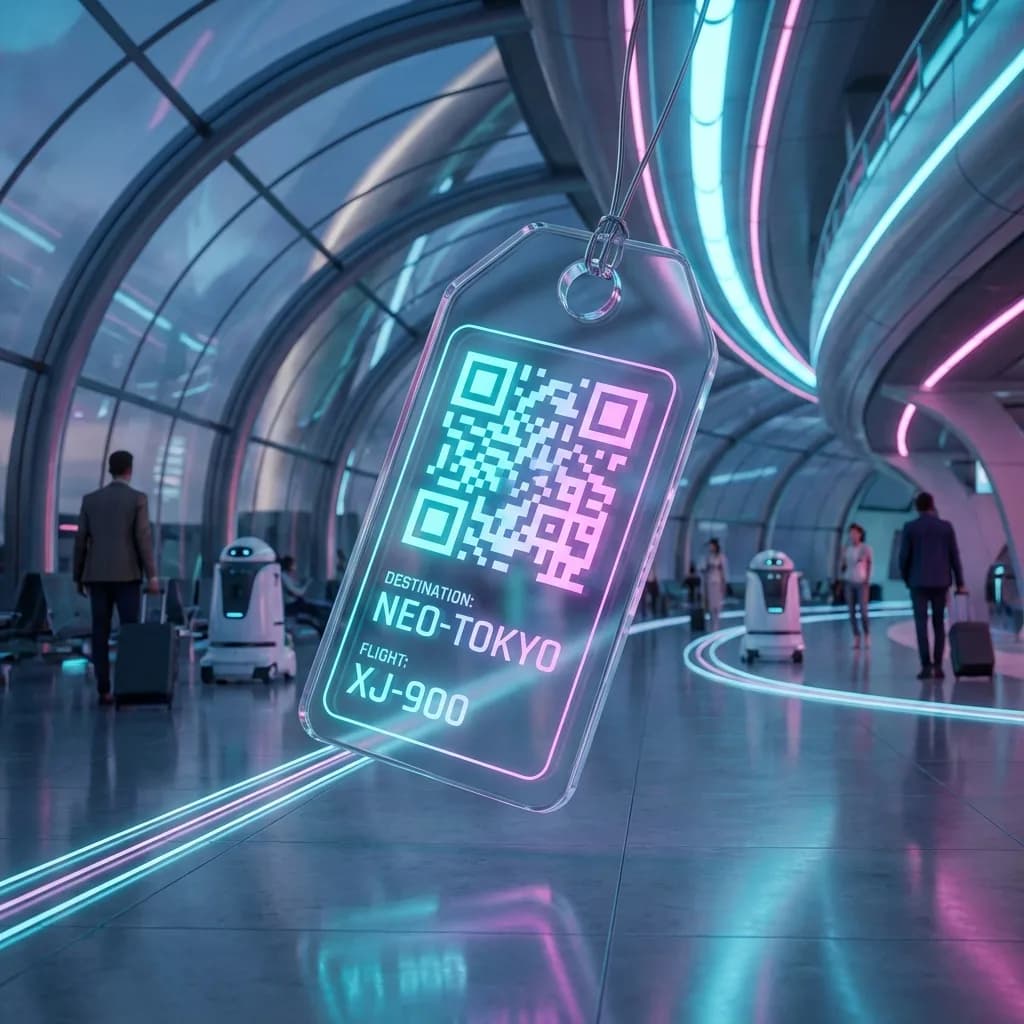
You are standing at the luggage carousel in a foreign airport. Your bag never shows up. You do not speak the local language. Your travel insurance details are buried somewhere in an email thread from three weeks ago. Your hotel confirmation? Good luck finding it in your inbox with no WiFi.
Now imagine a different version of that scenario. You pull out a laminated card from your wallet, show the airline staff a QR code, and they instantly have your contact details, bag description, and insurance claim reference. That is the difference travel QR codes make - they turn chaos into a scannable solution.
This guide covers ten practical QR code travel hacks that will make your next trip smoother, safer, and more organized. Every single one can be set up for free using QR-Verse before you leave home.
Key Takeaways
- Airlines mishandled 24.7 million bags in 2023 - a smart luggage tag QR code with full contact details dramatically improves recovery odds.
- A single travel QR code can consolidate hotel confirmations, flight details, insurance policy numbers, and emergency contacts into one scan.
- QR codes on luggage, wallets, and passports work without phone signal - airline staff can scan them even with no internet connection.
- Travel document QR codes work in 7+ languages when linked to multilingual info pages, helping foreign-language speakers assist you.
- All 10 travel QR code strategies in this guide can be set up for free using QR-Verse before you leave home.
Want to try this yourself? The generator is free and opens straight away.
Create a QR code1. Smart Luggage Tags with QR Codes
Lost luggage is the most predictable disaster in travel. Airlines mishandled 24.7 million bags in 2023, and the numbers have not improved much since. A paper luggage tag with your name and phone number is the bare minimum - and often not enough.
A smart luggage tag with a QR code takes this to the next level. Instead of cramming your details onto a tiny tag, you encode a link to a page with everything someone needs to return your bag.
What to Include on Your Luggage QR Code
- Your name and phone number (with country code)
- An email address you check frequently
- A description of the bag (color, brand, distinguishing marks)
- Your destination hotel or address for the first few days
- A backup contact (partner, family member, travel agent)
- Your airline frequent flyer number
Create a contact page or use a URL QR code
Set up a simple page with your contact details and bag info. You can use a Google Doc, Notion page, or even a plain text URL. The key is that it is accessible without login.
Generate a QR code linking to that page
Go to QR-Verse and create a URL QR code pointing to your contact page. If you use a dynamic QR code, you can update your destination details for every trip without reprinting.
Print and laminate
Print the QR code at a minimum of 3 x 3 cm. Laminate it or use a waterproof luggage tag holder. Attach it to each piece of luggage - including carry-ons.
Test before you travel
Scan the QR code with your phone to make sure the link works and all the information is current. Ask a friend to scan it too, confirming it works on a different device.
Use a dynamic QR code for your luggage tag. That way, you update the destination and hotel info for each trip by editing the link target - the physical tag stays the same for years.
2. Digital Itinerary Sharing
You are hiking in Patagonia when your mother calls, panicking because she does not know what country you are in or when you are supposed to be back. Sound familiar?
A digital itinerary QR code solves this elegantly. Before your trip, create a document with your full travel plan - flights, hotels, day-by-day activities, and key contact numbers. Generate a QR code that links to it, and give printed copies to family members or trusted contacts.
What Your Digital Itinerary Should Contain
- Flight numbers, departure and arrival times (with time zones)
- Hotel names, addresses, and confirmation numbers
- Ground transportation details (rental car reservations, train bookings)
- A day-by-day outline of where you plan to be
- Emergency contact numbers at each destination
- Your travel insurance policy number and emergency hotline
This is not just for peace of mind. If something goes wrong - a natural disaster, a medical emergency, a missed connection - the people who care about you can immediately see where you are supposed to be and how to reach the right people.
For solo travelers, this is especially critical. If you are trekking in Nepal or road-tripping through rural Iceland, someone back home should be able to pull up your complete itinerary with a single scan.
3. Hotel and Airbnb WiFi Made Easy
You check into an Airbnb after 14 hours of travel. The WiFi password is scrawled on a piece of paper taped to the fridge. It is 18 characters of random letters and numbers. You type it wrong three times.
If you are the host, you can make this painless by creating a WiFi QR code that guests scan to connect automatically. For the security-focused perspective on sharing network access, read our guide on secure WiFi sharing with QR codes. But even as a guest, you can save yourself trouble on multi-stop trips.
The Traveler's WiFi Hack
Every time you connect to WiFi at a new hotel or rental, create a WiFi QR code with the credentials and save it to your phone's photo gallery. Label the screenshot with the location name and dates. Now:
- You can reconnect instantly if your phone drops the network
- Your travel companions can connect by scanning your screen
- You have a record of every WiFi network from the trip (useful if you need to troubleshoot something later)
Without WiFi QR Code
Ask staff for password, type 18 random characters, fail twice, ask again, type it for your partner's phone, repeat at every hotel.
With WiFi QR Code
Scan once to connect. Share with travel companions by showing your screen. Reconnect instantly after signal drops. Takes 5 seconds.
4. Emergency Info Card
This is the most important QR code you will create, and hopefully one you never need to use.
An emergency info QR code links to a page containing critical medical and safety information. If you are unconscious, unable to speak, or simply in a situation where language is a barrier, anyone who scans the code - a paramedic, a bystander, a hotel manager - gets the information they need to help you.
What to Include on Your Emergency QR Code
- Full legal name, nationality, and date of birth
- Blood type and allergies (especially drug allergies)
- Current medications with dosage information
- Pre-existing medical conditions (diabetes, heart conditions, epilepsy)
- Emergency contact names and phone numbers (at least two, in different time zones)
- Travel insurance provider, policy number, and emergency hotline
- Embassy or consulate contact details for your destination
- Any language you speak
Print this QR code and keep it in your wallet, on a lanyard, or in a visible pocket of your daypack. A QR code buried in the bottom of your checked luggage will not help you in an emergency. Accessibility is everything.
Where to Carry Your Emergency QR Code
- Wallet or passport holder - always on your person
- Back of your phone case - first place people look
- Lanyard or wristband - visible during activities like hiking, cycling, or skiing
- Inside your daypack - clipped to the top zipper pull
Think of it as a digital version of the medical alert bracelet, but with far more detail than any bracelet can carry.
5. Restaurant and Activity Booking Confirmations
You booked a sunset sailing tour in Santorini three months ago. The confirmation email is somewhere in your inbox, but you have 47,000 unread emails and the boat leaves in 20 minutes. WiFi at the marina is nonexistent.
Here is the fix: before your trip, go through all your booking confirmations - restaurants, tours, activities, museum tickets - and create a QR code for each one. Save them as individual images in a dedicated album on your phone.
Create Your Travel QR Codes Now
Generate free QR codes for luggage tags, emergency info, itineraries, and more. No account needed.
Start Creating →How to Organize Booking QR Codes
Collect all confirmation URLs and PDFs
Go through your email and pull every booking confirmation. Most activity platforms (Viator, GetYourGuide, Airbnb Experiences) provide a direct link to your booking page.
Generate a QR code for each booking
Create a separate QR code for each confirmation. Name each file clearly: "Feb12-Santorini-SailingTour" or "Feb14-Athens-AcropolisTicket."
Save to a dedicated photo album
Create a folder on your phone called "Trip QR Codes" and organize them by date. This way, you can pull up the right QR code in seconds, even offline.
The beauty of this approach is that QR code images work offline. Once the image is on your phone, you do not need WiFi or mobile data to show it at the venue. The staff scans it from your screen and you are in. For more on using QR codes to navigate venues and events, see our guide on location and event QR codes.
6. Digital Business Cards for Networking Abroad
Travel is not always about vacation. If you attend conferences, trade shows, or business meetings abroad, you know the awkwardness of exchanging business cards across language barriers. Your English-language card is useless to the Japanese executive you just met, and vice versa.
A vCard QR code sidesteps this problem entirely. When someone scans your QR code, your contact details are saved directly to their phone - properly formatted, with no manual typing, and no translation needed.
Why This Works Better Than Paper Cards Abroad
- No language barrier - contact fields (name, phone, email) are universal on every phone
- No running out of cards - your QR code is on your phone, infinite supply
- Instant save - the contact is in their phone's address book immediately, not in a pocket waiting to be lost
- Updateable - change your job title mid-trip? Update the dynamic QR and every future scan reflects the change
Put your vCard QR code on your phone's lock screen wallpaper during business trips. When someone asks for your card, just show them your phone. It takes three seconds and makes a memorable impression.
7. Currency Exchange Cheat Sheet
You land in Tokyo and suddenly everything is in yen. A coffee costs 650 yen - is that expensive? Your brain does the math slowly and probably gets it wrong, especially after an 11-hour flight.
Create a QR code that links to a simple currency conversion cheat sheet for your destination. Include the most common price points you will encounter:
| Item | Local Price | Your Currency |
|---|---|---|
| Coffee | 650 JPY | ~$4.30 USD |
| Lunch | 1,200 JPY | ~$8.00 USD |
| Dinner | 3,500 JPY | ~$23.00 USD |
| Train ticket | 200 JPY | ~$1.30 USD |
| Taxi (base fare) | 500 JPY | ~$3.30 USD |
| Convenience store snack | 150 JPY | ~$1.00 USD |
Update the document right before you leave with the latest exchange rates. If you are visiting multiple countries, create a separate cheat sheet for each currency.
The Tipping QR Code
Different countries have wildly different tipping cultures. Japan? Do not tip - it is considered rude. United States? 18-25% or you are the villain. Italy? Round up to the nearest euro. Create a section on your cheat sheet with local tipping customs to avoid awkward moments.
8. Travel Document Backup
Your passport gets stolen in Barcelona. You need a copy to file a police report, visit your embassy, and eventually get a replacement. If that copy is only on your phone and your phone was also stolen, you are stuck.
A QR code linked to a secure cloud folder with copies of your critical documents is your safety net. Store it separately from your originals - in your wallet, in a money belt, or with a trusted travel companion.
Documents to Back Up
- Passport photo page
- Visa documents
- Travel insurance policy
- Driver's license (front and back)
- Credit card numbers and bank contact info (for reporting theft)
- Flight tickets and booking confirmations
- Hotel reservation confirmations
- Vaccination records or health certificates
- Copies of prescriptions for any medications you carry
Security matters. Do not link to a publicly accessible folder. Use a cloud service with password protection or link sharing that requires authentication. Google Drive, Dropbox, and iCloud all support restricted sharing. The QR code should lead to a login page, not directly to your documents. For a complete overview of QR code security risks and how to avoid them, read our guide to QR code safety and quishing.
Physical Copies Only
Can be lost, stolen, or destroyed along with originals. Only useful if you kept them in a separate location. Cannot be accessed remotely.
QR Code + Cloud Backup
Accessible from any device with internet. Survives theft, fire, and floods. Can be shared with embassy staff instantly. Multiple redundant copies possible.
9. Language Translation Helper
You are at a pharmacy in rural France trying to explain that you need antihistamines for your shellfish allergy. Your high school French does not cover "anaphylactic reaction." This is where a pre-made translation QR code saves the day.
Before your trip, prepare a document with essential phrases translated into the local language. Go beyond the tourist basics ("Where is the bathroom?") and include phrases you might genuinely need in a difficult situation:
Medical phrases:
- "I am allergic to [substance]"
- "I need to see a doctor"
- "I take this medication daily" (with a photo of the medication)
- "Please call an ambulance"
Practical phrases:
- "I need to contact my embassy"
- "My hotel is at [address]"
- "Can you help me find a police station?"
- "I do not speak [language], do you speak English?"
Transport phrases:
- "Please take me to this address" (with address displayed)
- "How much does this cost?"
- "Where is the nearest train station?"
Generate a QR code linking to this document. When you need it, show the QR code to someone with a smartphone and they can read the phrase in their language - or you can pull it up and point to the relevant line.
For countries where you expect significant language barriers, save the translation document as an offline PDF on your phone as well. The QR code is for sharing with locals; the offline copy is for you when there is no internet.
10. Group Travel Coordination
Organizing a trip with eight friends is like herding cats through an airport. Someone always misses the meeting point. Someone never got the restaurant reservation details. Someone is still at the hotel because "nobody told them" about the 9 AM departure.
A group travel QR code links to a shared document - Google Doc, Notion page, or a simple webpage - that serves as the single source of truth for your entire trip.
What Goes in the Group Travel Hub
- Daily schedule with times, locations, and Google Maps links
- Contact list with everyone's phone number and WhatsApp
- Shared expenses tracker (who paid for dinner, who owes whom)
- Restaurant reservations with confirmation details
- Emergency info for every group member
- Packing checklist for shared items (first aid kit, adapters, snorkeling gear)
Print the QR code and hand it to every member of the group before the trip. Tape one inside the door of your shared Airbnb. Everyone has access to the same information, updated in real time.
Group Chat
Messages get buried. Key info scrolls past. People mute the chat. Searching for "what time is dinner?" yields 47 results.
Email Thread
Nobody reads the full chain. Reply-all creates chaos. Attachments get lost. No real-time updates.
QR Code Hub
One scan, all info. Real-time updates. Organized by day. Accessible offline once loaded. No message fatigue.
Plan Your Trip with QR Codes
Create QR codes for every part of your travel plan. Free, fast, and no sign-up required.
Create Travel QR Codes →Bringing It All Together: Your Pre-Trip QR Checklist
Before your next trip, set aside 30 minutes and create the following QR codes. It sounds like a lot, but once you have done it once, most of them carry over to future trips with minor updates.
Luggage tag QR code
Contact info, bag description, and destination details. Laminate and attach to every piece of luggage.
Emergency info QR code
Medical details, emergency contacts, insurance info, and embassy contacts. Print for your wallet and phone case.
Digital itinerary QR code
Full travel plan with flights, hotels, and daily activities. Share with family and emergency contacts.
Document backup QR code
Secure cloud link to copies of passport, visa, insurance, and other critical documents.
Translation helper QR code
Essential phrases in the local language, including medical and emergency phrases.
Booking confirmations
Individual QR codes for each activity, restaurant, and tour booking. Saved in a dedicated phone album.
The total time investment is about 30 minutes. The peace of mind is worth every second.
Pro Tips for Travel QR Codes
Print on waterproof material. Your luggage tag QR code will encounter rain, snow, and airport conveyor belt grime. Lamination is the minimum; waterproof sticker paper is even better.
Keep brightness up when scanning from your screen. A dim phone screen makes QR codes harder to scan. When showing a QR code to someone - at a restaurant, at a check-in counter, at a tour meeting point - crank your screen brightness to maximum.
Save QR code images for offline use. Do not rely on having internet access to pull up your QR codes. Save them as images directly to your phone's camera roll. QR codes displayed as images scan perfectly fine - the scanner does not know or care whether it is looking at paper or a screen.
Use descriptive file names. When you save QR code images, name them something useful: "Emergency-Medical-Info-QR.png" or "Rome-Airbnb-WiFi-QR.png". When you are scrambling through your photo gallery in a stressful moment, clear naming is the difference between finding what you need in 3 seconds versus 3 minutes.
Test every QR code before you leave. This cannot be overstated. Test every single QR code with at least two different phones before your departure. A QR code that does not scan is worse than no QR code at all, because you planned around having it.
Keep Reading
- Secure WiFi Sharing with QR Codes -- the security-first approach to sharing network access at hotels and rentals
- Location and Event QR Codes -- use QR codes to share directions, venues, and event details
- App Store QR Codes -- link directly to travel apps your companions need to download
- QR Code Safety and Quishing -- stay safe when scanning unfamiliar QR codes abroad
Do QR codes work without internet access?
The QR code image itself scans without internet - your phone's camera reads the pattern regardless of connectivity. However, if the QR code links to a webpage or cloud document, you will need internet to load the content. For critical information like emergency contacts, consider using a vCard QR code that stores the data directly in the code itself, rather than linking to an external page.
How do I make a QR code for my luggage that survives rough handling?
Print the QR code on a laser printer (more water-resistant than inkjet), then laminate it with a heavy-duty pouch laminator. Alternatively, print on waterproof sticker paper and attach it to a rigid luggage tag. Make the QR code at least 3 x 3 cm and test scanning after lamination - some glossy laminates cause glare that can interfere with scanning.
Is it safe to put personal information in a QR code?
A QR code is just an encoding format - the security depends on what you link to. For sensitive information like passport copies or medical records, link to a password-protected cloud folder rather than a public webpage. For luggage tags and emergency contacts, the information needs to be accessible without a password, so only include details you are comfortable with a stranger seeing.
Can I use one QR code for multiple trips?
Yes, if you use a dynamic QR code. A dynamic QR code points to a URL you control, so you can update the destination (your itinerary document, hotel info, currency sheet) for each trip without reprinting the physical code. Your laminated luggage tag stays the same; only the linked content changes.
What is the best QR code type for travel emergencies?
For emergency medical information, a vCard QR code is often the best choice because the data is embedded directly in the code - it works even when there is no internet. Include your name, blood type, allergies, emergency contacts, and a note about medical conditions. For more detailed information (insurance policy, embassy contacts, medication list), use a URL QR code pointing to a secure but accessible document.
How many QR codes should I prepare before a trip?
For a well-prepared trip, create at least four: a luggage tag QR, an emergency info QR, a document backup QR, and a digital itinerary QR. Beyond that, add QR codes for WiFi networks, booking confirmations, and translation helpers as needed. The whole set takes about 30 minutes to create using QR-Verse and most of them can be reused across trips with minor updates.
Ready to create your QR code?
Free plan available. No signup required. Create professional QR codes in seconds.
Ready to try it yourself?
Create professional QR codes with tracking, custom colors, and AI-generated art.
Try our free tools:
Create your QR code in seconds
No signup, no credit card. 27 QR types with full customization. Upgrade to Pro (€4.99/mo) for unlimited power.
Share this article
Related Articles
WiFi QR Code: Complete Guide to Sharing Your Network
Stop spelling out complicated passwords. Discover how WiFi QR codes let guests connect instantly with a single scan.
Read More
Location QR Code: Send GPS Directions via Google Maps
Create QR codes that open exact GPS locations in Google Maps, Apple Maps, or Waze. Perfect for events, real estate, and business storefronts.
Read More
QR Code Security: How to Prevent Quishing Scams in 2026
Are QR codes safe? Learn how to recognize quishing attacks (QR phishing) and protect yourself from QR code scams. Essential tips for businesses and consumers.
Read More