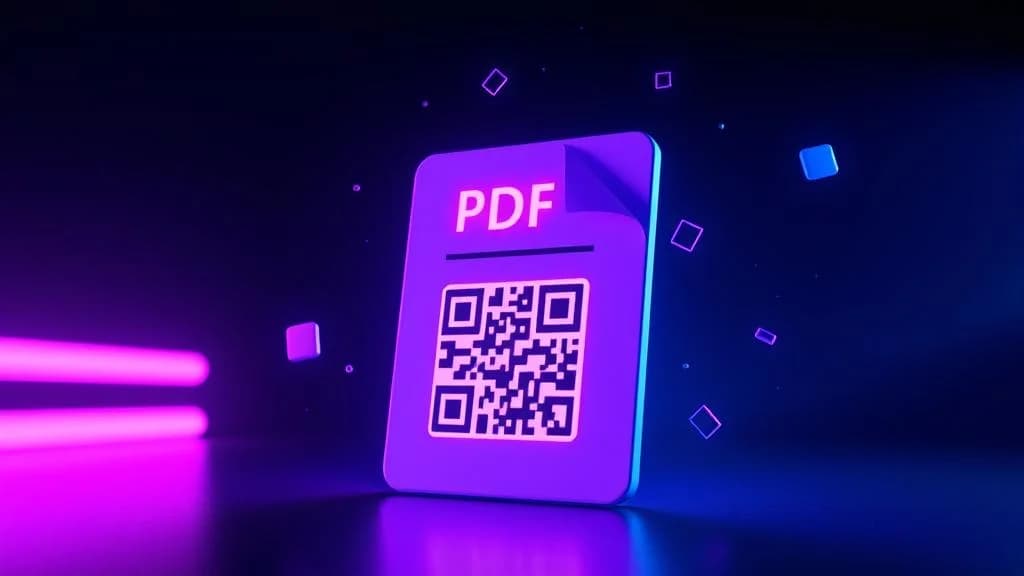
A PDF QR code generator turns any document - a restaurant menu, a product manual, a real estate brochure, an employee handbook - into a scannable code that opens the file instantly on any smartphone. No email attachments, no file-sharing links, no app downloads. One scan and the document is on the screen.
PDF documents are everywhere. They are the universal format for contracts, menus, catalogs, training materials, event programs, and government forms. But sharing them in the physical world has always been awkward: you either print them (expensive, static, wasteful) or ask someone to type a URL (friction that kills engagement). A PDF QR code eliminates that friction entirely. You can create a PDF QR code for free with QR-Verse in under 60 seconds.
This guide covers everything you need to know about creating PDF QR codes: what they are, how to make one in under 60 seconds, the difference between static and dynamic PDF QR codes, the best use cases across seven industries, design and printing tips, and answers to every common question.
Key Takeaways
- A PDF QR code opens any document instantly on any smartphone - no email attachments, no app downloads, no URL typing required.
- Dynamic PDF QR codes let you replace the linked document without reprinting - update your menu, price list, or handbook on the same code.
- PDF is the universal format for menus, manuals, catalogs, handbooks, and event programs - a QR code makes every printed version instantly shareable.
- QR-Verse hosts the PDF file so you do not need a web server or CDN - upload once and the code is ready in under 60 seconds.
- You can create a free PDF QR code with QR-Verse in under 60 seconds with no account required and no watermarks.
Want to try this yourself? The generator is free and opens straight away.
Create a QR codeWhat Is a PDF QR Code?
A PDF QR code is a two-dimensional barcode that, when scanned with a smartphone camera, opens a PDF document directly in the phone's browser or PDF viewer. The user does not need to download a special app, navigate a website, or type any URL - they scan, and the document appears.
Under the hood, a PDF QR code works like any URL QR code. It encodes a web address that points to a hosted PDF file. If you need to share a webpage instead of a document, see our URL QR code solution page for that use case. When someone scans the code, their phone opens that URL, and the browser renders the PDF. The difference is the destination: instead of a webpage or a video, the viewer gets a document they can read, scroll through, zoom into, and download.
PDF QR codes work on every modern smartphone. Both iOS and Android render PDFs natively in the browser - no third-party PDF reader is needed. The built-in camera app handles the QR scanning, and the built-in browser handles the PDF display.
How PDF QR Codes Work (Technical Overview)
The process is straightforward:
- You upload a PDF to a hosting service or QR code platform (like QR-Verse).
- The platform generates a URL that points to the hosted file.
- That URL is encoded into a QR code pattern.
- When someone scans, their phone opens the URL and the PDF loads in the browser.
With dynamic PDF QR codes, there is an extra layer: the QR code actually encodes a short redirect URL. That redirect points to your PDF. You can change where the redirect goes at any time - swap the PDF, update the document, or replace it entirely - without changing the physical QR code. This is the key advantage over static codes.
Static vs. Dynamic PDF QR Codes
The choice between static and dynamic fundamentally changes what you can do with your PDF QR code after it is created.
Static PDF QR Code
A static QR code permanently encodes the direct URL to the PDF file. Once generated and printed, it cannot be changed.
When to use static: One-time sharing situations where the document will never change - a personal recipe collection, a one-off event program, or a quick share between friends.
Limitations:
- If you move, delete, or update the PDF, the QR code breaks permanently
- No scan tracking or analytics
- No ability to replace the document
- The URL is encoded directly, so longer URLs create denser (harder to scan) QR patterns
Dynamic PDF QR Code
A dynamic QR code uses a short redirect URL controlled by the QR code platform. You can update the destination - swap the PDF, change the file, or redirect to a completely different document - at any time without reprinting.
When to use dynamic: Any professional, business, or recurring use case. Restaurant menus, product manuals, employee handbooks, real estate brochures, event programs - essentially, always use dynamic unless you have a specific reason not to.
Advantages:
- Replace or update the PDF anytime without reprinting
- Track total scans, unique visitors, locations, devices, and timestamps
- Shorter redirect URLs create simpler, easier-to-scan QR patterns
- A/B test different document versions behind the same code
- Never worry about a broken link
For a complete breakdown of the differences, read our static vs. dynamic QR codes guide.
Pro tip: Dynamic PDF QR codes are free on QR-Verse. You get scan tracking, document swapping, and custom design - no premium plan required for basic usage. Create your free dynamic PDF QR code now.
How to Create a PDF QR Code with QR-Verse
Creating a PDF QR code takes less than 60 seconds. Here is the step-by-step process.
Prepare your PDF document
Make sure your PDF is final and formatted for mobile viewing. Keep the file size under 10 MB for the best mobile experience. Use clear fonts, adequate margins, and avoid tiny text that requires excessive zooming on a phone screen.
Open the PDF QR code generator
Go to the QR-Verse PDF QR Code Generator. You can also access it from the main QR code creator by selecting the PDF type from the menu.
Upload your PDF or enter a URL
Upload your PDF file directly to QR-Verse, or paste the URL of a PDF that is already hosted online (Google Drive, Dropbox, your own website, or any publicly accessible link). QR-Verse accepts any valid PDF URL.
Customize the QR code design
Choose your brand colors, upload a logo, select a pattern style, and add a frame with a call-to-action like "Scan to View Menu" or "Scan for Brochure." For premium, eye-catching designs, try the AI Art QR Code Generator to transform your QR code into scannable artwork.
Generate and download
Click Generate. Your PDF QR code is ready instantly. Download it as PNG for digital use (email, social media, websites) or SVG for print (flyers, business cards, posters, packaging). Always test by scanning with your phone to confirm the PDF opens correctly.
Print, share, and track
Add your PDF QR code to menus, brochures, signage, product packaging, or any physical material. With a free QR-Verse account, track scans in real time - see how many people viewed the document, when they scanned, where they were, and what device they used.
Create Your PDF QR Code
Share any PDF document with a scannable QR code. Free, customizable, and trackable. No sign-up required for basic codes.
Generate PDF QR Code Free →Best Use Cases for PDF QR Codes (By Industry)
PDF QR codes are one of the most versatile QR code types because PDF documents are used in virtually every industry. Here are the highest-impact applications.
1. Restaurants and Hospitality
The restaurant industry was the first to adopt PDF QR codes at scale. Contactless menus became standard during the pandemic and remained because they are simply better than paper.
Use cases:
- Digital menus - Replace printed menus with a QR code on every table. Update prices, add seasonal items, or change the entire menu without reprinting a single page.
- Wine and cocktail lists - Detailed descriptions, tasting notes, and pairing suggestions that would take up too many pages in print.
- Allergen and nutritional information - A PDF with complete ingredient lists and allergen warnings, always up to date.
- Catering packages - Share pricing and package details with potential clients at events, on business cards, or at the front desk.
Where to place the QR code: Table tents, bar coasters, wall signage, host stand, takeout bags, receipts.
For a complete restaurant guide, see our restaurant QR code menu setup guide and the dedicated menu QR code solution page.
2. Real Estate
Real estate agents deal with a constant stream of property brochures, floor plans, disclosure documents, and neighborhood guides. PDF QR codes turn every For Sale sign into a document distribution hub.
Use cases:
- Property brochures - A QR code on the yard sign links to a PDF with full property details, photos, floor plans, and pricing. Prospects get all the information without waiting for an agent.
- Floor plans and blueprints - Share detailed architectural plans that are impossible to fit on a printed flyer.
- Neighborhood guides - School ratings, commute times, local amenities, and market data in a polished PDF that builds trust.
- Disclosure and legal documents - Let buyers access required disclosures digitally before or during a showing.
Where to place the QR code: Yard signs, listing flyers, open house handouts, business cards, window displays.
For more on real estate marketing with QR codes, explore our QR codes for real estate guide.
3. Education
Teachers, professors, and administrators share an enormous volume of documents - syllabi, worksheets, reading lists, study guides, permission forms. PDF QR codes eliminate photocopying and make every document accessible from a student's phone.
Use cases:
- Syllabi and course outlines - A QR code on the classroom door or first-day handout links to the complete syllabus.
- Worksheets and assignments - Students scan and get the worksheet on their device. No lost papers, no "I forgot mine at home."
- Reading materials and supplementary content - Link to journal articles, study guides, or supplementary PDFs from textbook pages or classroom posters.
- Permission forms and administrative documents - Parents scan a QR code on a newsletter or school notice to access and download forms.
Where to place the QR code: Classroom walls, bulletin boards, textbook inserts, school newsletters, student ID cards.
See our detailed QR codes in education guide for more strategies. Teachers can complement PDF worksheets with YouTube QR codes that link to video explanations of the same material.
4. Human Resources and Corporate
HR departments generate a massive volume of documents that employees need to access regularly. PDF QR codes make these documents instantly available without clogging email inboxes.
Use cases:
- Employee handbooks - A QR code in the break room or onboarding packet links to the latest handbook version. Update it once and every scan pulls the current document.
- Benefits enrollment guides - Complex benefits information presented in a clean PDF, accessible via QR code on posters in common areas.
- Safety procedures and compliance documents - Place QR codes at workstations that link to the relevant safety PDF. Workers can check procedures in seconds.
- Training materials - New hire training documents, SOPs (Standard Operating Procedures), and certification study guides all accessible via scan.
- Company policies - Travel policies, expense guidelines, PTO policies - all available from a single QR code poster in the office.
Where to place the QR code: Break rooms, onboarding kits, employee badges, safety stations, conference rooms, office hallways.
5. Events and Conferences
Event organizers juggle programs, speaker bios, schedules, maps, and sponsor information. PDF QR codes keep attendees informed without printing thousands of program booklets.
Use cases:
- Event programs and schedules - A QR code on the registration badge or welcome sign links to the full event program in PDF format. Update the schedule in real time if sessions change.
- Speaker bios and presentation slides - Let attendees download speaker materials before or after a session.
- Venue maps and floor plans - Large conferences with multiple halls, exhibit areas, and breakout rooms benefit from a detailed PDF map accessible via QR code.
- Sponsor materials and exhibitor catalogs - Sponsors can include PDF QR codes at their booth to share product catalogs, case studies, and pricing.
Where to place the QR code: Registration desks, lanyards, signage, stage screens, booth displays, post-event emails.
For event-specific strategies, check our QR codes for events guide.
6. Healthcare
Medical offices, hospitals, and clinics handle sensitive and frequently updated documents. PDF QR codes provide patients with the information they need while keeping documents easy to update.
Use cases:
- Patient intake forms - Patients scan a QR code in the waiting room to fill out forms on their phone before being called.
- Medication guides and discharge instructions - Send patients home with a QR code that links to a detailed PDF of post-visit instructions.
- Insurance and billing information - Reduce front-desk questions by making billing FAQs and insurance guides scannable.
- Health education materials - Pamphlets about conditions, treatments, and preventive care available via QR code in exam rooms.
Where to place the QR code: Waiting rooms, exam room walls, discharge paperwork, prescription bags, appointment cards.
See our QR codes in healthcare guide for more applications.
7. Retail and E-commerce
Retailers use PDF QR codes to extend the in-store experience with product information that does not fit on a shelf tag or packaging label.
Use cases:
- Product catalogs - A QR code on a store display links to the full product catalog with detailed specifications.
- Warranty and return policies - Include a QR code on the receipt or inside the packaging that links to warranty registration and return policy PDFs.
- Assembly and instruction manuals - Replace thick printed manuals with a scannable QR code. Customers always have access to the latest version.
- Lookbooks and seasonal collections - Fashion retailers share digital lookbooks that customers can browse after leaving the store.
Where to place the QR code: Product packaging, shelf tags, receipts, shopping bags, in-store displays.
For retail strategies, read our QR codes for retail guide. Retailers can also pair PDF QR codes with an Instagram QR code on product packaging to drive both information access and social following.
Restaurants
Replace printed menus with updatable PDF QR codes. Change prices and add seasonal items without reprinting.
Real Estate
Share property brochures, floor plans, and neighborhood guides from every yard sign and listing flyer.
Education
Distribute syllabi, worksheets, and reading materials digitally. No photocopying, no lost papers.
Human Resources
Employee handbooks, benefits guides, and safety procedures - always the latest version, always accessible.
Events
Event programs, schedules, and speaker materials in one scan. Update in real time when sessions change.
Healthcare
Patient forms, discharge instructions, and health education materials - accessible, always current.
PDF QR Code Design and Printing Best Practices
Creating the QR code is step one. Designing and printing it correctly is what determines whether people actually scan it.
QR Code Size Guidelines
The physical size of your PDF QR code depends on the scanning distance:
| Material | Minimum Size | Recommended Size | Scanning Distance |
|---|---|---|---|
| Business cards | 2 cm x 2 cm | 2.5 cm x 2.5 cm | 10-20 cm |
| Table tents and menus | 3 cm x 3 cm | 4 cm x 4 cm | 20-40 cm |
| Flyers and brochures | 3 cm x 3 cm | 5 cm x 5 cm | 30-50 cm |
| Posters | 5 cm x 5 cm | 8 cm x 8 cm | 1-2 meters |
| Banners and signage | 10 cm x 10 cm | 15 cm+ x 15 cm+ | 2-5 meters |
Rule of thumb: The QR code should be at least 1/10th of the expected scanning distance. A sign viewed from 3 meters needs a QR code at least 30 cm across.
Call-to-Action Text
A QR code without context is just a mysterious square. Always include a clear text instruction near the code:
- "Scan to view our menu"
- "Scan for the full brochure"
- "Scan to download the floor plan"
- "Scan for the employee handbook"
- "Scan for the complete program"
Specific calls-to-action outperform generic ones. "Scan to view menu" drives more scans than "Scan me" because people know what they are getting.
Design Customization
QR-Verse lets you customize every aspect of your PDF QR code:
- Brand colors - Match your company's color palette. Dark foreground on light background ensures maximum scannability.
- Logo placement - Add your logo to the center of the QR code. The built-in error correction ensures the code remains scannable.
- Pattern styles - Choose from dots, rounded squares, or classic modules to match your brand aesthetic.
- Frames - Add a border frame with embedded call-to-action text for a polished, professional look.
For the ultimate visual impact, use the AI Art QR Code Generator to create a PDF QR code that doubles as a branded artwork. AI-generated QR codes see up to 30% higher scan rates because they catch attention.
Printing Tips
- Use SVG format for print to ensure crisp output at any size. PNG works for digital.
- Maintain a quiet zone - Leave white space around the QR code (at least the width of 4 modules). Do not crowd it with other design elements.
- Avoid reflective surfaces - Glossy finishes can cause scanning issues from glare. Matte or semi-matte finishes are more reliable.
- Test before mass printing - Always scan the printed QR code with at least two different phones before committing to a full print run.
- High contrast is non-negotiable - Dark modules on a light background. Avoid low-contrast color combinations (light gray on white, yellow on cream).
Tracking and Analytics for PDF QR Codes
One of the most powerful advantages of dynamic PDF QR codes is the ability to track exactly how your document is being accessed.
What You Can Track
With a free QR-Verse account, dynamic PDF QR codes provide:
- Total scans - How many times the QR code was scanned
- Unique visitors - How many individual people scanned (vs. repeat scans)
- Geographic location - City and country of each scan
- Device type - iPhone, Android, tablet, or desktop
- Operating system - iOS version, Android version, browser type
- Scan timestamps - Exact date and time of every scan
- Referral source - Whether the scan came from a print material, email, or web page
How to Use Analytics Data
Tracking data is only valuable if you act on it. Here are practical ways to use PDF QR code analytics:
- Measure ROI of print materials - Know exactly how many people scanned the QR code on your flyer, poster, or brochure. Compare scan rates across placements to optimize future print runs.
- Identify peak engagement times - If most scans happen at lunchtime, your restaurant menu QR code is working. If scans spike on open house days, your real estate brochure is converting.
- Optimize document placement - If the QR code on the conference badge gets 500 scans but the one on the welcome sign gets 50, you know where to focus next year.
- A/B test documents - Use the same QR code but swap the PDF behind it. Run version A for a week, version B the next, and compare engagement.
Pro tip: Combine QR-Verse scan analytics with Google Analytics on your website to build a complete funnel. Track how many people scanned, how many viewed the PDF, and how many took a next action (visited your website, made a reservation, submitted a form).
PDF QR Code vs. Other Document Sharing Methods
How does a PDF QR code compare to the alternatives? Here is an honest comparison.
| Method | Speed | Updatable | Trackable | Works Offline | No App Needed |
|---|---|---|---|---|---|
| PDF QR Code (Dynamic) | Instant | Yes | Yes | No (needs internet) | Yes |
| Printed Document | Immediate | No | No | Yes | Yes |
| Email Attachment | Slow | No (once sent) | Partially | Yes (once downloaded) | Yes |
| Cloud Share Link | Medium | Yes | Partially | No | Yes |
| USB Drive | Slow | No | No | Yes | No (needs device) |
Advanced Strategies for PDF QR Codes
Multi-Document QR Codes
Need to share more than one PDF? Create a multi-link QR code that opens a landing page with links to multiple documents. A real estate agent could link to the property brochure, floor plan, neighborhood guide, and disclosure documents - all from one QR code. You can build a multi-link landing page for free with QR-Verse.
PDF QR Codes on Business Cards
Add a PDF QR code to your digital business card (vCard) that links to your portfolio, resume, or company catalog. When someone receives your card, they get both your contact details and your best work in one scan.
Seasonal and Rotating Documents
Restaurants can use a single dynamic PDF QR code on permanent table tents. Update the linked PDF daily with new specials, weekly with seasonal menus, or monthly with new wine lists. The QR code on the table never changes, but the document it links to is always fresh.
Password-Protected PDFs
For sensitive documents (legal agreements, confidential reports, internal policies), host the PDF behind a password or authentication layer. The QR code links to a login page or password prompt before the document loads. This adds security while keeping the convenience of QR access.
Combining PDF QR Codes with Video
Pair a PDF QR code with a video QR code for a complete content experience. A real estate listing could include one QR code for the property brochure (PDF) and another for the virtual tour (video). A restaurant could pair its menu PDF with a chef's video introduction.
PDF QR Codes for Lead Generation
Instead of linking directly to the PDF, link to a landing page with a form. The visitor enters their email to "unlock" the document. You get a lead, they get the PDF. This works exceptionally well for:
- Whitepapers and research reports
- Industry benchmark studies
- Pricing guides and catalogs
- Free templates and toolkits
Optimizing PDFs for Mobile Viewing
Since the vast majority of QR code scans happen on smartphones, your PDF needs to be mobile-friendly.
Document Formatting Tips
- Use large, readable fonts - Minimum 14pt body text for comfortable mobile reading without zooming.
- Single-column layout - Multi-column layouts require horizontal scrolling on phones. Stick to one column.
- Generous margins - Give content room to breathe. Cramped layouts feel worse on small screens.
- Clickable links - If your PDF contains URLs, make them tappable hyperlinks. Mobile users cannot copy-paste from a PDF as easily as from a web page.
- Minimize file size - Compress images, remove unused fonts, and optimize the PDF before uploading. Aim for under 5 MB for the smoothest mobile experience. Under 2 MB is ideal.
Alternative: Mobile-Optimized Landing Page
For critical documents like restaurant menus or event programs, consider converting the PDF content into a mobile-optimized web page instead of sharing the raw PDF. A responsive HTML page always looks better on mobile than a PDF designed for print. QR-Verse's menu QR code solution creates exactly this kind of mobile-first experience.
Frequently Asked Questions
How do I create a QR code for a PDF file?
Go to the QR-Verse PDF QR Code Generator, upload your PDF file or paste a URL to a hosted PDF, customize the QR code design with your brand colors and logo, and download it as PNG or SVG. The entire process takes less than 60 seconds. No account is required for basic QR codes.
Is a PDF QR code generator free?
Yes. QR-Verse lets you create PDF QR codes for free with no watermarks, no file limits for standard sizes, and no sign-up required for static codes. Dynamic PDF QR codes with scan tracking and document swapping require a free account. There is no credit card needed.
Can I update the PDF after the QR code is printed?
Yes, if you used a dynamic QR code. Dynamic QR codes use a redirect URL that you can update anytime. Swap the PDF, upload a new version, or redirect to a completely different document - all without reprinting the QR code. This is ideal for restaurant menus, employee handbooks, and any document that changes regularly.
What is the maximum PDF file size for a QR code?
On QR-Verse, individual PDF files can be up to 10 MB. For the best mobile experience, keep files under 5 MB - this ensures fast loading on mobile data connections. If your PDF is larger, compress images within the document or split it into multiple smaller files.
Do PDF QR codes work on all smartphones?
Yes. Every modern smartphone (iPhone and Android) can scan QR codes with the built-in camera app and display PDFs in the native browser. No third-party QR scanner app or PDF reader is needed. The technology works out of the box on any phone manufactured after 2018.
Can I track how many people view my PDF?
Yes. With a free QR-Verse account, dynamic PDF QR codes track total scans, unique visitors, scan locations (city and country), device types, operating systems, and exact timestamps. Export the data as CSV for reporting. This gives you complete visibility into how your documents are being accessed.
What is the difference between a static and dynamic PDF QR code?
A static PDF QR code permanently encodes the direct URL to the file - it cannot be changed after printing. A dynamic PDF QR code uses a redirect URL that you control, so you can update the linked PDF, track scans, and change the destination anytime without reprinting. For any business or professional use, always choose dynamic.
Can I share a password-protected PDF with a QR code?
Yes. Host the PDF behind a password prompt or authentication page, and set that page as the QR code destination. When someone scans, they are taken to the login or password page first. This works for confidential documents, internal company materials, and paid content.
What is the best size for a PDF QR code when printing?
Minimum 2 cm x 2 cm for close-range materials like business cards and product labels. Use 4-5 cm x 4-5 cm for table tents and brochures, and 10 cm or larger for posters and signage. The general rule is that the QR code should be at least 1/10th of the expected scanning distance.
Can I create a QR code that links to multiple PDF files?
Not with a single standard PDF QR code, but you can use a multi-link QR code to create a landing page with links to multiple documents. This is perfect for real estate agents sharing property brochures, floor plans, and disclosures from one QR code.
Start Sharing PDFs with a Single Scan
PDF QR codes are one of the simplest and most impactful ways to bridge the gap between physical and digital document sharing. Whether you are a restaurant owner updating your menu weekly, a real estate agent distributing property brochures from yard signs, a teacher sharing worksheets with students, or an HR manager keeping employee documents current - a PDF QR code saves time, cuts costs, and gives you complete control over your documents.
The technology is mature, the creation process takes seconds, and the benefits are immediate. Every document you print and hand out is a static, expensive copy that is outdated the moment something changes. Every PDF QR code you create is a living link to the latest version of your document - trackable, updatable, and accessible to anyone with a smartphone.
More resources to explore:
- PDF QR Code Generator - Create your PDF QR code for free
- QR Code Creator - Access all 20+ QR code types
- Video QR Code Generator Guide - Share videos alongside documents
- YouTube QR Code Generator Guide - Link YouTube content to print
- Instagram QR Code Generator Guide - Grow your Instagram from physical materials
- Multi-Link QR Code Guide - Share multiple documents from one code
- Menu QR Code Solution - Restaurant-specific QR menus
- URL QR Code Solution - The foundational link QR code
- Static vs Dynamic QR Codes - Choose the right type
- Restaurant QR Code Menu Guide - Complete restaurant setup
- Free QR Code Generator Guide - Everything free on QR-Verse
Create Your Free PDF QR Code
Share any PDF document with a scannable QR code. Free, customizable, trackable. No sign-up required.
Generate PDF QR Code Now →Ready to create your QR code?
Free plan available. No signup required. Create professional QR codes in seconds.
Ready to try it yourself?
Create professional QR codes with tracking, custom colors, and AI-generated art.
Try our free tools:
Create your QR code in seconds
No signup, no credit card. 27 QR types with full customization. Upgrade to Pro (EUR 4.99/mo) for unlimited power.
Share this article
Related Articles
Video to QR Code Free: MP4, YouTube & Vimeo Guide
Turn any video into a QR code free in under 60 seconds - MP4 files, YouTube or Vimeo links. Setup guide with scan analytics included.
Read More
URL QR Code Guide: Create Trackable, Editable Links
Everything you need to know about URL QR codes. Learn how to create dynamic, trackable links with custom designs - free, no sign-up required.
Read MoreQR Codes in Education: Teacher's Interactive Guide
Transform classrooms, libraries, and campuses with QR codes. Practical strategies for educators at every level.
Read More