Cafes operate differently from restaurants. Guests arrive more than once a week, they linger, they bring their laptops, and they ask for the Wi-Fi password within two minutes of sitting down. A Linktree alternative for cafes needs to reflect that reality - not just point to a PDF menu, but connect the physical space to everything a regular guest needs in a single scan.
Information about other providers as of June 2026. Prices, limits and features of other providers in this article come from their public information at the time of writing (June 2026). Plans change often: check the provider's own pricing page before you decide.
That is where a multi-link QR code fits better than a Linktree URL. Put a QR code on the table card, the chalkboard menu stand, or the counter. Guests scan once and reach your live menu, your Wi-Fi network, your loyalty stamp card, your Google Reviews page, and your seasonal specials - all from a single physical code.
Key Takeaways
- Cafes have higher repeat visitor rates than restaurants - a QR code on the table serves the same guests every week.
- One multi-link QR code can handle menu, Wi-Fi, Google Reviews, loyalty, and seasonal offers from a single scan.
- Dynamic QR codes update without reprinting - swap the seasonal menu link or add a Christmas event without touching your table stickers.
- The QR-Verse free plan includes 1 dynamic multi-link QR code and basic scan analytics. Pro (EUR 4,99/mo) adds unlimited codes, custom branding, and per-link click analytics.
- Linktree does not generate a QR code. For table placement, you need a separate QR tool anyway - QR-Verse combines both in one step.
Moving your links across? Start in the generator with a multi-link code: every link behind one QR.
Start with multi-linkWhy Linktree Does Not Fit a Cafe
Linktree was designed for creators who have a single link in their Instagram bio and want to point followers to multiple destinations. The mental model is a social media profile, not a physical table.
For a cafe, the surfaces that matter are not Instagram bios. They are:
- Table cards and table stickers
- Counter signage near the till
- The chalkboard or printed menu stand
- Window stickers visible from the street
- Takeaway cups and packaging
A Linktree URL on any of these surfaces requires guests to type their phone to reach your page. That is friction. A QR code is scannable without typing anything.
More critically, Linktree does not generate a QR code. If you use Linktree for your cafe, you still need a separate QR code generator to create the physical code. That means two tools, two subscriptions, and two dashboards. If your Linktree URL ever changes, your printed QR codes go dead.
A multi-link QR code from QR-Verse solves both problems in a single step: one tool creates the link page and the printable QR code together. The QR code is dynamic - it points to a stable redirect URL, so every link behind it can change without reprinting a single table card.
What Belongs on a Cafe Multi-Link Page
A cafe guest scans with a specific intent depending on where the QR code is placed. The most common scan moments are:
| Scan Location | Primary Guest Intent | Best First Link |
|---|---|---|
| Table card | Menu or Wi-Fi | Live menu URL |
| Counter | Order ahead or loyalty | Online ordering or loyalty app |
| Window sticker | Hours, menu preview | Opening hours + menu |
| Takeaway cup | Review prompt | Direct Google Reviews link |
| Loyalty card | Stamp or redeem | Loyalty program |
A well-built cafe multi-link page orders links around the most common scan moment. For a table QR code, that means the menu first, Wi-Fi second, and Google Reviews third. For a counter QR code near the till, loyalty sign-up or takeaway ordering moves to the top.
Here is a typical five-link setup for a cafe table QR:
- Live menu - PDF or website URL for your current menu (update without reprinting with a dynamic code)
- Wi-Fi access - Direct Wi-Fi QR row or network credentials
- Google Reviews - Direct link to your Google Business review form
- Loyalty program - App download or stamp card portal
- Seasonal specials - Rotating link to your current promotion or event
Wi-Fi: The Most-Requested Link in Any Cafe
Every cafe owner knows the conversation. A guest sits down, opens their laptop, and asks: "What's the Wi-Fi password?" It happens dozens of times per day.
A QR code that handles Wi-Fi sign-on removes that exchange entirely. QR-Verse lets you include a Wi-Fi credential row on your multi-link page. When guests scan the table QR, they see the Wi-Fi network name alongside a link they can tap to auto-connect - no password typing required.
This is the feature that separates a cafe QR code from a generic bio link tool. Linktree has no Wi-Fi QR functionality built in. A dedicated Wi-Fi QR code generator would be a third tool in your stack. QR-Verse handles it as a standard link row in the same multi-link page alongside your menu and reviews.
For cafes where Wi-Fi is a core service offering - a common positioning for independent coffee shops competing with chains - putting Wi-Fi access on the table QR removes a staff interaction and makes the guest experience feel frictionless from the moment they sit down.
Google Reviews: Built Into the Table Experience
For independent cafes, Google Reviews are the primary driver of new customer acquisition. A strong average rating and 200+ reviews makes your cafe appear credibly above competitors in local search results.
The challenge is capturing reviews at scale. Most guests who have a good experience intend to leave a review but never do - the friction of finding the right Google listing, navigating to the review section, and clicking "Write a Review" loses most of them before they start.
A direct Google Reviews link on your table QR removes almost all of that friction. One tap from the QR page opens the review form directly. The scan happens at the table, immediately after the guest has their coffee - peak satisfaction, peak motivation, minimal effort required.
For cafes that want to increase review volume without any paid promotion, adding a direct Google Reviews link to the table QR is typically the highest-ROI single change available. The restaurant and hospitality QR guide covers how to find your direct review URL and format it correctly for instant review form access.
Dynamic QR Codes: No Reprint When the Menu Changes
A cafe menu changes more often than a restaurant menu. Seasonal drinks, daily specials, guest roasters, pastry rotations, holiday offerings - each change is a potential reprint of every table card if your QR code is static.
A dynamic QR code stores the destination URL server-side. The printed QR pattern stays identical indefinitely. When you update the menu URL or add a seasonal special link in your dashboard, every physical QR code already printed in the cafe points to the new destination automatically.
For cafe owners, this means:
- Seasonal menu launches: Update the menu link in the dashboard. No table card reprint.
- Summer hours: Add a temporary link row for your August hours. Remove it in September.
- Guest roaster collaboration: Add a link row to the guest roaster's website for the two-week run. Remove it after.
- Loyalty program launch: Add your new loyalty app link without reprinting anything that already has a QR code on it.
At typical print costs, avoiding two reprint runs per year across 20 table cards and counter signage pays for a QR-Verse Pro plan several times over.
Loyalty Programs: The Repeat Visit Loop
Cafes have the highest repeat visitor rate of any food-service category. Guests come back multiple times per week. That repeat-visit pattern makes a loyalty program more valuable in cafes than in almost any other hospitality context.
A QR code on the table is the natural entry point for loyalty program enrollment. Guests who are already in the cafe, already enjoying a coffee, are in the right frame of mind to sign up for a program that rewards the behavior they are already doing.
Add your loyalty program as a row on your multi-link page and include a short prompt: "Scan to earn stamps." For cafes running a digital loyalty scheme - Stamp Me, Loopy Loyalty, or a custom app - the QR code on the table becomes the enrollment touchpoint that other marketing channels cannot match in conversion quality.
For cafes still running paper stamp cards, a QR code row can link to a download page for your digital loyalty app, bridging the transition between physical and digital loyalty without forcing guests to complete the switch at home.
QR-Verse vs Linktree for Cafes: A Direct Comparison
| Feature | Linktree Free | Linktree Starter ($8/mo) | QR-Verse Free | QR-Verse Pro (EUR 4,99/mo) |
|---|---|---|---|---|
| Multi-link page | Yes | Yes | Yes | Yes |
| Built-in QR code | No | No | Yes | Yes |
| Dynamic (update without reprint) | No | No | Yes | Yes |
| Wi-Fi QR support | No | No | Yes | Yes |
| Basic scan analytics | No | Yes | Yes | Yes |
| Per-link click analytics | No | No | No | Yes |
| Custom branding (logo/colors) | No | Limited | No | Yes |
| Sales commission | 12% | 9% | 0% | 0% |
| SVG export for print | No | No | No | Yes |
The key structural gap is the QR code row. Linktree cannot generate a scannable QR code at any tier. For a cafe that needs a physical code on every table, using Linktree means running a second tool alongside it.
QR-Verse generates the multi-link page and the QR code in a single workflow. Update a link in the dashboard and every printed code in your cafe points to the updated destination immediately, with no second tool and no reprinting.
How to Set Up a Cafe Multi-Link QR Code
The process takes under 10 minutes for a single-location cafe:
- Go to QR-Verse Create
- Select "Multi-Link" as the QR code type
- Add your links in priority order: menu first, then Wi-Fi, then Google Reviews, then loyalty, then seasonal
- For the Wi-Fi row, enter your network name and password or select "Wi-Fi QR" if you want auto-connect
- Upload your cafe logo and set brand colors (Pro plan)
- Preview the landing page on your phone before printing
- Download the QR code as PNG (free) or SVG for lossless print quality (Pro)
- Place on table cards, counter signage, window stickers, and packaging
For guidance on sizing and placement, the restaurant QR code solution page covers print size requirements and placement strategy that applies equally to coffee shop environments.
EU-Specific Considerations for Cafe Owners
GDPR and scan data. If you collect scan analytics - which guests scanned, from which device, from which geographic area - that data falls under GDPR if you operate in the EU. QR-Verse operates EU-based data infrastructure for EU accounts, which simplifies your data processing obligations compared to a US-hosted tool like Linktree.
VAT on software subscriptions. Linktree's pricing is in USD and does not include EU VAT. At current VAT rates (21% NL, 20% FR, 19% DE), a $8/month Linktree Starter becomes EUR 9-10 all-in. QR-Verse Pro at EUR 4,99/month is the lower-cost option after VAT for EU cafe operators.
Multilingual cafe environments. If your cafe operates in a multilingual city - Brussels, Amsterdam, Zurich, Barcelona - QR-Verse's 7-locale support means your guests can view your page in their preferred language. The multi-language biolink guide covers how to set this up for a physical-space context.
Cafes With Multiple Locations
For independent cafe groups running two to five locations, managing multiple QR codes from a single dashboard is the key operational advantage over single-location tools.
QR-Verse Business (EUR 12,99/month) includes:
- Unlimited dynamic QR codes
- Bulk QR code generation with CSV import for rapid multi-location setup
- Custom domain for your biolink pages
- Per-location scan analytics to see which branch drives the most digital engagement
- Team access for managers at different locations to update their own links
For a small cafe chain where each location has its own menu URL, Google Reviews link, and local events page, bulk generation and per-location dashboards reduce the management overhead that makes multi-location QR code deployment impractical with free tools.
The Cafe QR Code in Practice
Here is what the table scan experience looks like when it is set up correctly:
A guest sits down, sees a small table card with a QR code and the single line "Scan for menu + Wi-Fi." They scan with their phone camera. A clean, branded page opens - your cafe logo at the top, five rows below: Menu, Wi-Fi, Google Reviews, Loyalty, Today's Special.
They tap Menu, browse the coffee options. They tap Wi-Fi, auto-connect without typing anything. After their espresso, before leaving, they tap Google Reviews and leave the 5-star review they were going to forget about.
That interaction costs you nothing beyond the initial QR-Verse setup. It works from the free plan. And it replaces four separate staff interactions - menu hand-off, Wi-Fi question, review ask, loyalty card offer - with a single self-serve scan.
That is what a Linktree alternative for cafes actually looks like in practice: not a creator-economy bio page, but a hospitality-optimised scan moment built around what a cafe guest actually needs.
FAQ
Can I use a QR code instead of Linktree for my cafe?
Yes - and for cafes specifically, a multi-link QR code is a better fit than Linktree. Linktree generates a URL, not a QR code. For table placement and window stickers, a scannable QR code is the practical format. QR-Verse creates both the multi-link landing page and the QR code in one step, so your cafe has a single tool rather than Linktree plus a separate QR generator.
What links should a cafe put on their QR code page?
Start with your menu (highest scan intent at the table), then your Wi-Fi credentials or auto-connect link, then a direct Google Reviews link. Add your loyalty program, online ordering, or seasonal specials as additional rows. Order links around the most common scan moment - for a table QR, guests scan primarily for the menu and Wi-Fi, not social media.
How do I add Wi-Fi to my cafe QR code page?
QR-Verse lets you add a Wi-Fi link row to your multi-link page. You can either add a direct Wi-Fi QR code (which auto-connects guests when they scan) or add a row with the network name and password as plain text. The Wi-Fi QR format stores the network credentials so guests connect automatically without typing.
How do I get more Google Reviews for my cafe using QR codes?
Add your direct Google Reviews URL as a row on your multi-link QR page. Place a small card near the counter or include a QR prompt on the receipt. The direct link removes the 4-5 step friction of searching Google manually, which is where most review intent is lost. Cafes with a direct review link typically see 2-4x more monthly reviews.
Is Linktree free for cafes?
Linktree has a free plan, but it lacks analytics and shows Linktree branding on your page. For a cafe, the bigger issue is that Linktree does not generate a QR code - you still need a separate tool for the physical table sticker. QR-Verse free plan includes 1 dynamic multi-link QR code with basic scan analytics at no cost. Pro at EUR 4,99/month adds unlimited QR codes, custom branding, and per-link analytics.
Does the QR code still work if I cancel QR-Verse?
Dynamic QR codes from QR-Verse remain active as long as your account is active. If you cancel your Pro plan, your codes downgrade to free-tier behavior. The physical QR codes already printed keep working - you would just manage them from the free plan. Compare this to Linktree: if you cancel, your Linktree URL goes offline and every QR code pointing to it goes dead.
Ready to replace Linktree for your cafe? Start building your multi-link QR code at QR-Verse Create - it is free to start and takes under 10 minutes. For a full breakdown of how EU restaurant and hospitality businesses use biolink QR codes, see How Restaurants Use Biolink QR Codes or the complete Linktree Alternative Guide.
Ready to create your QR code?
Free plan available. No signup required. Create professional QR codes in seconds.
Ready to try it yourself?
Create professional QR codes with tracking, custom colors, and AI-generated art.
Create your QR code in seconds
No signup, no credit card. 27 QR types with full customization. Upgrade to Pro (€4.99/mo) for unlimited power.
Share this article
Related Articles
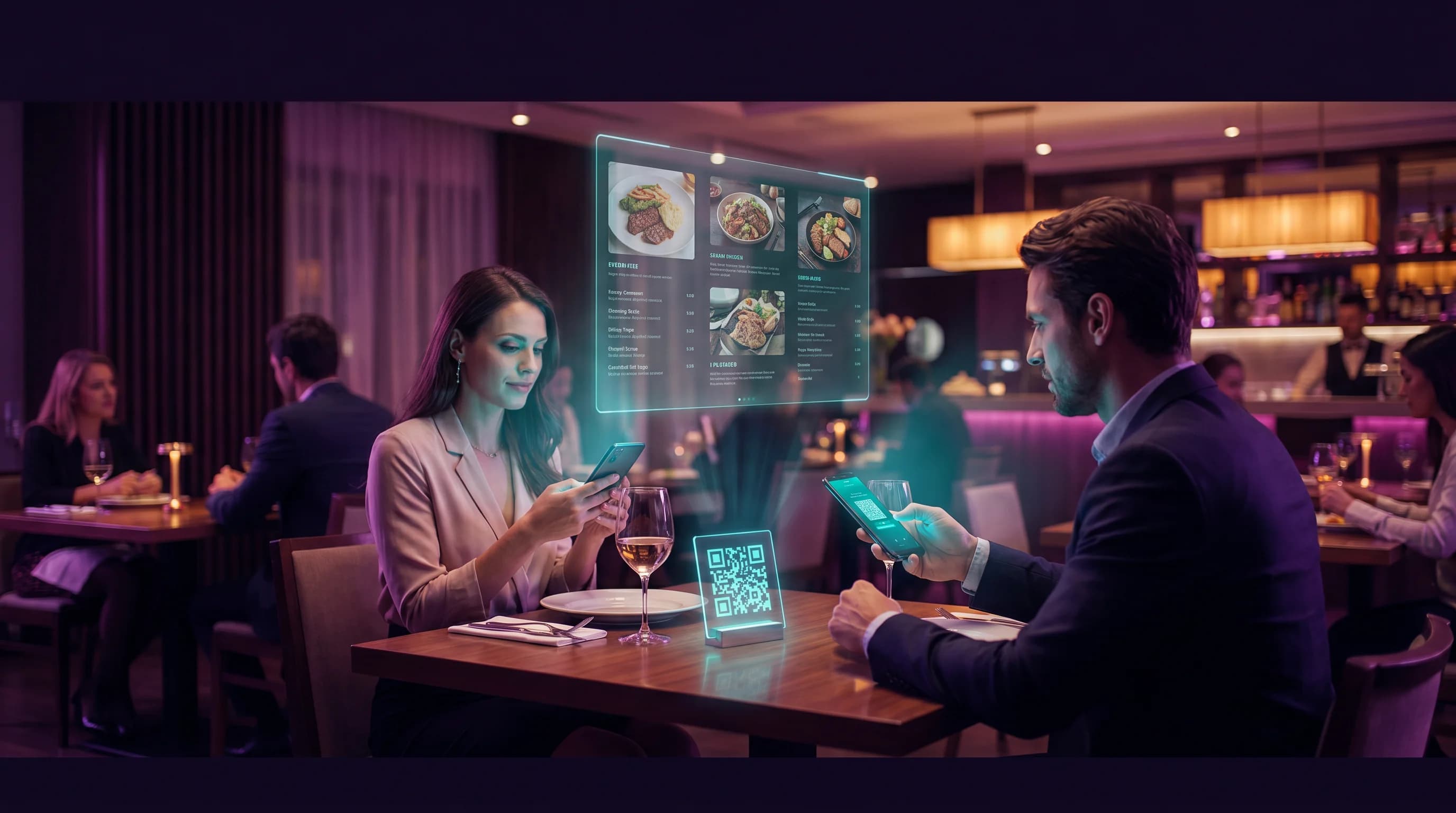
Linktree Alternative for Restaurants: QR Menus, Reviews and Booking in One Scan
Restaurants already use QR codes for menus. A multi-link QR code connects menus, reviews, reservations, and delivery in a single scan - no Linktree account needed.
Read More
Why Linktree Pricing Doesn't Fit EU Restaurants — And What to Use Instead
Linktree's $8-$35/month pricing model was built for US creators, not EU restaurateurs. A full breakdown of what EU restaurants actually pay vs. what they get — and how QR-Verse changes the math.
Read More
How Restaurants Use Biolink QR Codes: Menu, Reservations, Reviews in One Scan
Restaurant owners are replacing printed menu QR codes with biolink QR codes that connect guests to menus, reservations, Google Reviews, Wi-Fi, and loyalty programs - from a single table sticker.
Read More