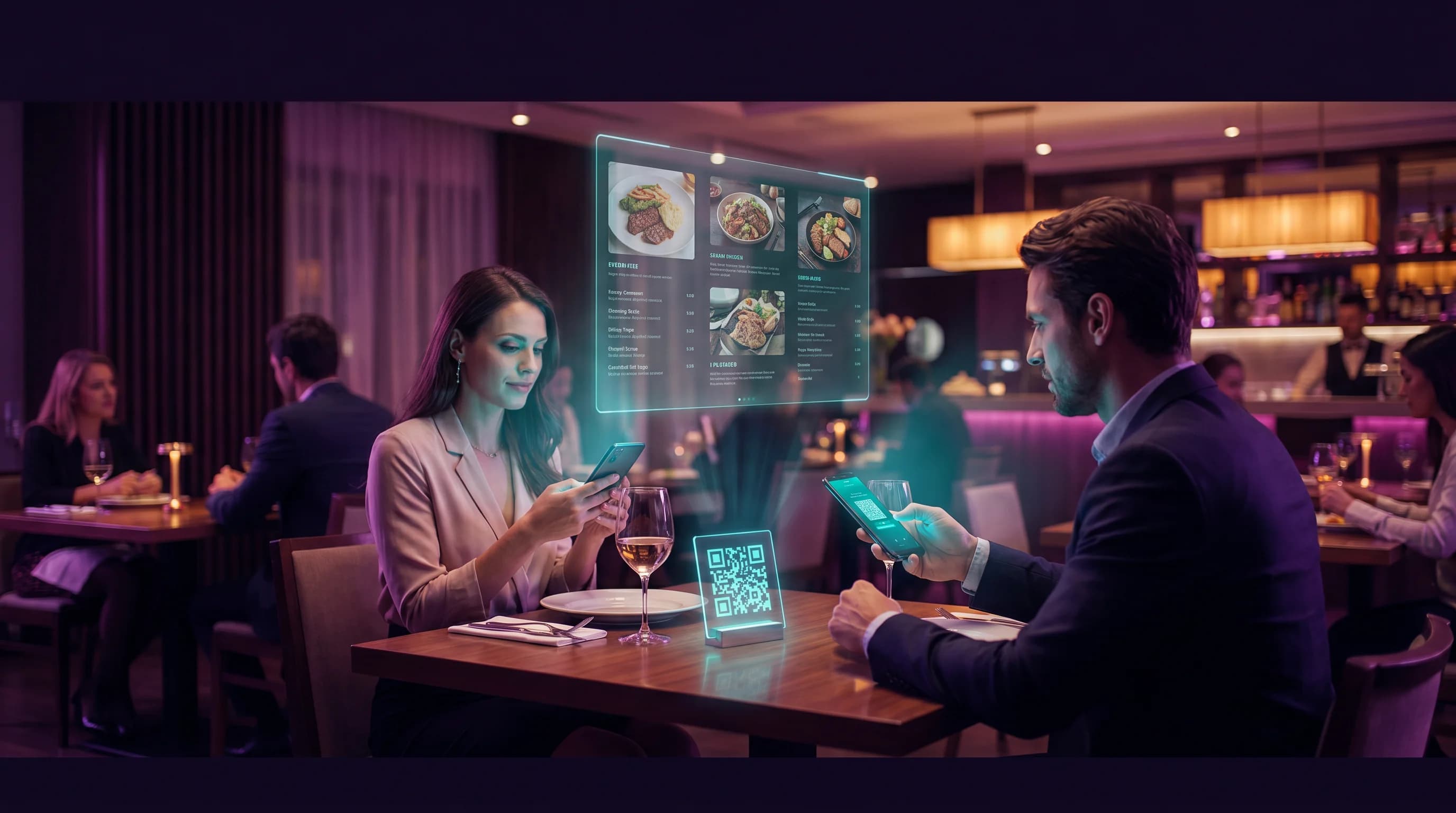
Restaurants are already fluent in QR codes. Every table that gained a QR menu during 2020-2021 taught an entire generation of diners to scan before they order. The infrastructure is in place. What most restaurants have not yet realized is that the same QR code can do far more than display a PDF menu - it can link to reservations, Google Reviews, loyalty programs, and seasonal specials, all from a single scan. That is a Linktree alternative for restaurants that actually fits how hospitality works.
Key Takeaways
- Restaurants already use QR codes - a multi-link setup requires no behavior change from staff or guests.
- One QR code can link to your menu, booking page, Google Reviews, loyalty program, and specials.
- Dynamic QR codes let you update links without reprinting - seasonal menus, event promotions, and booking links change with no new print run.
- QR-Verse Pro includes per-link click analytics so you see exactly which links diners tap.
- The QR-Verse free plan is 1 dynamic QR code with basic scan analytics and no sales commission; as a multi-link page that one code holds 3 rows. Pro (EUR 4.99/mo) adds 10 rows, custom branding, and per-link analytics.
Moving your links across? Start in the generator with a multi-link code: every link behind one QR.
Start with multi-linkWhy Linktree Does Not Fit Restaurants
Linktree is designed for social media profiles. The mental model is: you have one link in your Instagram bio, and that link opens a page of other links. It works for influencers, musicians, and creators who need to direct followers to multiple destinations from a single social profile.
Restaurants have a different problem. Your links live on table tents, window stickers, receipts, takeaway packaging, and the back of your physical menu. They need to be scannable by anyone in the room, not just your Instagram followers.
A Linktree URL on a table tent - linktr.ee/pizzeria-roma - creates friction. Guests have to type it if the QR code is unavailable, it looks generic on branded materials, and if you ever cancel your Linktree plan, every table tent in the restaurant breaks.
A dynamic QR code linked to a multi-link page solves all of this. The QR code is printed once. The links behind it update from your dashboard at any time. If your menu URL changes, your booking platform switches from OpenTable to Resy, or you launch a summer cocktail menu - you update the link, not the table tent.
What Belongs on a Restaurant Multi-Link Page
A well-structured restaurant multi-link page puts the highest-intent links first. Here is a typical order:
| Priority | Link | Why First |
|---|---|---|
| 1 | Digital menu | What guests scan for at the table |
| 2 | Reservations | Converts immediately for dinner service |
| 3 | Google Reviews | Captures post-meal sentiment at peak moment |
| 4 | Takeaway / delivery | Opens a second revenue stream per scan |
| 5 | Loyalty program | Drives repeat visits |
| 6 | Specials / events | Seasonal, updateable without reprinting |
The order matters. Guests scanning at the table want the menu first. Guests scanning after a good meal are in the right mindset to leave a review. Designing the link order around the scan moment - table, entrance, takeaway bag, receipt - is how you maximize each placement.
The QR Menu Is Already There: Just Add Links
Most restaurants that implemented QR menus between 2020 and 2022 set up a single QR code pointing to a PDF menu or a third-party menu service. That setup works, but it wastes the scan.
Every guest who scans your QR menu is a warm lead for:
- A reservation. They are already in your restaurant. A post-meal dinner reservation for next week is one tap away.
- A Google Review. The best moment to ask for a review is when the experience is fresh. A direct link to your Google Reviews page removes every step between "that was great" and the review being posted.
- Your takeaway service. A guest who loves your food but cannot always sit in is one link tap away from becoming a regular takeaway customer.
- Your newsletter or loyalty program. Email capture at the point of peak satisfaction - immediately after a good meal - converts far better than a cold website visit.
The restaurant QR code guide covers each of these use cases with setup instructions. The multi-link layer is what ties them together under a single scannable code.
Where to Place QR Codes in a Restaurant
Placement determines which links get clicked. Different scan moments have different guest intents.
Table tents and table stickers
Primary placement for most restaurants. Guests scan here to access the menu. Design your multi-link page with the menu as the first row. After ordering, guests remain at the table - a second glance at the QR code after the meal is a natural review moment.
Window and entrance
Guests passing by, deciding whether to come in, or looking for your hours. This placement serves a different intent - booking and hours information is more useful here than a full menu. If your QR code generator supports multiple codes pointing to different pages, an entrance code prioritizing reservations and hours performs better than a table code.
Receipt and takeaway packaging
Post-purchase placement. Guests who just paid are in a peak satisfaction window. A receipt QR code linking directly to your Google Reviews page can meaningfully increase review volume. QR-Verse dynamic QR codes are scannable on receipts, packaging stickers, and stamps at any size above 2cm x 2cm.
Loyalty cards and stamps
A QR code on your physical loyalty card that links to your digital loyalty program or newsletter sign-up bridges your offline and online retention channels without requiring guests to type anything.
Google Reviews: The Single Most Valuable Restaurant Link
For most restaurants, a Google Reviews link is the highest-ROI addition to a multi-link QR page.
The challenge with Google Reviews is friction. A guest who wants to leave a review has to:
- Search for your restaurant on Google
- Find the correct listing (not a competitor with a similar name)
- Navigate to the Reviews section
- Click "Write a Review"
- Log in if they are not already
Most guests who intend to leave a review abandon the process at step 2 or 3. A direct link to your Google Reviews page eliminates all of that friction. One tap opens the review form.
The Google Reviews QR code guide covers how to find your direct Google Review URL and format it correctly. The key is using the ?hl=en parameter to ensure guests see the review form in the expected language on international traffic.
Combining this with strategic QR placement - a small "Enjoyed your visit?" card at the end of a meal - can double or triple your monthly review volume without any additional marketing spend.
Seasonal Menus Without Reprinting
A restaurant's menu changes. Seasonal ingredients, price adjustments, new dishes, limited-time promotions. Every menu change on a static QR code requires a new code, new print materials, and the cost of the old materials becoming waste.
A multi-link QR code guide explains how dynamic codes work: the QR pattern stays identical, the destination URL updates from your dashboard. For restaurants, this means:
- Summer menu launches: update the menu link, no new QR codes needed.
- Christmas opening hours: add a temporary "Hours this week" link row, remove it in January.
- A new partnership with a delivery service: update the takeaway link, existing QR codes on all packaging point to the new service automatically.
- A private dining event page: add a temporary link for the event, remove after.
The operational benefit of not reprinting table tents with every seasonal change adds up quickly. At typical print costs, avoiding two reprints per year across 30 tables pays for a QR-Verse Pro plan several times over.
QR-Verse vs a Linktree for Restaurant Use
A direct comparison for the specific needs of a restaurant:
| Feature | Linktree Free | Linktree Pro ($15/mo) | QR-Verse Free | QR-Verse Pro (EUR 4.99/mo) |
|---|---|---|---|---|
| Multi-link page | Yes | Yes | Yes | Yes |
| Scannable QR code | No | No | Yes | Yes |
| Dynamic (editable after print) | N/A - URL only | N/A - URL only | Yes | Yes |
| Basic scan analytics | No | Yes | Yes (60-day history) | Yes (full history) |
| Per-link click analytics | No | Yes | No | Yes |
| Sales commission | 12% | 9% | 0% | 0% |
| Custom branding (logo/colors) | Limited | Yes | No | Yes |
| SVG download | No | No | No | Yes |
| Number of link rows | Unlimited | Unlimited | 3 | 10 |
The critical column for restaurants is the QR code row. Linktree does not generate a QR code. If you use Linktree, you need a second tool to generate a QR code pointing to your Linktree URL - which creates a two-tool dependency, doubles your subscriptions, and means two dashboards to manage when anything changes.
QR-Verse creates the multi-link page and the QR code in the same session. Update a link in the dashboard - all QR codes printed on all materials update automatically, with no reprinting.
How to Set Up a Restaurant Multi-Link QR Code
The process takes under five minutes:
- Go to QR-Verse Create
- Select "Multi-Link" as the QR code type
- Add your links in priority order: menu first, then reservations, reviews, delivery, loyalty
- Upload your restaurant logo and set brand colors (Pro plan)
- Preview and confirm your landing page
- Download the QR code as PNG (free) or SVG for lossless print quality (Pro)
- Place on table tents, window stickers, and any other materials
For the complete restaurant QR code setup guide, see the full walkthrough including sizing recommendations and print specifications.
For an industry-specific overview of how QR codes serve the full hospitality stack, the QR codes for restaurants and hospitality guide covers compliance, table placement strategy, and integration with common POS and reservation systems.
What QR-Verse's Restaurant Solution Includes
The restaurant QR code solution page covers the full feature set for hospitality. Key capabilities relevant to restaurants:
- Multi-link pages with custom branding on Pro (logo, colors, button styles)
- Dynamic QR codes that update without reprinting
- Basic scan analytics on the free plan; per-link click analytics on Pro
- Bulk QR code generation for multi-location restaurant groups (Business plan)
- SVG export for lossless scaling on large print formats (Pro)
The EU data hosting is a practical advantage for European restaurant groups operating under GDPR requirements for guest data.
FAQ
Can I use a QR code instead of Linktree for my restaurant?
Yes - and for restaurants specifically, a multi-link QR code is a better fit than Linktree. Linktree generates a URL, not a QR code. For table placement, entrance signage, and printed materials, a scannable QR code is the practical format. QR-Verse creates both the multi-link landing page and the QR code in one step, so your restaurant has a single tool rather than Linktree plus a separate QR generator.
What should I include on my restaurant QR code landing page?
Start with your menu link (highest scan intent at the table), then your reservation page, then a direct Google Reviews link. Add your delivery service, loyalty program, or seasonal specials as additional rows. Limit the page to 5-6 rows - more options reduce click-through rates on any individual link.
How do I update my menu link without printing new QR codes?
Create a dynamic QR code with QR-Verse. Dynamic codes store the destination URL server-side, so you can update the link at any time from your dashboard. When your menu URL changes, all physical QR codes already printed automatically point to the new destination.
How do I get more Google Reviews using QR codes?
Add your direct Google Reviews URL as a row on your multi-link QR page. Place a small "Enjoyed your visit? Leave us a review" card on tables or include it with the receipt. The direct link removes the 4-5 step friction of searching Google manually, which is where most review intent is lost.
Is there a free option for restaurant QR codes?
QR-Verse's free plan includes one dynamic multi-link QR code with up to 3 link rows and basic scan analytics. This covers menu, reservations, and Google Reviews for a single location. The Pro plan at EUR 4.99/month adds 10 rows, custom branding (logo and colors), per-link click analytics, and SVG download - typically needed for restaurants with delivery, loyalty, and event links on the same page.
Do multi-link QR codes work for restaurant chains?
Yes. QR-Verse Business (EUR 12.99/month) includes unlimited multi-link rows and bulk QR generation. For chains with location-specific menus, reservations systems, and review pages, each location gets its own QR code and multi-link page, all managed from a single dashboard. Per-link analytics shows which links perform at each location.
Ready to create your QR code?
Free plan available. No signup required. Create professional QR codes in seconds.
Ready to try it yourself?
Create professional QR codes with tracking, custom colors, and AI-generated art.
Try our free tools:
Create your QR code in seconds
No signup, no credit card. 27 QR types with full customization. Upgrade to Pro (EUR 4.99/mo) for unlimited power.
Share this article
Related Articles
8 Linktree Alternatives Compared by Price (2026)
8 Linktree alternatives compared on monthly price, sales commission, QR codes and analytics - free and paid options with a verdict per use case.
Read More
Linktree Pricing 2026 Explained + Cheaper Alternative
Every Linktree plan compared: free, $8, $15 and $35/mo, plus the 12% fee on digital product sales. See where a QR code does the same job for less.
Read More
QR Code for Multiple Links - Free Multi-Link Guide
Create a QR code for multiple links in 2 minutes. One scan opens all your URLs. Better than Linktree - free, no branding, with analytics.
Read More