
Every QR code platform on the market still works the same way it did in 2015. Open a form. Choose a type from a dropdown. Fill in your URL, your WiFi password, your contact details. Pick a color. Download. Repeat.
For five QR codes, that is fine. For fifty, it starts to feel slow. For five hundred - or five thousand - it becomes a genuine operational problem. Yet every major AI QR code generator competitor has added "AI" to their marketing while leaving the underlying workflow completely unchanged.
We built something different. QR-Verse is the first QR code platform with a built-in conversational AI agent that lets you create QR codes with AI through natural language - one at a time, or in bulk from a CSV, with full error handling and quality checking built into the same conversation.
This post explains why we built it, why nobody else has, and what it means for teams that create QR codes at scale.
Key Takeaways
- QR-Verse is the first QR code platform with a conversational AI agent - create QR codes by describing what you need in plain English instead of navigating forms and dropdowns.
- The AI agent solves the bulk creation problem: upload a CSV, and the agent reads columns, identifies QR types, asks about ambiguities, and generates all codes in one batch - catching errors before they become 500 misprinted labels.
- No competitor offers conversational QR creation: QR Tiger's AI analyzes scan data (analytics), QRCodeKIT's Cleo helps scanners (post-scan), and QRgen.ai handles art styles only (visual) - none handle the creation workflow itself.
- The agent connects directly to the AI art generator with 130+ style presets and a mandatory scannability quality gate - every AI art code passes a computer vision check before delivery.
- The AI agent is free on all plans including the free tier - try it at /create with no paid subscription required.
The Form Problem: Why Click-and-Fill Fails at Scale
The form-based QR workflow has one fundamental design assumption baked in: you are creating one QR code at a time, with complete information, no ambiguity.
That assumption breaks down quickly in the real world.
A marketing manager needs 200 URL QR codes for a product catalog launch. Each code should link to a different product page. Each should carry the brand colors. Some product pages are not live yet and need a fallback URL. The catalog CSV has columns labeled "Product URL" and "Landing Page URL" - which one should be used?
With today's tools, the answer is: upload the CSV, hope the column mapping works, download a ZIP file, open it, discover half the codes used the wrong column, start over.
There is no mechanism to ask a question. The tool just does what it thinks you meant and hands you the result.
This is not a minor inconvenience. Teams at agencies, e-commerce companies, event organizers, and enterprise marketing departments regularly create QR codes in batches of hundreds or thousands. Every time they hit an ambiguous column, a missing field, or a formatting issue, the workflow stops and someone has to figure out what happened.
The form was designed for the individual. The industry never built a workflow for the team.
Why Nobody Else Built This
We looked closely at every competitor before starting this project. Here is what we found.
QR Tiger - their "AI" feature analyzes scan data and surfaces insights about when and where codes were scanned. That is analytics AI, not creation AI. Their creation workflow is still a form.
QRCodeKIT's Cleo - an AI assistant that helps people who scan QR codes figure out where they landed and what to do next. It serves the scanner, not the creator.
QRgen.ai - handles artistic style prompts for generating decorative QR code images. It is focused on the visual output, not the creation workflow or bulk processing.
The gap is clear: zero platforms let you create QR codes through conversation. No natural language input. No context-aware bulk processing. No back-and-forth to resolve ambiguity.
Why does this gap exist? Most QR tools are form-first backends. They were built by engineers who solved the technical problem - generate a valid QR code from structured input - and then wrapped a form around it. Adding a conversational layer requires a fundamentally different architecture: you need an AI agent that understands intent, maps natural language to structured QR parameters, handles errors gracefully, and can process batch input with context about what each row means.
That is a harder problem. Most QR platforms have not invested in solving it. We did.
How Our AI Agent Works
The QR-Verse AI agent runs directly inside the QR creator. You can also learn more on the AI QR code agent solution page and see how it connects with our AI QR code art generator. You can type a request the same way you would describe what you need to a colleague.
For single QR codes, natural language maps to any supported type. Tell the agent what you need and it handles the rest.
You: "Create a WiFi QR code for my office network. The SSID is GreenOffice, password is Summit2024, WPA2 security."
Agent: "Done - your WiFi QR code is ready. Want to customize the colors or add a logo before downloading?"
For vCard QR codes, the same pattern applies - no more hunting through input fields for the right format.
You: "Make a vCard QR for my new business card with these details: John Smith, CTO, Acme Corp, +1-555-0123, john@acme.com"
Agent: "Done! I created a vCard QR code with all your contact details. Want to add a logo or customize the colors?"
The agent understands context between messages. If you tell it you need a code for a restaurant, it already knows when you say "add the menu URL" what type of QR code you probably want. It does not need you to navigate a menu of twelve QR types and read the descriptions for each. See all available QR code types the agent can create.
For URL QR codes, WiFi QR codes, vCards, email, SMS, and every other type we support - the conversation handles the type selection automatically based on what you describe.
CSV Bulk Processing: From Black Box to Conversation
Bulk QR creation is where the AI agent makes the biggest practical difference for teams.
The traditional approach is what we call the black box: upload a CSV, map columns to fields using a visual editor, click generate, wait, download a ZIP file. If something went wrong - a missing value, an ambiguous column name, a URL that failed validation - you find out at the end. You fix the CSV and start over.
The QR-Verse approach turns that into a conversation. You upload the CSV inside the chat window. The agent reads it, tells you what it found, and asks about anything that needs clarification before generating a single code.
You: "Create 50 WiFi QR codes for all our office locations, here is the CSV"
Agent: "I see 50 rows with SSID, password, and location columns. I will create WiFi QR codes for each location. I notice rows 12 and 31 have duplicate SSIDs with different passwords - should I use both as separate codes, or is one of them an error? Also, want them all with your brand colors?"
That conversation does not happen with any other AI bulk QR code generator on the market today. The alternatives generate and hand you results. We ask first.
This matters because the cost of a mistake in bulk generation is high. If you are generating 500 codes for a product packaging run and the wrong URL was in column C instead of column B, you are not fixing 500 labels - you are fixing the process and starting over. The agent's job is to catch that problem before it becomes 500 mistakes.
Supported CSV types include URL, WiFi, vCard, email, SMS, and all other QR types we support. Mixed-type CSVs are handled too - if your spreadsheet has both URLs and WiFi credentials, the agent reads the row type from the data itself.
AI Art QR Codes: When Creation Meets Design
The AI agent connects directly to our AI QR art generator inside the same conversation.
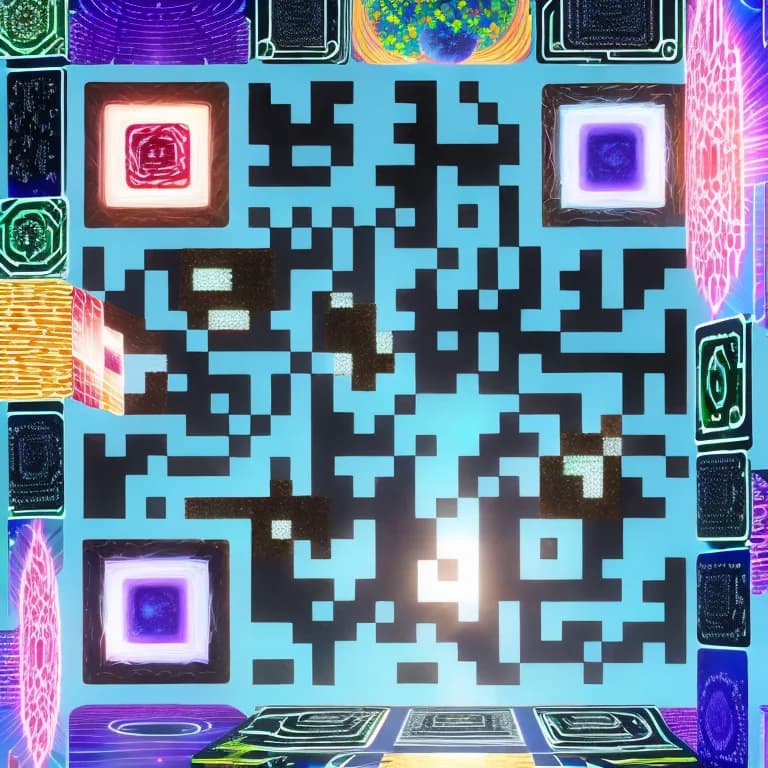
You do not need to create a QR code first and then switch to a design tool. Tell the agent what you want - a cyberpunk neon look for a tech launch, a minimal botanical style for a restaurant menu, a branded gradient for a retail display - and it generates an artistic QR code using our ControlNet pipeline with 130+ style presets.
The same quality gate that applies to all AI art codes runs automatically. Each generated image is scanned for readability by a computer vision model before you ever see it. If a code is not scannable, the agent adjusts the parameters and tries again. You get a scannable artistic QR code, not a broken one that happens to look good.
This is important because the core failure mode of AI QR art across every platform is generating images that look impressive but do not actually scan. Our quality gate exists specifically to prevent that outcome.
What This Means for the Future
Forms are not going away. For simple, single-use creation, a form is still the fastest path. But the QR code industry has been defaulting to forms for workflows that never suited them, because forms were the only option.
Conversational interfaces have replaced forms in customer service, document processing, data entry, and software configuration. QR code creation is late to that transition, but the transition is happening.
The practical implication for teams is this: a marketing coordinator who can describe what they need in plain English should not need to learn a CSV import tool. A field sales rep creating QR codes for client materials should not need to navigate a twelve-type dropdown. A developer building QR codes programmatically still has the API - but the non-technical team member working alongside them now has an equally capable tool that matches how they actually think about the problem.
We are not claiming conversational creation replaces every workflow. We are saying it handles a large class of workflows that forms handle poorly, and that no other platform has built this capability into QR code creation.
That is the gap we set out to close.
Try It Yourself
The AI agent is available on all plans, including the free tier. You do not need to upgrade to experience conversational QR creation.
Head to /create to start a conversation with the agent. Try describing a QR code you need - a WiFi code for your home network, a URL code for a campaign, a vCard for your business card - and see how the workflow compares to filling out a form.
If you have a CSV you have been meaning to process, upload it in the chat and watch what the agent does with it before generating anything.
For teams using QR codes at scale, the AI agent overview page covers how the bulk processing, quality gate, and art generation work together. Developers can also integrate QR generation directly into their systems via our QR code API. The creator is the fastest way to see it for yourself.
We built this because nobody else did. We think it is the right way to create QR codes. We expect other platforms to follow. In the meantime, it is ours - and yours.
Create QR Codes with AI - Free
Try the conversational AI QR code generator. No form. No dropdown. Just describe what you need.
Open AI QR Creator →What is an AI QR code generator agent?
An AI QR code generator agent is a conversational interface that lets you create QR codes by describing what you need in plain English, rather than filling out a form. QR-Verse's agent handles type selection, parameter mapping, bulk CSV processing, and AI art generation through a single chat conversation.
Can I create QR codes in bulk with AI?
Yes. Upload a CSV file in the QR-Verse chat and the agent reads the columns, identifies the QR type from your data, asks about any ambiguous fields, and generates all codes in one batch. It supports URL, WiFi, vCard, email, SMS, and all other supported QR types from a single CSV.
How is QR-Verse's AI different from QR Tiger's AI?
QR Tiger's AI analyzes scan analytics - it tells you when and where codes were scanned after the fact. QR-Verse's AI agent handles the creation workflow - you describe what you need, it builds the QR codes. They solve different problems. QR-Verse is the only platform with a conversational creation agent.
Does the AI agent create artistic QR codes too?
Yes. Ask the agent for a specific style - neon cyberpunk, botanical, corporate minimal, or any other - and it generates an artistic QR code using our ControlNet pipeline with 130+ presets. Every AI art code passes a scannability quality gate before delivery.
Is the AI agent free to use?
The AI agent is available on all plans including the free tier. You can start creating QR codes through conversation at /create without any paid subscription.
What QR code types does the AI agent support?
The agent supports all QR types available on QR-Verse: URL, WiFi, vCard, email, SMS, phone, text, social media, app store links, and more. It selects the correct type automatically based on what you describe or what it detects in your CSV data.
Ready to create your QR code?
Free plan available. No signup required. Create professional QR codes in seconds.
Ready to try it yourself?
Create professional QR codes with tracking, custom colors, and AI-generated art.
Try our free tools:
Create your QR code in seconds
No signup, no credit card. 25 QR types with full customization. Upgrade to Pro (EUR 4.99/mo) for unlimited power.
Share this article
Related Articles
AI QR Code Art Generator: Turn Boring Codes into Art
Transform standard QR codes into scannable artworks with AI. Over 130 style presets, custom prompts, and ControlNet technology - free guide with tips.
Read More
QR-Verse AI Assistant - AI-Powered QR Code Platform
QR-Verse launches the first full AI assistant for QR codes in 2026 - create, optimize, troubleshoot, and analyze your QR codes in a single conversation.
Read More
QR Code Trends 2026: 5 Shifts in Design, AI & Data
The 5 QR code shifts shaping 2026: AI art design trends, GS1 Digital Link, privacy-first analytics and more - with data and real product examples.
Read More