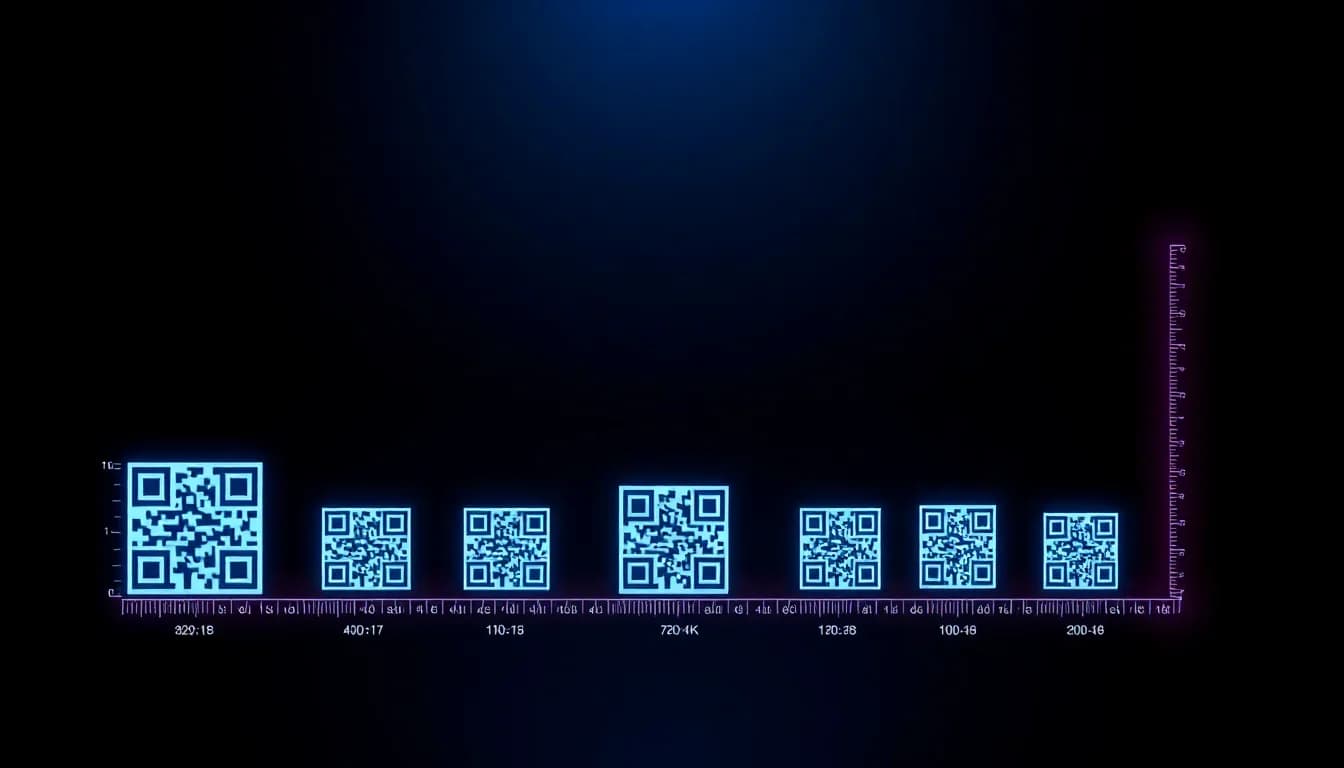
Um código QR que não funciona é pior do que nenhum código QR. Quer esteja a imprimir em cartões de visita, outdoors ou embalagens de produtos, acertar o tamanho é a diferença entre uma leitura bem-sucedida e um cliente frustrado. Este guia cobre tudo o que precisa de saber sobre dimensionamento de códigos QR, qualidade de impressão e formatos de ficheiro - com recomendações práticas para cada caso de uso.
Quer experimentar você mesmo? O gerador é gratuito e abre de imediato.
Criar um QR codeA Regra de Distância 10:1
A regra mais importante no dimensionamento de códigos QR é o rácio de distância de leitura. Esta fórmula simples indica-lhe exatamente quão grande o seu código QR precisa de ser:
Tamanho do Código QR = Distância de Leitura / 10
Se alguém vai ler a 1 metro de distância, o seu código QR precisa de ter pelo menos 10 cm. A 3 metros? Pelo menos 30 cm. A 30 cm (como um cartão de visita)? Pelo menos 3 cm.
Este rácio de 10:1 funciona para códigos QR padrão com densidade de dados moderada. Se o seu código QR contém um URL muito longo ou muitos dados, aumente o tamanho em 20-30% porque a densidade de módulos é maior.
Regras de Tamanho Mínimo
Abaixo destes mínimos, a maioria das câmaras de smartphone terá dificuldade em ler de forma fiável - especialmente com pouca luz ou num ângulo.
Mínimo Absoluto: 1,5 x 1,5 cm
O mais pequeno que um código QR pode ser e ainda funcionar com telemóveis modernos. Funciona apenas para URLs curtos com alta correção de erros. Deve ser impresso a 300+ DPI.
Mínimo Seguro: 2 x 2 cm
O mínimo recomendado para leitura de perto (cartões de visita, etiquetas de produto). Funciona de forma fiável com a maioria das densidades de códigos QR.
Zona Tranquila: 4 módulos de largura
A margem em branco à volta do código QR é obrigatória. Sem ela, os leitores não conseguem detetar onde o código começa. Nunca corte esta margem.
A Correção de Erros Importa
Correção de erros mais alta (Nível H = 30%) torna os códigos legíveis mesmo quando parcialmente danificados - mas requer mais módulos, pelo que o código precisa de ser maior para os mesmos dados.
Tamanhos Recomendados por Caso de Uso
Aqui estão recomendações de tamanho testadas e comprovadas para as colocações de códigos QR mais comuns:
| Suporte | Mínimo | Recomendado | Distância de Leitura |
|---|---|---|---|
| Cartão de Visita | 1,5 cm | 2 - 2,5 cm | 15 - 30 cm |
| Etiqueta de Produto | 2 cm | 2,5 - 3 cm | 20 - 40 cm |
| Folheto / Brochura | 2,5 cm | 3 - 4 cm | 30 - 50 cm |
| Anúncio de Revista | 3 cm | 4 - 5 cm | 30 - 60 cm |
| Cartaz (A3/A2) | 5 cm | 8 - 10 cm | 0,5 - 1,5 m |
| Montra de Loja | 10 cm | 15 - 20 cm | 1 - 2 m |
| Banner / Roll-up | 15 cm | 20 - 25 cm | 1,5 - 3 m |
| Outdoor | 30 cm | 50+ cm | 3 - 10 m |
| Autocolante de Veículo | 10 cm | 15 - 20 cm | 1 - 3 m |
| Porta-menus / Menu | 3 cm | 4 - 5 cm | 30 - 60 cm |
Crie Códigos QR Prontos para Impressão
O QR-Verse gera códigos QR de alta resolução em formatos SVG e PNG - perfeitos para qualquer tamanho de impressão. Gratuito, sem conta obrigatória.
Gerar Código QR →Melhores Formatos de Ficheiro para Impressão
O formato de ficheiro que escolhe afeta diretamente a qualidade de impressão. Eis o que usar e quando:
SVG (Vetorial)
Infinitamente escalável sem perda de qualidade. O código QR é feito de formas matemáticas, não de pixéis - por isso mantém-se nítido em qualquer tamanho, de cartões de visita a outdoors.
Ideal para: Todas as aplicações de impressão. Use sempre SVG quando possível.
PDF (Vetorial)
Como SVG mas num contentor padrão de impressão. A maioria das gráficas prefere ficheiros PDF. Muitos geradores de QR exportam diretamente para PDF.
Ideal para: Trabalhos de impressão profissionais, envio para gráficas.
PNG (Raster)
Formato baseado em pixéis. Adequado para digital e impressão pequena se exportado em alta resolução (300+ DPI no tamanho alvo). Ficará desfocado se ampliado.
Ideal para: Ecrãs digitais, assinaturas de email, impressão pequena em tamanho conhecido.
EPS (Vetorial)
Formato vetorial legacy ainda usado por algumas gráficas e designers gráficos. Totalmente escalável como SVG.
Ideal para: Integração com layouts do Adobe Illustrator ou InDesign.
Checklist de Qualidade de Impressão
Siga estas regras para garantir que os seus códigos QR são lidos perfeitamente em impressão:
- Imprima a 300 DPI no mínimo - Para ficheiros PNG, calcule os pixéis necessários: tamanho em polegadas x 300. Um código QR de 3 cm precisa de ~354 x 354 pixéis no mínimo.
- Mantenha alto contraste - Módulos escuros sobre fundo claro. Preto sobre branco dá a melhor taxa de leitura. Evite cores claras sobre fundos claros.
- Não inverta as cores - Código QR branco sobre fundo escuro lê mal em muitos dispositivos. Se tem de inverter, teste extensivamente em telemóveis mais antigos.
- Mantenha a zona tranquila - Deixe pelo menos 4 larguras de módulo de espaço em branco à volta do código QR. Não deixe outros elementos de design invadir esta margem.
- Teste antes da impressão em massa - Imprima sempre uma cópia de teste e leia com mais de 3 telemóveis diferentes antes de enviar um lote para a gráfica. Teste no ambiente real (iluminação, distância).
- Use modo de cor CMYK - Para impressão profissional, converta cores de RGB para CMYK. O preto RGB parece diferente em CMYK - use 100% K (preto puro) para os módulos QR.
- Evite sangria e marcas de corte sobre o código - Se o seu design tem sangria, certifique-se de que o código QR fica seguramente dentro da área de corte com margem extra.
Considerações de Material e Superfície
A superfície em que imprime afeta a legibilidade tanto quanto o tamanho:
Papel Mate
O melhor para códigos QR. Sem brilho, contraste consistente. Funciona em todas as condições de iluminação.
Papel Brilhante
Pode causar reflexos sob luz direta, dificultando a leitura. Incline o papel ou use revestimento anti-reflexo.
Vidro / Montra
Funciona bem com autocolantes de vinil. Atenção a reflexos e contraluz. Fundo branco atrás do código ajuda.
Metal / Alumínio
Códigos QR gravados funcionam. Autocolantes impressos em metal são mais fiáveis. Atenção a reflexos.
Tecido / Têxtil
Códigos QR tecidos ou impressos funcionam se a trama for suficientemente fina. Teste em escala - a distorção do tecido pode partir códigos.
Superfícies Curvas
Garrafas, latas, tubos - a curva distorce o código. Aumente o tamanho em 20-30% e teste a partir do ângulo de leitura mais comum.
Dimensionamento de Códigos QR para Ecrãs Digitais
Para websites e emails, os códigos QR devem ter pelo menos 240 x 240 pixéis para leitura confortável a partir de um ecrã de telemóvel. Em designs mobile-first, faça-os com mais de 300 pixéis de largura.
Para ecrãs de TV ou apresentações, a regra 10:1 ainda se aplica. Uma apresentação de sala de conferências vista a 3 metros precisa de um código QR com pelo menos 30 cm de largura no ecrã.
Para sinalização digital (quiosques, ecrãs), teste a distância de leitura real. Ecrãs interiores frequentemente têm reflexos - aumente o contraste e o tamanho. Um código de 15 cm num ecrã brilhante é legível a cerca de 1 metro de forma fiável.
Erros Comuns de Dimensionamento a Evitar
Demasiado pequeno para a distância
O erro n.o 1. Um código QR de 2 cm num cartaz a 2 metros é ilegível. Use a regra 10:1.
Cortar a zona tranquila
Os designers adoram enfiar códigos QR nos cantos. A margem branca não é decorativa - é funcional. Cortá-la parte a leitura.
PNG de baixa resolução ampliado
Um código QR de 100x100 pixéis esticado para 10 cm = confusão desfocada. Exporte sempre no tamanho alvo ou use SVG.
Demasiados dados num código pequeno
URLs longos criam códigos QR densos. Use um encurtador de URL ou os links curtos integrados do QR-Verse para manter o código simples e legível em tamanhos pequenos.
Fraco contraste de cor
Azul sobre roxo, amarelo sobre branco - se mal consegue ver, o seu telemóvel também não. Mantenha pelo menos 40% de contraste de luminância.
Ignorar o ambiente
Um código QR que funciona no seu escritório pode falhar em luz solar direta num cartaz brilhante. Teste em condições reais.
Recursos Relacionados
- Gerador de Códigos QR
- Design de Códigos QR Personalizados
- Guia de Marketing Impresso
- Códigos QR Dinâmicos vs Estáticos
Pronto para Imprimir?
Gere o seu código QR em formato SVG para qualidade de impressão perfeita em qualquer tamanho. Gratuito, ilimitado, com análises de leitura incorporadas.
Criar Código QR Pronto para Impressão →Qual é o tamanho mínimo para um código QR?
O mínimo absoluto é 1,5 x 1,5 cm para leitura de perto (15-30 cm). Para uso prático, 2 x 2 cm é o mínimo seguro. Aplique sempre a regra 10:1: distância de leitura / 10 = tamanho mínimo do código QR.
Qual o tamanho que um código QR deve ter num cartão de visita?
Pelo menos 2 cm x 2 cm, idealmente 2,5 cm. Os cartões de visita são lidos a 15-30 cm, pelo que este tamanho funciona bem. Mantenha o URL curto para minimizar a densidade do código.
Em que resolução devo exportar um código QR para impressão?
Exporte a 300 DPI no mínimo. Melhor ainda, use SVG (formato vetorial) que escala para qualquer tamanho sem perder qualidade. Para PNG, calcule: tamanho em polegadas x 300 = pixéis necessários.
Posso colocar um logotipo dentro de um código QR e ainda imprimir pequeno?
Sim, mas o logotipo ocupa espaço normalmente usado para dados. Use alta correção de erros (Nível H) e aumente o tamanho do código em cerca de 30% comparado com um código QR simples para compensar.
O que é a zona tranquila num código QR?
A zona tranquila é a margem em branco à volta do código QR. Deve ter pelo menos 4 módulos (pequenos quadrados) de largura. Sem ela, os leitores não conseguem detetar os limites do código. Nunca corte esta margem.
Devo usar PNG ou SVG para imprimir códigos QR?
SVG sempre que possível. É um formato vetorial que se mantém perfeitamente nítido em qualquer tamanho. Use PNG apenas para ecrãs digitais ou quando sabe o tamanho exato de impressão e pode exportar a 300+ DPI.
Qual o tamanho que um código QR deve ter num cartaz?
Para um cartaz A3/A2 visto a 0,5-1,5 metros, use 8-10 cm. Para cartazes maiores ou outdoors vistos de mais longe, aplique a regra 10:1: 1 metro de distância de leitura = 10 cm de tamanho do código.
Os códigos QR coloridos precisam de ser maiores?
Não necessariamente maiores, mas precisam de contraste suficiente. Módulos de cor escura sobre fundo claro funciona melhor. Evite cores claras ou pastel para os módulos QR - reduzem a fiabilidade de leitura independentemente do tamanho.
Pronto para criar seu QR code?
Plano gratuito disponível. Sem cadastro. Crie QR codes profissionais em segundos.
Pronto para experimentar?
Crie QR codes profissionais com rastreamento, cores personalizadas e arte gerada por IA.
Experimente nossas ferramentas gratuitas:
Crie seu código QR em segundos
Sem cadastro, sem cartão de crédito. 27 tipos de QR com personalização completa. Faça upgrade para Pro para poder ilimitado.
Compartilhe este artigo
Artigos relacionados

QR code estático vs dinâmico: diferenças e custos
A diferença numa frase: um QR code estático é fixo para sempre, um dinâmico pode ser editado após a impressão. Custos, tracking e tabela de decisão.
Ler Mais
QR Codes com Marca: Cores, Logos & Design
Crie QR codes com suas cores, logo e design personalizado. Guia gratuito para criar QR codes com identidade visual que geram 80% mais leituras.
Ler Mais
Painel QR Gratuito: Leituras e Localizações
Acesse analytics em tempo real para cada QR code criado. Rastreie leituras, localizações, dispositivos e tendências - totalmente gratuito com QR-Verse.
Ler Mais