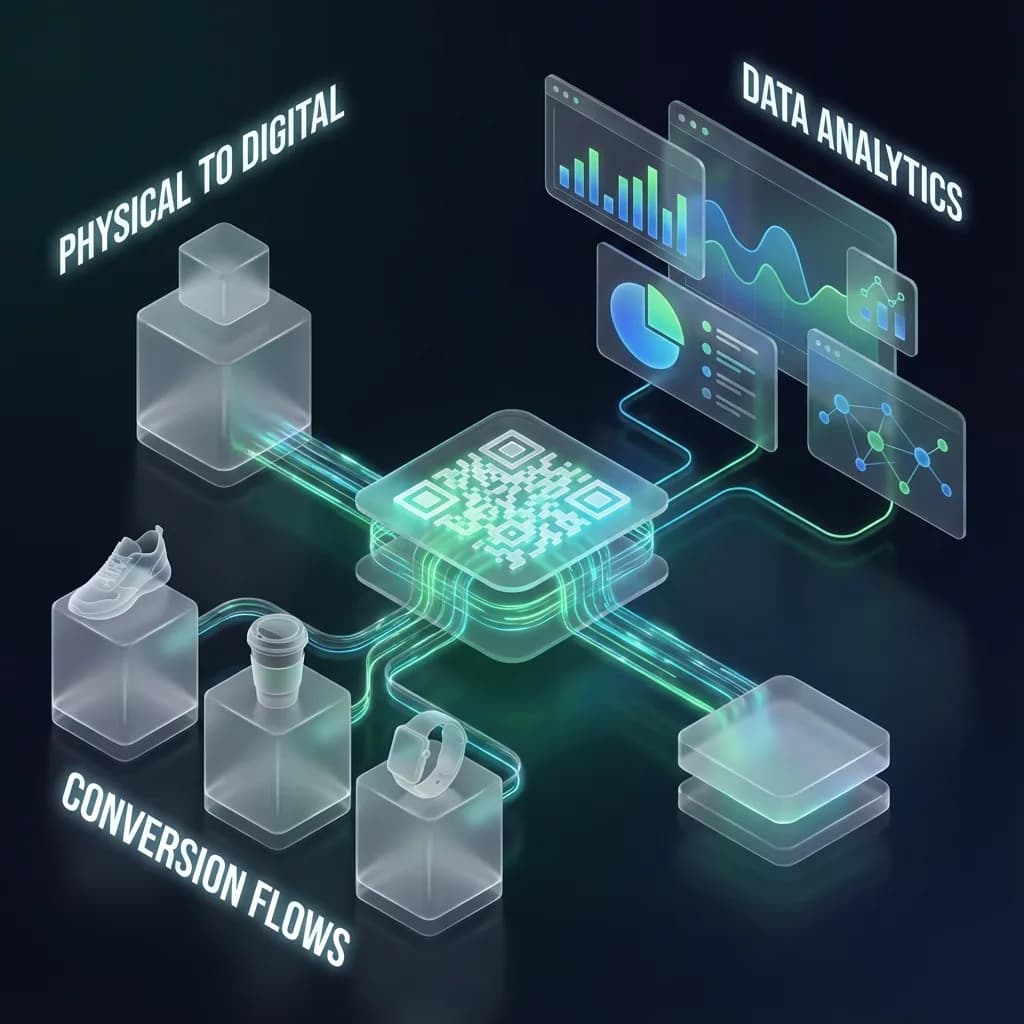
Every small business owner knows the struggle: limited budget, limited time, and the constant need to stand out in a crowded market. Whether you run a coffee shop, a plumbing company, a boutique, or a freelance design studio, you are competing for attention against businesses that may have ten times your marketing spend.
QR codes are one of the most underrated tools in your arsenal. They are free to create, easy to update, and fully measurable. Unlike a social media ad that disappears from someone's feed in seconds, a QR code sits on your storefront, your business card, or your packaging - ready to work 24/7. And unlike print ads, you can see exactly how many people engage with them.
In this guide, you will learn 10 practical QR code strategies that real small businesses use to attract customers, collect reviews, simplify payments, and streamline daily operations. Each strategy can be implemented in under five minutes with a free QR code from QR-Verse.
Key Takeaways
- QR codes are free to create, easy to update, and fully measurable - making them one of the highest-ROI marketing tools for small businesses with limited budgets.
- A Google Review QR code is the single highest-impact starting point: businesses using them see review rates jump from 1-2% to 5-10% of customers, dramatically improving local search rankings.
- Dynamic QR codes let you change destinations seasonally without reprinting - link to your summer menu in June and holiday specials in December from the same printed code.
- WiFi QR codes eliminate the password-sharing friction, increase customer dwell time, and stop staff from spelling out passwords 50 times a day.
- Most small businesses benefit from 3-5 active QR codes covering reviews, WiFi, social media, payments, and storefront displays.
Why 2026 is the year for QR codes: Smartphone QR scanning is now native on every iOS and Android device. Over 89 million Americans scanned a QR code in 2025, and that number is projected to surpass 100 million this year. Your customers already know how to use them - the only question is whether your business gives them something worth scanning.
Want to try this yourself? The generator is free and opens straight away.
Create a QR code1. Window and Storefront Displays
Your storefront is your biggest billboard. It works for you even when you are closed - at night, on holidays, and during off hours. A QR code on your window turns every passerby into a potential customer, even when the lights are off.
Place a QR code on your front window that links to your menu, booking page, online store, or current promotions. A late-night walker who spots your bakery can scan the code, browse your menu, and pre-order a birthday cake for pickup the next morning. A jogger passing your yoga studio at 6 AM can scan and book a class before you even open the doors.
Where to place storefront QR codes
- Front window - at eye level, visible from the sidewalk
- Door - next to your business hours, linking to your full schedule or booking system
- A-frame sidewalk sign - great for foot-traffic areas; add a clear call to action like "Scan to see today's specials"
- Drive-through or parking area - if you have one, place a QR code at car-window height linking to your online order page
Design tips for outdoor QR codes
Print at a minimum of 3 cm x 3 cm for close-range scanning (arm's length) and scale up for distance. A QR code on a window meant to be scanned from the sidewalk should be at least 10 cm x 10 cm. Use high contrast - dark code on a light background - and avoid placing it behind tinted glass if possible.
Use a dynamic QR code so you can change the destination seasonally - link to your summer menu in June and your holiday specials in December, without reprinting. A single QR-Verse dynamic code lets you swap destinations as often as you like.
2. Google Reviews Made Easy
Online reviews are the lifeblood of local businesses. A BrightLocal study found that 87% of consumers read online reviews for local businesses before making a purchase decision. But here is the problem: even happy customers rarely leave reviews. Not because they do not want to, but because it takes too many steps.
A QR code that links directly to your Google Business Profile review page removes every barrier. The customer scans, taps the star rating, writes a quick sentence, and they are done. No searching for your business, no navigating through Google Maps menus.
Where to place review QR codes
- Receipts and invoices - add a small QR code at the bottom with the text "Loved our service? Leave us a quick review"
- Table tents or counter displays - perfect for restaurants, salons, and waiting rooms
- Thank-you cards in packaging - if you ship products, slip a card in the box
- Email signatures - include a small QR code image in your staff's email signatures
- Service completion handoffs - contractors and service providers can show the code on a tablet after finishing a job
The review numbers game
Most businesses have a 1-2% review rate from total customers. A strategically placed QR code can push that to 5-10%. For a restaurant serving 200 customers a day, that is the difference between 2 reviews per day and 10-20. Over a month, you go from 60 to 300-600 reviews. That volume dramatically improves your local search ranking and builds the social proof that convinces new customers to choose you over the competition. Our Google Reviews QR code guide walks through the exact setup for Google, Yelp, and Trustpilot. You can create a review QR code in under 30 seconds.
For a detailed walkthrough on setting up review QR codes for Google, Yelp, and Trustpilot, read our complete reviews QR code guide.
Create a Review QR Code
Link directly to your Google, Yelp, or Trustpilot review page. Free, no account required.
Create Review QR →3. Digital Business Cards
Paper business cards have barely changed in a century. You hand one out at a networking event, and the recipient shoves it in a pocket, a wallet, or a bag - where it stays until the next closet cleanout. Studies suggest that 88% of business cards are thrown away within a week.
A vCard QR code solves this entirely. When someone scans it, your full contact details - name, phone, email, job title, company, website, and even your LinkedIn profile - are added directly to their phone's address book. One scan, permanently saved.
Paper Business Cards
Get lost within days. Info goes stale when you change roles. No tracking - you never know if someone kept it. Costs $50-$150 per batch to reprint when anything changes. Cannot include clickable links.
vCard QR Code
Saved directly to the phone's contacts. Update your info anytime without reprinting. Track how many people scan and save your details. Free to create and maintain. Includes clickable links to your website, social profiles, and portfolio.
How to use your vCard QR code
- Print it on a physical card - yes, you can still hand out a card, but now it has a scannable QR code on the back that auto-saves your contact
- Add it to your email signature - every email you send becomes a networking opportunity
- Display it at trade shows and conferences - put it on a badge, a banner, or a tablet at your booth
- Include it on your resume or portfolio - make it easy for hiring managers or clients to save your details
For a deep dive on creating and customizing digital business cards, see our vCard QR code guide.
4. WiFi Access for Customers
If you offer WiFi to customers - in a cafe, waiting room, salon, co-working space, or hotel lobby - you know the drill. Someone asks for the password, you point to a chalkboard, they squint, mistype it twice, ask if that is a zero or an "O," and finally connect after two frustrating minutes.
A WiFi QR code eliminates all of that. Customers scan it, their phone recognizes it as a WiFi credential, and they are connected in seconds. No typing, no mistakes, no interrupting your staff.
Why WiFi QR codes matter for your business
Beyond convenience, offering easy WiFi access increases dwell time. A customer who connects to WiFi in your cafe is more likely to order a second coffee. A client in your waiting room who can browse their phone comfortably is less anxious about a 10-minute wait. Free, easy WiFi is a competitive advantage for any brick-and-mortar business.
Print the WiFi QR code on a small acrylic stand at each table or in the waiting area. Frame it with a simple message: "Scan to connect to free WiFi." It is a better experience than a chalkboard with a 20-character password - and it keeps your staff from having to spell it out 50 times a day.
Security considerations
You can create a WiFi QR code for your guest network without exposing your internal business network. Always use a separate SSID for customers. For best practices on password rotation and guest network isolation, see our secure WiFi sharing guide. If you change your WiFi password periodically (and you should), simply update the QR code destination - dynamic codes make this a one-click change.
For the complete setup process including encryption types and hidden networks, read our WiFi QR code complete guide.
5. Payment QR Codes
Cash is declining. Card readers cost money and come with monthly fees. For many small businesses - especially sole proprietors, market vendors, and service providers - QR code payments offer a simpler path.
A payment QR code links directly to your PayPal, Venmo, Stripe, Cash App, or bank transfer page. The customer scans, enters the amount (or you preset it), and pays. No card reader hardware, no transaction terminal, no monthly subscription.
Who benefits most from payment QR codes
- Street vendors and food trucks - accept payments without investing in a card terminal
- Freelancers and consultants - include a payment QR code on your invoices for instant payment
- Charity events and fundraisers - make donating as easy as scanning a code at your booth
- Buskers and performers - replace the tip jar with a QR code sign
- Home service providers - plumbers, electricians, and cleaners can show a payment code on their phone after a job
Tipping made easy
Restaurants, salons, and service businesses can place a tipping QR code at the point of service. When customers do not have cash for a tip, a QR code that links to a tip page removes the friction. Some businesses report a 15-25% increase in tip volume after introducing QR-based tipping.
For setup instructions and platform-specific walkthroughs, visit our payment QR codes guide.
6. Product Packaging
Your product packaging is real estate. Every box, bag, bottle, and wrapper that leaves your shop is a direct channel to your customer - and most small businesses leave it blank. A small QR code on your packaging opens up a world of post-purchase engagement.
Setup instructions and tutorials
Link to a video tutorial, PDF guide, or FAQ page for your product. A customer who can figure out how to use your product without frustration is a customer who comes back. This is especially valuable for tech products, specialty food items, or anything with assembly.
Warranty and product registration
Let customers register their warranty or activate a product guarantee with a single scan. This also gives you their email address for future marketing - with their explicit consent.
Reorder and replenishment
For consumable products - coffee, skincare, supplements, cleaning supplies - a reorder QR code makes it effortless for happy customers to buy again. Link directly to the product page in your online store with the item pre-selected.
Authenticity verification
If you sell premium or artisanal goods, a QR code can link to a verification page confirming the product is genuine. This builds trust, deters counterfeiting, and adds a premium feel to the unboxing experience.
Packaging QR code placement tips
Place the code on a flat, unobstructed surface - the back or bottom of the package works well. Make sure it is at least 2 cm x 2 cm for reliable scanning. If your packaging is dark, print the QR code on a white label or use an inverted color scheme (white modules on dark background with sufficient contrast).
7. Event Promotion and Local Marketing
Running a workshop, a seasonal sale, a grand opening, or a community event? QR codes on flyers, posters, and postcards turn passive print materials into interactive experiences. Restaurants and cafes can also replace printed menus entirely -- our digital menus guide covers how to set that up. For hospitality businesses looking for a comprehensive QR strategy, see our hospitality solutions page.
What your event QR code can do
A single QR code on a flyer can link to a landing page where potential attendees:
- RSVP or buy tickets - direct link to your Eventbrite, Google Form, or booking page
- Add the event to their calendar - a .ics file download ensures they do not forget
- Get directions - link to Google Maps with your venue pinned
- View a video teaser - show a 30-second clip of what they can expect
- Share with friends - the landing page can include share buttons for WhatsApp, text, and social media
Local marketing on a budget
For small businesses with limited marketing budgets, QR codes on physical materials offer an unbeatable cost-to-reach ratio. A stack of flyers with a QR code costs $20-$50 to print. If you distribute 500 flyers and get a 5% scan rate, that is 25 people visiting your event page - many of whom would never have found you online. Combine this with a dynamic QR code, and you can reuse the same flyer template for every event by simply updating the destination.
Measure everything. With QR-Verse analytics, you can see how many flyers are actually getting scanned, which neighborhoods generate the most interest, and what time of day people engage. Use this data to optimize your next round of flyer distribution.
8. Social Media Growth
"Follow us on Instagram!" is one of the most ignored requests in small business marketing. The problem is not that customers do not want to follow you - it is that the path from hearing the request to actually finding and following your account has too many steps. They have to open the app, search your name, scroll past similar accounts, and tap follow.
A QR code that links to a multi-link social page showing all your social profiles eliminates the search step entirely. The customer scans, sees your Instagram, Facebook, TikTok, YouTube, and LinkedIn all in one place, and taps the platform they prefer.
Where to deploy social media QR codes
- Near the register or checkout - capture customers while they are still in your store and feeling positive about the experience
- On packaging inserts - "Follow us for recipes, tips, and exclusive offers"
- On your store's WiFi landing page - after connecting to WiFi, show a page with your social links
- In your email newsletter footer - not everyone who reads your emails follows you on social
- At events and pop-ups - table signage or banner stands with a "Follow us" QR code
From follower to customer
Social media followers are not just vanity metrics for small businesses. They represent a free, direct marketing channel. Every follower is someone you can reach with a new product announcement, a flash sale, or a seasonal special - without paying for an ad. A business with 2,000 engaged local followers has a more powerful marketing engine than one spending $500 a month on Facebook ads reaching strangers.
9. Inventory and Internal Operations
QR codes are not just customer-facing marketing tools. Behind the scenes, they can dramatically simplify your day-to-day operations - especially if you manage physical inventory, equipment, or a team.
Inventory tracking
Stick a QR code on each storage shelf, bin, or section. When scanned, the code links to a simple spreadsheet, database, or inventory management page showing what is in that location, current stock levels, and reorder thresholds. Staff can scan to check stock or log incoming deliveries without opening a laptop.
Equipment and asset management
For businesses with equipment - restaurants, salons, gyms, workshops, repair shops - a QR code on each machine can link to:
- Maintenance schedules - when was this last serviced? When is the next service due?
- Operating manuals - the PDF manual for a commercial espresso machine is more useful on a phone than buried in a filing cabinet
- Troubleshooting guides - "Machine not working? Scan this code for a step-by-step fix"
- Service request forms - let staff report equipment issues with a scan and a quick form submission
Employee training and onboarding
New hires can scan QR codes around the workplace to access onboarding materials, safety procedures, and training videos relevant to each area. A QR code in the kitchen links to food safety protocols. A code at the front desk links to customer service scripts. A code in the stockroom links to the inventory management guide.
10. Loyalty Programs Without an App
Building customer loyalty is critical for small businesses, but dedicated loyalty apps are expensive to develop, and most customers will not download yet another app. A QR code-based loyalty system gives you the benefits of a loyalty program without the app overhead.
Here is how it works: give customers a loyalty card (physical or digital) with a unique QR code. They scan it at each visit or purchase, and their loyalty points are tracked in a simple system - a Google Sheet, a lightweight database, or a free loyalty platform. When they hit a milestone, they earn a reward.
Simple loyalty ideas for small businesses
- Coffee shops - every 10th coffee free (classic for a reason)
- Salons - 10% off after 5 visits
- Bookstores - buy 8, get 1 free
- Restaurants - free dessert on your 5th visit
- Fitness studios - free guest pass after 20 check-ins
Why QR beats punch cards
Traditional punch cards are easy to lose, easy to fake (anyone with a hole punch), and impossible to track. A QR-based system is tied to a phone or a unique identifier, making it more reliable, more secure, and more useful - because you can see purchase patterns, visit frequency, and which rewards are actually driving repeat visits.
With QR-Verse's analytics dashboard, you can see exactly how many people scan each code, where they are, and what device they use. Use this data to understand your most loyal customers and tailor rewards that keep them coming back.
How to Choose Between Static and Dynamic QR Codes
Before you start creating codes for your business, you need to understand the difference between static and dynamic QR codes. This choice affects your flexibility, tracking ability, and long-term costs.
Static QR codes encode the destination URL directly into the code pattern. Once printed, the destination cannot be changed. They work forever, require no internet lookup, and are slightly faster to resolve. Use static codes for permanent information that will never change - like a link to your main website homepage.
Dynamic QR codes route through a short URL that redirects to your final destination. This means you can change where the code points at any time without reprinting. They also enable scan analytics - you can see how many people scanned, when, where, and on what device.
| Feature | Static QR Code | Dynamic QR Code |
|---|---|---|
| Change destination after printing | No | Yes |
| Scan analytics | No | Yes |
| QR code size | Larger (full URL encoded) | Smaller (short URL encoded) |
| Internet required to resolve | No | Yes |
| Best for | Permanent links | Marketing, menus, promotions |
For most small business use cases, dynamic QR codes are the better choice. The ability to update destinations and track scans is too valuable to give up. Create a free dynamic QR code here.
Best Practices for Small Business QR Codes
Getting the most out of QR codes means following a few proven best practices. These apply whether you are using them for marketing, operations, or customer engagement.
Always include a call to action
A QR code without context is meaningless. People need to know what they will get when they scan. Instead of just printing a bare QR code, always include a short instruction:
- "Scan to see our menu"
- "Scan for 10% off your next order"
- "Scan to connect to free WiFi"
- "Scan to leave a review"
Test before you print
Always scan your QR code with multiple devices before ordering a large print run. Test with both iPhone and Android. Test in bright light and dim light. Test from the distance your customers will realistically scan from.
Size and placement matter
A QR code that is too small or placed in an awkward location will not get scanned. Follow these minimum sizes:
- Arm's length scanning (table tents, counter displays) - minimum 3 cm x 3 cm
- 1 meter distance (wall posters, window displays) - minimum 6 cm x 6 cm
- 3+ meter distance (banners, outdoor signage) - minimum 15 cm x 15 cm
Track and iterate
The biggest advantage of dynamic QR codes is analytics. Use them. Check your QR-Verse dashboard weekly to see which codes are performing, which are ignored, and where your scans are coming from. Move underperforming codes to better locations. Swap out destinations that are not converting. Treat your QR codes like any other marketing asset - measure, learn, and optimize.
Common mistake: Printing QR codes on surfaces with heavy curves, reflections, or transparency. QR codes need a flat, matte surface with high contrast to scan reliably. Avoid placing them on shiny metal, tinted glass, or curved bottles without testing first.
Real-World Results: What Small Businesses Are Seeing
QR codes are not theoretical. Small businesses across industries are using them right now with measurable results.
- A neighborhood bakery added a review QR code to every receipt and went from 12 Google reviews to over 300 in four months, improving their local search ranking from page 2 to the top 3 results.
- A freelance photographer replaced paper business cards with a vCard QR code and saw a 40% increase in post-event inquiries, because contacts were saved directly to phones instead of being lost in pockets.
- A food truck added a payment QR code and saw a 22% increase in average transaction size, because customers no longer limited purchases to the cash they had on hand.
- A yoga studio put a booking QR code on their storefront window and captured 15-20 class bookings per week from walk-by traffic - customers who would never have opened the door to ask.
These are not marketing gimmicks. They are small, free changes that remove friction between a customer's interest and their action. For a deeper dive into campaign-level strategy -- UTM tracking, A/B testing, and ROI measurement -- read our QR code marketing guide.
Getting Started: Your First 30 Minutes
You do not need a marketing budget, a developer, or technical skills to start using QR codes for your business. Here is a practical plan for your first 30 minutes.
Pick your highest-impact use case
If you serve customers in person, start with a review QR code - the ROI on more Google reviews is immediate and compounding. If you are primarily online, start with a vCard QR code for networking. If you run a cafe or retail store, a WiFi QR code is a quick win.
Create your first QR code
Go to QR-Verse's free creator, select your QR code type, enter the destination, and customize the design to match your brand. The whole process takes under two minutes.
Print and place it
Print your QR code on a table tent, a sticker, a counter sign, or whatever makes sense for your use case. Place it where customers will naturally see it. Include a clear call to action.
Monitor your results
After a week, check your QR-Verse analytics to see how many scans you are getting. If the number is lower than expected, try a different placement, a larger print size, or a more compelling call to action.
Add a second QR code
Once your first code is working, implement a second use case from this guide. Most small businesses benefit from having 3-5 active QR codes serving different purposes.
Ready to grow your business?
Create your first QR code in 30 seconds. Free plan with analytics dashboard included. No account required for static codes.
Create Free QR Code →How much do QR codes cost for small businesses?
QR-Verse's free plan includes unlimited static QR codes and 1 dynamic QR code with analytics. No credit card required. Pro (EUR 4.99/mo) adds unlimited dynamic codes, AI art, SVG exports, and full analytics history. Premium features like custom branded domains, team management, and API access are available on higher tiers.
Can I change where the QR code points after printing?
Yes - this is the core advantage of dynamic QR codes. You can change the destination URL anytime through your QR-Verse dashboard without reprinting the physical code. This means a single printed QR code on your storefront can link to your summer menu in June, your holiday specials in December, and a new year promotion in January.
Do customers need an app to scan QR codes?
No. Every modern smartphone (iPhone running iOS 11 or later, and Android 10 or later) can scan QR codes using the built-in camera app. There is no additional app to download. The customer simply opens their camera, points it at the code, and taps the notification that appears. Over 95% of smartphones in use today support native QR scanning.
How do I track how many people scan my QR code?
Every QR-Verse dynamic code comes with a free analytics dashboard that shows total scans, unique scans, scan locations (city and country), device types (iOS vs Android), and scan times (hour of day and day of week). This data helps you understand which codes are performing and optimize your placement and messaging.
What is the difference between a static and dynamic QR code?
A static QR code encodes the destination URL directly into the code - once printed, it cannot be changed. A dynamic QR code uses a short redirect URL, allowing you to change the destination at any time and track scan analytics. For small businesses, dynamic codes are almost always the better choice because of the flexibility and tracking they provide. See the comparison table above for a full breakdown.
How small can I print a QR code and still have it work?
For close-range scanning (arm's length, like a business card or table tent), a minimum of 2-3 cm x 2-3 cm works well. For scanning from 1 meter away, aim for at least 6 cm x 6 cm. For outdoor signage or banners meant to be scanned from several meters, go 15 cm x 15 cm or larger. Always test before committing to a large print run, and ensure high contrast between the code and its background.
Ready to create your QR code?
Free plan available. No signup required. Create professional QR codes in seconds.
Ready to try it yourself?
Create professional QR codes with tracking, custom colors, and AI-generated art.
Create your QR code in seconds
No signup, no credit card. 27 QR types with full customization. Upgrade to Pro (EUR 4.99/mo) for unlimited power.
Share this article
Related Articles

Google Review QR Code: 1 Scan, 5x More Reviews
Turn a 5-step Google review process into one 30-second scan. Businesses see review rates jump from 1-2% to 5-10%. Free step-by-step setup guide.
Read More
QR Code Loyalty Programs: Customer Retention That Scales
Replace stamp cards with QR codes. Learn how to build a loyalty program that tracks visits automatically, costs nothing, and brings customers back.
Read More
Payment QR Codes: Accept Money Without Card Readers
Accept payments anywhere with QR codes. From pop-up shops to street performers - set up PayPal, Venmo, or Stripe QR payments in minutes, no hardware needed.
Read More