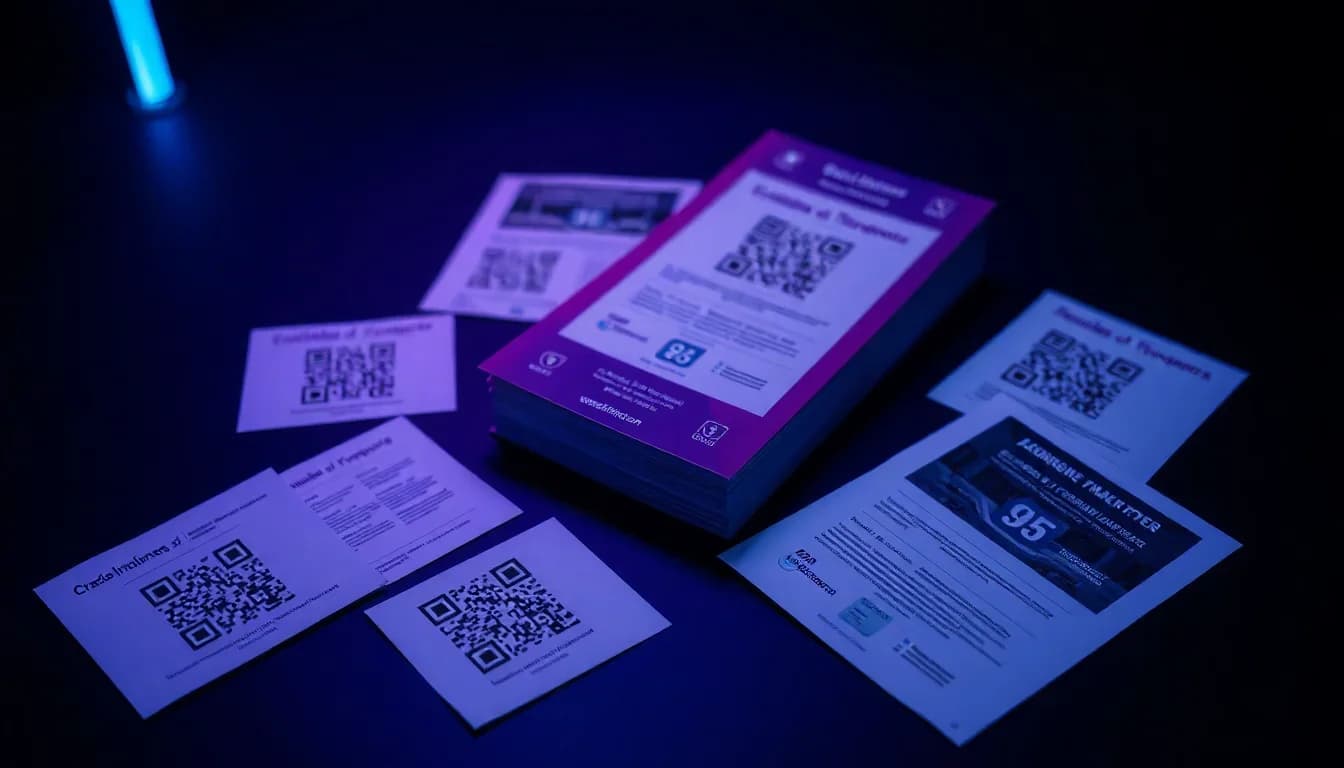
La impresion no ha muerto - simplemente es mas inteligente ahora. Anadir codigos QR a folletos, posters, tripticos y tarjetas de visita convierte cada pieza impresa en un punto de acceso interactivo y rastreable. Pero un codigo QR mal colocado o con tamano incorrecto desperdicia papel y dinero. Esta guia cubre todo lo que necesitas para hacerlo bien a la primera.
¿Quieres probarlo tú mismo? El generador es gratis y se abre al instante.
Crear un código QRPor que los codigos QR deben estar en cada material impreso
Los materiales impresos tienen un problema: son unidireccionales. Un folleto le cuenta a alguien sobre tu oferta, pero no puede capturar su respuesta, medir la interaccion ni actualizarse por si solo. Los codigos QR solucionan los tres problemas.
Conecta lo impreso con lo digital
Convierte un poster estatico en una puerta de acceso a tu sitio web, landing page, video o app. Un escaneo reemplaza escribir una URL.
Rastrea campanas offline
Con codigos QR dinamicos, ves exactamente cuantas personas escanearon, cuando, donde y en que dispositivo - datos que jamas obtendrias de un folleto normal.
Actualiza sin reimprimir
Los codigos QR dinamicos te permiten cambiar la URL de destino despues de imprimir. La promocion termino? Apunta el mismo codigo a tu nueva oferta.
Reduce el desorden
En lugar de apretar una URL larga, perfiles de redes sociales e informacion de contacto en un espacio reducido, un codigo QR enlaza a todo.
Aumenta las tasas de respuesta
Los estudios muestran que los materiales impresos con codigos QR tienen entre un 30% y un 50% mas de interaccion que los que solo tienen URLs. Escanear es mas rapido que escribir.
Coste cero de anaadir
Generar un codigo QR es gratis. El coste de impresion es el mismo lo incluyas o no. Es pura ventaja.
Guia de tamano de codigos QR para impresion
La razon numero uno por la que los codigos QR fallan en materiales impresos es el tamano. Demasiado pequenos y las camaras de los telefonos no pueden enfocarlos. La regla general: por cada 10 cm (4 pulgadas) de distancia de escaneo, anade 1 cm al lado del codigo QR.
| Material | Tamano minimo | Recomendado | Distancia de escaneo |
|---|---|---|---|
| Tarjeta de visita | 1,5 x 1,5 cm | 2 x 2 cm | 10-20 cm |
| Folleto (A5/A4) | 2 x 2 cm | 3 x 3 cm | 20-40 cm |
| Triptico | 2 x 2 cm | 2,5 x 2,5 cm | 20-30 cm |
| Poster (A3/A2) | 3 x 3 cm | 5 x 5 cm | 50-100 cm |
| Valla / Banner | 15 x 15 cm | 25 x 25 cm | 2-5 metros |
| Caballete de mesa / Menu | 2 x 2 cm | 3 x 3 cm | 30-50 cm |
| Empaque de producto | 1 x 1 cm | 2 x 2 cm | 10-20 cm |
Regla general: 1 cm de lado del codigo QR por cada 10 cm de distancia de escaneo. En caso de duda, hazlo mas grande - nadie se queja de que un codigo QR sea demasiado facil de escanear.
Crea codigos QR listos para imprimir gratis
QR-Verse genera codigos SVG y PNG de alta resolucion perfectos para cualquier tamano de impresion - desde tarjetas de visita hasta vallas publicitarias. Sin marcas de agua, sin limites.
Crea tu codigo QR →Donde colocar codigos QR en materiales impresos
La colocacion importa casi tanto como el tamano. Un codigo QR bien disenado en el lugar equivocado se ignora.
Dale una llamada a la accion clara
Nunca coloques un codigo QR desnudo. Siempre incluye texto como "Escanea para un 20% de descuento", "Escanea para ver el menu" o "Escanea para indicaciones". La gente necesita una razon para sacar su telefono.
Mantenlo lejos de pliegues y bordes
En tripticos y folletos doblados, los codigos QR cerca del pliegue pueden deformarse y volverse imposibles de escanear. Colocalos en superficies planas e ininterrumpidas, al menos a 1 cm de cualquier linea de pliegue o corte.
Asegura un espacio en blanco adecuado
Los codigos QR necesitan una "zona de silencio" - espacio en blanco alrededor igual a al menos 4 modulos (los pequenos cuadrados que componen el codigo). Sin ella, los escaneres confunden el diseno circundante con parte del codigo.
Considera el flujo visual
En posters, la parte inferior derecha o el centro es donde los ojos aterrizan naturalmente al final - perfecto para un CTA + codigo QR. En folletos, la seccion inferior trasera funciona bien ya que la portada lleva el titular.
Adapta al contexto
Un caballete de mesa de restaurante? El codigo QR mira al comensal. Una etiqueta de estanteria de retail? El codigo QR a la altura de la mano con telefono. Una credencial de conferencia? Reverso de la credencial, facilmente escaneable por otros.
Disenando codigos QR para impresion
La regla de diseno mas importante para codigos QR impresos: contraste. El codigo necesita ser significativamente mas oscuro que su fondo. Negro sobre blanco funciona mejor - pero los colores de marca tambien funcionan, siempre que el primer plano sea al menos un 40% mas oscuro que el fondo. Nunca uses claro sobre oscuro (codigo blanco sobre fondo oscuro) a menos que inviertas la logica de contraste.
Siempre exporta tu codigo QR como SVG para impresion. SVG es un formato vectorial que escala infinitamente sin perder calidad. Un PNG que se ve bien en pantalla puede convertirse en un desastre borroso al imprimirse en tamano poster. QR-Verse exporta tanto SVG como PNG de alta resolucion - usa SVG siempre que tu impresor lo soporte.
Si estas anadiendo un logo al centro, mantenlo dentro del 20-25% del area total del codigo QR. Los codigos QR tienen correccion de errores integrada (QR-Verse usa el nivel H por defecto, que tolera hasta un 30% de obstruccion), pero llevar al limite arriesga fallos de escaneo - especialmente con poca luz o al imprimir en materiales brillantes.
Para materiales de impresion brillantes como revistas o papel estucado, prueba el escaneo bajo diferentes angulos de iluminacion. El brillo puede crear reflejos que confunden las camaras de los telefonos. Los acabados mate o un recubrimiento mate puntual sobre el codigo QR solucionan esto al instante.
Materiales impresos x codigos QR: que funciona mejor
Folletos y posters de eventos
Enlaza a la pagina de registro, compra de entradas o detalles del evento. Usa un codigo QR dinamico para poder actualizar el enlace cuando la pagina del evento cambie. Anade parametros UTM para rastrear que ubicaciones de posters generan mas registros.
Menus y caballetes de mesa de restaurante
Reemplaza los menus impresos con menus QR que se actualizan al instante. Ahorra costes de reimpresion cuando los precios o platos cambian. Enlaza a tu menu digital, pagina de resenas de Google o sistema de reservas.
Tarjetas de visita
Un codigo QR vCard en tu tarjeta de visita permite que los contactos guarden tu informacion con un escaneo - sin escribir. Enlaza a tu LinkedIn, portfolio o pagina de citas.
Empaque de producto y etiquetas
Enlaza a instrucciones del producto, registro de garantia, listas de ingredientes o paginas de recompra. Especialmente util para productos con espacio de etiqueta limitado.
Correo directo y tripticos
Los codigos QR personalizados en campanas de correo directo pueden enlazar a landing pages individuales. Rastrea tasas de respuesta por segmento de envio.
Senalizacion inmobiliaria
Carteles con codigos QR enlazan a visitas virtuales, galerias de fotos y paginas de contacto del agente. Los compradores obtienen acceso instantaneo a los detalles del listado mientras estan frente a la propiedad.
Rastreando los resultados de tu campana impresa
El verdadero poder de los codigos QR en materiales impresos es la medicion. Con codigos QR dinamicos, cada escaneo se registra con marca de tiempo, ubicacion (a nivel de ciudad), tipo de dispositivo y sistema operativo. Por primera vez, puedes medir el rendimiento de campanas impresas con precision digital.
Mejor practica: crea un codigo QR separado para cada tirada de impresion, ubicacion o tipo de material. Tienes posters en 3 ciudades? Crea 3 codigos QR apuntando a la misma URL pero con diferentes parametros UTM. Veras exactamente que ciudad genera mas escaneos y que ubicaciones de posters merecen la inversion.
El panel gratuito de QR-Verse muestra todos los datos de escaneo en tiempo real. No se requiere actualizacion de pago para ver tus analiticas - a diferencia de la mayoria de competidores que ocultan el seguimiento detras de planes Pro. Combina datos de escaneo QR con Google Analytics para ver el recorrido completo desde el escaneo hasta la conversion.
6 errores en codigos QR impresos que arruinan las tasas de escaneo
Demasiado pequeno
Un codigo QR de 1x1 cm en un poster visto desde 2 metros de distancia? Imposible de escanear. Siempre dimensiona segun la distancia de escaneo esperada.
Sin llamada a la accion
Un codigo QR sin contexto es una caja misteriosa. La mayoria de la gente no escaneara algo si no sabe lo que obtendra.
Bajo contraste
Gris sobre gris claro, azul sobre purpura o cualquier combinacion de bajo contraste hace que los codigos QR sean invisibles para las camaras de los telefonos, especialmente con poca luz.
Colocado en el pliegue
Los codigos QR en los pliegues de tripticos se deforman al doblarse, rompiendo el patron de escaneo. Siempre coloca en secciones planas.
Usar estatico cuando se necesitaba dinamico
Un codigo QR estatico es permanente - la URL esta integrada. Si tu promocion termina o la pagina se mueve, ese codigo impreso se convierte en un enlace muerto. Siempre usa dinamico para impresion.
Enlazar a paginas no optimizadas para movil
Mas del 90% de los escaneos QR ocurren en telefonos. Si tu codigo QR enlaza a una pagina solo de escritorio, has perdido al usuario en 3 segundos. Siempre prueba el destino en movil primero.
Checklist pre-impresion de codigo QR
Antes de enviar algo a imprenta, repasa esta lista. Reimprimir es caro - detectar problemas ahora es gratis.
- El codigo QR es dinamico (no estatico) para poder cambiar el destino despues
- Exportado como SVG (vectorial) para escalado sin perdida a cualquier tamano de impresion
- Minimo 2x2 cm para materiales de mano, mas grande para visualizacion a distancia
- Alto contraste entre el codigo y el fondo (codigo oscuro, fondo claro)
- Zona de silencio de al menos 4 modulos alrededor del codigo
- Texto claro de llamada a la accion junto al codigo QR
- Probado en 3 o mas telefonos diferentes (iPhone, Android, modelo antiguo)
- La URL de destino esta optimizada para movil y carga en menos de 3 segundos
- Parametros UTM anadidos para seguimiento de campana
- El logo (si hay) cubre menos del 25% del area del codigo QR
Recursos relacionados
- Generador de codigos QR
- Diseno de codigos QR personalizados
- Gestion de campanas
- Guia de analiticas y seguimiento
Listo para imprimir?
Genera tu codigo QR en formato SVG, personaliza colores y logo, y descarga - completamente gratis. Tus materiales impresos estan a punto de ser mucho mas inteligentes.
Crear codigo QR listo para imprimir →Que formato de archivo debo usar para imprimir codigos QR?
SVG (Graficos Vectoriales Escalables) es el mejor formato para impresion. Escala a cualquier tamano sin perder calidad - desde tarjetas de visita hasta vallas publicitarias. QR-Verse te permite descargar codigos QR como SVG de forma gratuita.
Cual es el tamano minimo para un codigo QR imprimible?
Para materiales de mano como tarjetas de visita o folletos, apunta a al menos 2x2 cm. Para posters vistos desde 1 metro de distancia, usa al menos 5x5 cm. La regla: 1 cm por cada 10 cm de distancia de escaneo.
Debo usar un codigo QR estatico o dinamico para impresion?
Siempre usa dinamico para materiales impresos. Los codigos estaticos no se pueden cambiar despues de imprimir - si tu URL cambia, el codigo impreso se convierte en un enlace muerto. Los codigos dinamicos te permiten actualizar el destino en cualquier momento.
Puedo rastrear cuantas personas escanean mi codigo QR impreso?
Si. Los codigos QR dinamicos rastrean cada escaneo con marca de tiempo, ubicacion, tipo de dispositivo y mas. QR-Verse muestra todas las analiticas en tu panel gratuito - sin necesidad de upgrade de pago.
Funcionan los codigos QR en papel brillante?
Pueden, pero el brillo es el enemigo. Los acabados brillantes reflejan la luz y pueden confundir las camaras de los telefonos. Si imprimes en papel brillante, pide un acabado mate puntual sobre el area del codigo QR, o prueba el escaneo bajo varias condiciones de iluminacion.
Como anado un codigo QR al diseno de mi folleto?
Genera tu codigo QR en QR-Verse, descarga el archivo SVG y colocalo en tu software de diseno (Canva, InDesign, Illustrator, etc.) como cualquier otra imagen. Asegura un tamano y contraste adecuados.
Puedo poner un logo dentro de mi codigo QR impreso?
Si. Los codigos QR soportan correccion de errores que permite que un logo cubra hasta el 25-30% del codigo. La funcion de QR con marca de QR-Verse maneja esto automaticamente, dimensionando tu logo dentro de los limites seguros.
Es gratis crear codigos QR para materiales impresos?
Si. QR-Verse ofrece generacion de codigos QR gratuita e ilimitada con personalizacion completa, exportacion SVG y analiticas - sin cuenta necesaria para codigos basicos, cuenta gratuita para seguimiento.
¿Listo para crear su código QR?
Plan gratuito disponible. Sin registro. Cree códigos QR profesionales en segundos.
Listo para probarlo?
Cree códigos QR profesionales con seguimiento, colores personalizados y arte con IA.
Pruebe nuestras herramientas gratuitas:
Cree su código QR en segundos
Sin registro, sin tarjeta de crédito. 27 tipos de QR con personalización completa. Mejore a Pro para potencia ilimitada.
Compartir este artículo
Artículos relacionados

Código QR estático vs dinámico: diferencias y costes
La diferencia en una frase: un código QR estático es fijo para siempre, uno dinámico se puede editar tras imprimir. Costes, tracking y tabla de decisión.
Leer más
Códigos QR con Marca: Colores, Logos y Diseño
Cree códigos QR con su marca, colores, logo y diseño personalizado. Guía gratuita para construir códigos QR que generan un 80% más de escaneos.
Leer más
Panel QR Gratis: Escaneos, Ubicaciones y Dispositivos
Obtenga analíticas en tiempo real para cada código QR que crees. Rastrea escaneos, ubicaciones, dispositivos y tendencias - completamente gratis con QR-Verse.
Leer más